
Latest Version
4.4.0
June 28, 2026
takusan_23
Tools
Android
0
Free
io.github.takusan23.newradiosupporter
Report a Problem
More About NewRadioSupporter - 5G Checker
Understanding 5G Connectivity: Standalone vs. Non-Standalone
As the world embraces the next generation of mobile connectivity, understanding the nuances of 5G technology becomes essential. This article delves into the differences between standalone (5G SA) and non-standalone (5G NSA) networks, how to identify your current connection type, and the tools available to enhance your 5G experience.
What is 5G Standalone (5G SA)?
5G Standalone (5G SA) represents the true potential of 5G technology. Unlike its counterpart, 5G NSA, which relies on existing 4G infrastructure, 5G SA operates independently. This means that it utilizes a dedicated 5G core network, allowing for lower latency, higher speeds, and improved overall performance. Users connected to a 5G SA network can experience enhanced capabilities, such as:
- Ultra-reliable low-latency communication (URLLC)
- Massive machine-type communications (mMTC)
- Improved network slicing for tailored services
What is 5G Non-Standalone (5G NSA)?
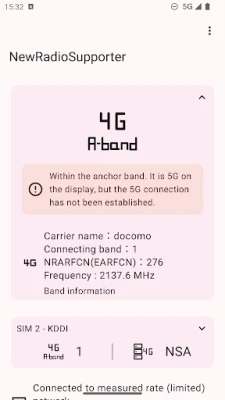
5G Non-Standalone (5G NSA) is a transitional technology that leverages existing 4G LTE infrastructure to deliver 5G services. While it provides faster speeds than 4G, it does not fully utilize the capabilities of 5G. Users may notice that their devices switch back to 4G during certain communications, indicating reliance on the anchor band. This can lead to:
- Inconsistent performance
- Higher latency compared to 5G SA
- Limited access to advanced 5G features
How to Check Your 5G Connection Type
Determining whether you are connected to a 5G SA or 5G NSA network is crucial for understanding your mobile experience. Here are some methods to check your connection type:
1. Use Your Device Settings
Most smartphones allow users to view their current network type in the settings menu. Navigate to the 'Network' or 'Connections' section to find detailed information about your 5G connection.
2. Home Screen Widget
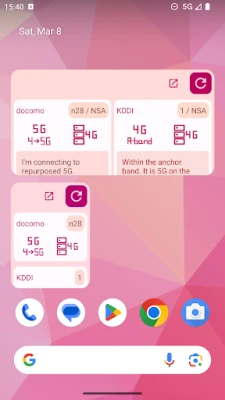
Many devices offer a widget function that can be added to your home screen. This widget provides real-time updates on your network status, allowing you to monitor whether you are connected to 5G SA or NSA at a glance.
3. Notification Icons
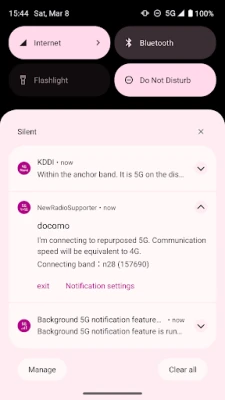
Even when running applications in the background, your device may display notification icons that indicate your current network type. Keep an eye on these icons to stay informed about your connectivity.
Open Source Tools for 5G Monitoring
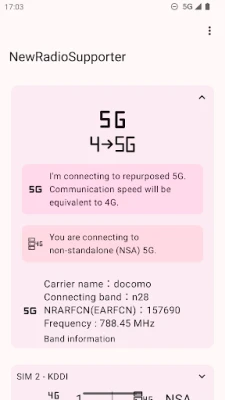
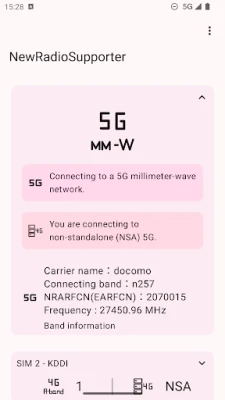
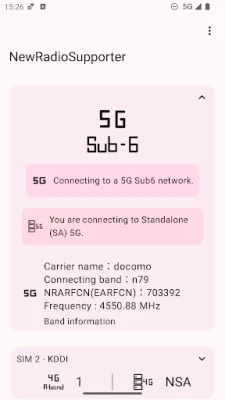
For tech-savvy users, open-source applications can provide deeper insights into your 5G connectivity. One such tool is the NewRadioSupporter app. This application allows users to:
- Monitor network performance
- Identify connection types
- Access the source code for customization
By utilizing open-source tools, you can gain a better understanding of your 5G experience and contribute to the community by sharing your findings.
Conclusion
As 5G technology continues to evolve, understanding the differences between standalone and non-standalone networks is vital for optimizing your mobile experience. By utilizing the tools and methods outlined in this article, you can stay informed about your connectivity and make the most of the advancements that 5G has to offer. Whether you are a casual user or a tech enthusiast, being aware of your network type can significantly enhance your mobile interactions.
Rate the App
User Reviews















Popular Apps










Editor's Choice









