

Latest Version
3.3.0
June 27, 2026
Mobile Solution Tech
Tools
Android
0
Free
com.topmobilesolution.wifi.network.analyzer.wifi.scanner.speedtest
Report a Problem
More About WiFi Analyzer
Unlock Your Internet Potential with the Ultimate Wi-Fi Analyzer
In today's digital age, a reliable and fast internet connection is essential for both work and leisure. Whether you're streaming your favorite shows, participating in video calls, or gaming online, having the right tools to optimize your Wi-Fi can make all the difference. This article explores the key features of a top-tier Wi-Fi Analyzer, designed to enhance your internet experience and ensure you stay connected seamlessly.
Key Features of the Wi-Fi Analyzer
1. Real-Time Wi-Fi Speed Test
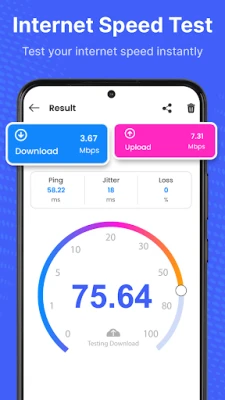
With the Wi-Fi Analyzer, you can effortlessly run an internet speed test to monitor your download and upload speeds, as well as ping times. This feature allows you to assess your internet performance in real time, ensuring you are always aware of your connection quality.
2. Comprehensive Wi-Fi Analyzer
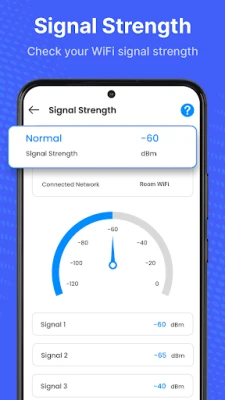
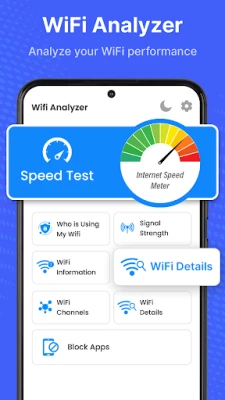
Identify the strength of your Wi-Fi signal and detect any interference that may be affecting your connection. The Wi-Fi Analyzer helps you find the best available channels, enabling you to enjoy a faster and more stable internet experience.
3. Wi-Fi Mapping
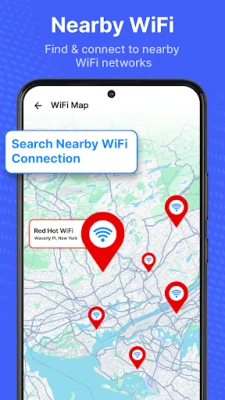
Discover nearby Wi-Fi hotspots and optimize your coverage with the Wi-Fi Map feature. This tool allows you to visualize the Wi-Fi landscape around you, ensuring you can connect to the best available networks.
4. Device Connection Scanner
Ever wondered who is connected to your Wi-Fi network? The "Who's Connected?" feature scans and detects all devices linked to your network, giving you control over your internet usage and security.
5. Wi-Fi Booster & Optimizer
Enhance your Wi-Fi performance by selecting the strongest signal available. The Wi-Fi Booster & Optimizer feature intelligently improves your connection, ensuring you get the most out of your internet service.
6. Wi-Fi Channel Analyzer
Avoid interference by finding the least crowded Wi-Fi channel. The Wi-Fi Channel Analyzer helps you select the optimal channel for your network, resulting in a more reliable connection.
7. Secure Wi-Fi Password Manager
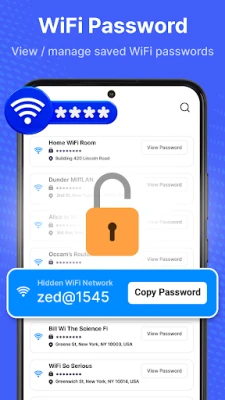
Manage your Wi-Fi passwords securely with the built-in Password Manager. This feature allows you to save and retrieve your passwords easily, ensuring you never lose access to your networks.
8. App Bandwidth Management
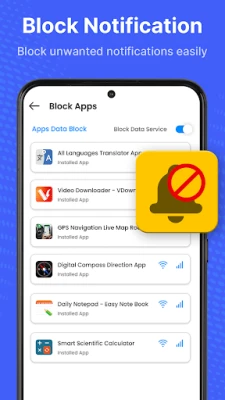
Stop background applications from consuming excessive Wi-Fi bandwidth with the Block Apps feature. This tool helps you prioritize your internet usage, ensuring that essential tasks receive the bandwidth they need.
9. Wi-Fi Security Scanner
Protect your network from potential threats with the Wi-Fi Security Scanner. This feature detects unauthorized access and vulnerabilities, helping you maintain a secure online environment.
10. Detailed Wi-Fi Information & Network Insights
Access complete details about your Wi-Fi connection, including your IP address, gateway, and DNS settings. This information is crucial for troubleshooting and optimizing your network performance.
Why Choose the Wi-Fi Analyzer?
Boost Your Wi-Fi Speed
Finding the fastest Wi-Fi network is essential for improving your internet performance. The Wi-Fi Analyzer helps you identify optimal connections, ensuring you enjoy a seamless online experience.
Secure Your Network
With the ability to identify Wi-Fi intruders, the Wi-Fi Analyzer enhances your network security. Protect your personal information and maintain control over your internet access.
Analyze Wi-Fi Performance
Gain real-time insights into your Wi-Fi signal strength and coverage. The Wi-Fi Analyzer provides valuable data that allows you to make informed decisions about your network setup.
Find the Best Wi-Fi Channels
Utilize the Wi-Fi scanner to avoid signal congestion. By selecting the best channels, you can enjoy a stable and uninterrupted connection, perfect for all your online activities.
Maximize Your Wi-Fi Experience Today!
Don't settle for mediocre internet performance. Download the Wi-Fi Analyzer now and unlock the full potential of your Wi-Fi connection. Enjoy fast, secure, and optimized internet connectivity that meets all your needs.
Your feedback and suggestions are always welcome. For any inquiries, feel free to reach out via email at masa36370@gmail.com. The Wi-Fi Analyzer app also utilizes a VPN to manage data on selected applications, giving you greater control over your mobile data usage.
Rate the App
User Reviews















Popular Apps










Editor's Choice









