

Latest Version
June 28, 2026
Creative Lizard
Tools
Android
0
Free
in.creativelizard.vectorflow
Report a Problem
More About Vector Flow
Transform Your Device into a Powerful Vector Graphics Studio with Vector Flow
In today's fast-paced digital landscape, having the right tools at your fingertips is essential for designers and developers alike. Vector Flow revolutionizes the way you create vector graphics by turning your phone or tablet into a comprehensive design studio. With its intuitive interface and robust features, you can sketch precise paths, build intricate shapes, animate your artwork, and export it in formats that developers and designers actually use—all from the convenience of your device.
Draw with Unmatched Precision
Vector Flow is equipped with a specialized toolset designed specifically for vector work, moving beyond simple freehand sketching. Here’s what you can expect:
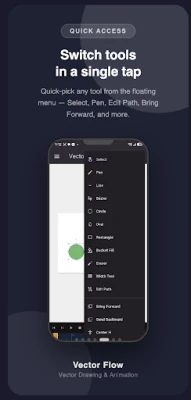
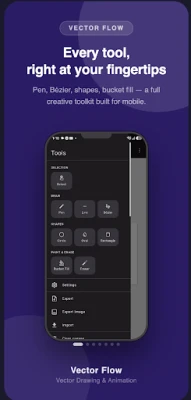
- Pen Tool: Create clean, anchored paths with ease.
- Line and Bézier Tools: Draw straight segments and smooth curves effortlessly.
- Shape Tools: Utilize Circle, Oval, and Rectangle tools with adjustable corner radii for versatile designs.
- Bucket Fill: Instantly color in closed regions, saving you time.
- Eraser: Quickly clean up any mistakes for a polished finish.
Refine Every Stroke with Ease
While many drawing apps limit you to flat-width lines, Vector Flow takes it a step further:
- Width Tool: Taper the thickness of any stroke along its length, achieving natural, hand-lettered, or illustrative effects.
- Edit Path: Drag individual nodes on a stroke's centerline to reshape curves after they’ve been drawn, eliminating the need to start over.
Animate Your Artwork
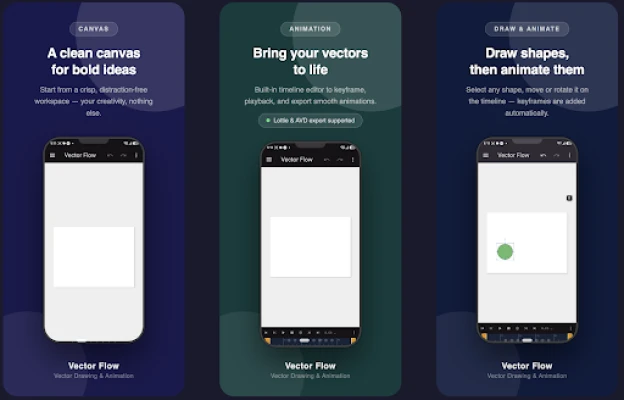
With Vector Flow's Animation Mode, you can breathe life into your static designs. The built-in timeline allows you to:
- Scrub through your animation, previewing and fine-tuning timing directly on the canvas.
- Create stunning icon animations, motion logos, and UI micro-interactions with ease.
Export Your Work Seamlessly
Your creative work shouldn’t be confined to a single app. Vector Flow supports a variety of export formats essential for real projects:
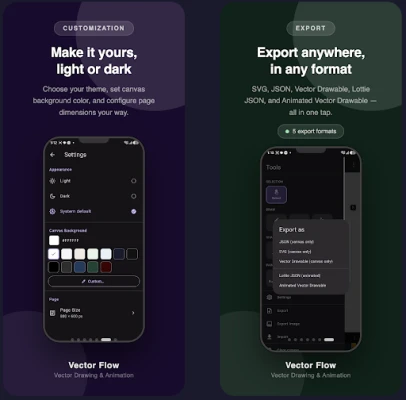
- SVG: Ideal for web and design tools.
- Android Vector Drawable: Easily integrate into your app's res/drawable folder.
- Lottie JSON: Perfect for animated vector graphics on web and mobile platforms.
- Animated Vector Drawable (AVD): Create native Android motion graphics.
- PNG / JPG: Export flattened raster images for quick use.
- JSON: Utilize Vector Flow's proprietary format for seamless project round-tripping between devices.
Round-trip fidelity is crucial; variable-width strokes, corner radii, and animation data are preserved during import, ensuring your designs remain intact.
Import and Continue Editing
Vector Flow allows you to import existing SVG or Vector Drawable files, enabling you to continue editing without starting from scratch. This includes maintaining width-tapered strokes and rounded corners, streamlining your workflow.
Designed for Real Workflows
Vector Flow is built with user experience in mind:
- Resizable, organized tool panel for desktop and a categorized drawer for mobile, ensuring you can find tools quickly.
- Full color picker with a curated palette and custom color entry options.
- Adjustable stroke width slider for precise control.
- Features like undo/redo, multi-select, layer ordering, and shape merging enhance your editing capabilities.
- Support for light, dark, and system themes for a personalized experience.
- A guided first-launch walkthrough helps new users get oriented in seconds.
One App for Every Screen
Vector Flow adapts its interface to suit your working environment. Enjoy a streamlined mobile experience with a slide-out tool drawer, or take advantage of a desktop-class layout featuring a resizable side panel and native menus on larger screens. Whether you’re on a phone or a desktop, Vector Flow feels right at home.
Free to Use, Pay Once to Export
With Vector Flow, you can draw, edit, animate, and organize your work for free. A simple one-time purchase unlocks the ability to export to SVG, Vector Drawable, Lottie, AVD, and various image formats—no subscriptions or recurring fees. Once purchased, the app is unlocked forever on your device.
Who Can Benefit from Vector Flow?
Vector Flow is perfect for:
- App and game developers needing quick Vector Drawable or AVD assets without the hassle of desktop design tools.
- Designers prototyping icons, logos, or motion graphics on the go.
- Anyone looking to sketch clean vector shapes and integrate them directly into real projects.
Download Vector Flow today and transform your device into a portable vector design studio. Sketch, animate, export, and utilize your creations anywhere, anytime.
Rate the App
User Reviews















Popular Apps










Editor's Choice









