Latest Version
3.2.0
June 27, 2026
Nordic Semiconductor ASA
Tools
Android
0
Free
no.nordicsemi.android.nrfconnectdevicemanager
Report a Problem
More About nRF Connect Device Manager
Unlocking the Power of Device Management with nRF Connect SDK
In the rapidly evolving world of IoT (Internet of Things), effective device management is crucial for ensuring seamless operation and maintenance of connected devices. The nRF Connect SDK offers a robust framework for managing devices, featuring essential functionalities that enhance user experience and operational efficiency. This article delves into the key features of the nRF Connect SDK, providing insights into its capabilities and how it can streamline device management.
Core Features of nRF Connect SDK
The nRF Connect SDK is designed with a variety of features that cater to the needs of developers and users alike. Here are some of the standout functionalities:
1. Basic Commands: Echo and Reset
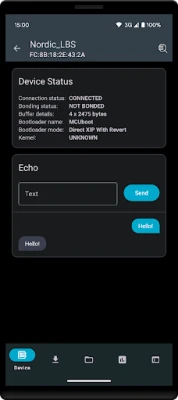
At the heart of the nRF Connect SDK are basic commands such as echo and reset. These commands facilitate straightforward communication between the device and the management system, allowing for quick diagnostics and troubleshooting. The echo command verifies connectivity, while the reset command ensures that devices can be rebooted easily, enhancing reliability.
2. Firmware Updates Over-the-Air (FOTA, DFU, SUIT)
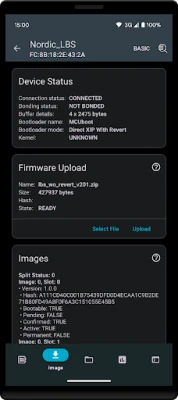
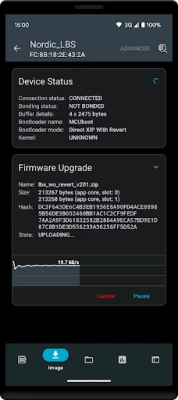
One of the most significant advantages of the nRF Connect SDK is its capability for firmware updates over-the-air (FOTA). This feature includes Device Firmware Update (DFU) and Software Update for IoT (SUIT), enabling developers to deploy updates remotely without requiring physical access to the devices. This not only saves time but also ensures that devices are always running the latest software, improving security and functionality.
3. Comprehensive File System Management
The nRF Connect SDK includes a sophisticated file system that allows for efficient data storage and retrieval. This feature is essential for applications that require logging and data management, enabling developers to create applications that can handle large amounts of data seamlessly. The file system supports various operations, making it easier to manage files and directories within the device.
4. Logs and Statistics
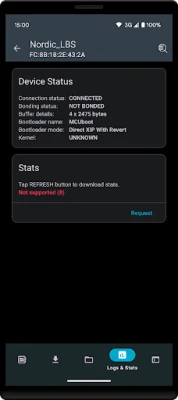
Monitoring device performance is crucial for maintaining optimal operation. The nRF Connect SDK provides robust logs and statistics features that allow developers to track device behavior and performance metrics. This data is invaluable for troubleshooting issues, optimizing performance, and ensuring that devices operate within expected parameters.
5. Executing Shell Commands
Another powerful feature of the nRF Connect SDK is the ability to execute shell commands. This functionality allows developers to run commands directly on the device, providing a flexible and powerful way to interact with the system. Whether for debugging or executing specific tasks, this feature enhances the overall control developers have over their devices.
Resources for Developers
To maximize the potential of the nRF Connect SDK, developers can access a wealth of resources and documentation. Here are some essential links:
- Source Code for Android nRF Connect Device Manager
- nRF Connect SDK Overview
- SMP Server Sample Documentation
- McuManager Library
- SMP over Bluetooth Documentation
Conclusion
The nRF Connect SDK stands out as a comprehensive solution for device management in the IoT landscape. With its array of features, including basic commands, over-the-air firmware updates, file system management, logging capabilities, and shell command execution, it empowers developers to create efficient and reliable applications. By leveraging the resources available, developers can unlock the full potential of the nRF Connect SDK, ensuring their devices remain at the forefront of technology.
Rate the App
User Reviews















Popular Apps










Editor's Choice









