

Latest Version
5.2.1
February 12, 2026
Dronelink LLC
Tools
Android
1
Free
com.dronelink.dronelink
Report a Problem
More About Dronelink
Maximize Your Drone Flight Experience with Advanced Mission Planning
In the rapidly evolving world of drone technology, effective mission planning is essential for achieving optimal results. Whether you're conducting inspections, mapping, or capturing stunning panoramas, utilizing advanced flight modes can significantly enhance your operations. This article explores how to leverage automated flight missions, supported devices, and innovative features to streamline your drone activities.
Comprehensive Flight Missions for Diverse Applications
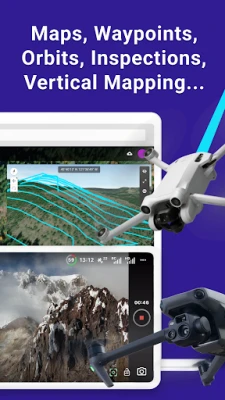
DroneLink offers a versatile platform for executing various flight missions tailored to your specific needs. From waypoint navigation to vertical mapping, the application supports a range of functionalities that cater to different industries. You can easily create missions for:
- Maps: Generate detailed geographical representations.
- Waypoints: Navigate to specific locations with precision.
- Orbits: Capture 360-degree views around a subject.
- Panos: Create stunning panoramic images.
- Inspections: Conduct thorough evaluations of structures and landscapes.
Dynamic Flight Modes for Enhanced Control
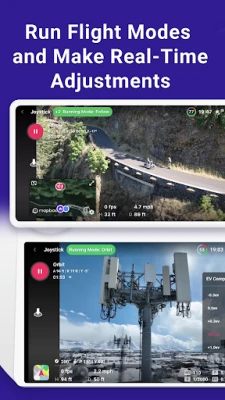
Utilizing various flight modes can significantly improve your drone's performance. DroneLink allows you to choose from several modes, including:
- Orbit Mode: Circle around a designated point for comprehensive coverage.
- Follow Mode: Automatically track a moving subject.
- Focus Mode: Maintain a steady view of a specific target.
By linking missions together and automating processes, you can streamline your workflow and focus on capturing high-quality data.
Compatibility with Leading Drone Models
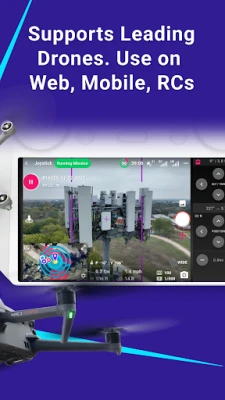
DroneLink supports a wide range of drones from industry leaders like DJI and Autel, including popular models such as the Mini, Air, and Mavic series. However, please note that the Mini 3 and Mini 3 Pro are not compatible with the Google Play app version. For the correct application, visit dronelink.com/download.
Flexible Plans for Every User
The DroneLink app offers a free version that supports manual flight operations. For those seeking automated flight control, a paid plan is available, catering to both professionals and hobbyists. Choose from various plan levels to find the one that best suits your needs.
Multi-Device Accessibility
Access DroneLink on web platforms, mobile devices, and remote controllers, ensuring you can manage your missions from anywhere. This flexibility allows pilots to adapt to different environments and operational requirements seamlessly.
Trusted by Pilots Worldwide
DroneLink is a trusted solution for pilots globally, facilitating the automation of flight and data capture across various industries. Whether you're in agriculture, construction, or real estate, DroneLink provides the tools necessary to enhance your aerial operations.
Multiple Workflows for Efficient Mission Planning
DroneLink offers several workflows to optimize your mission planning:
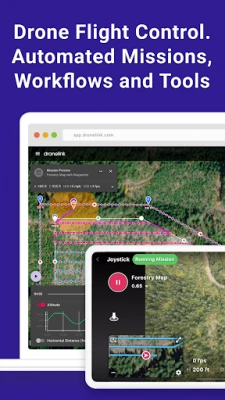
- Plan Missions on Any Device: Configure every detail of your mission from your preferred device.
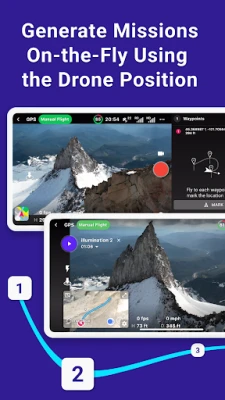
- Generate Missions On-the-Fly: Create missions in real-time using the drone's current position.
- Real-Time Adjustments: Utilize flight modes to make immediate changes during your flight.
3D Flight Path Exploration
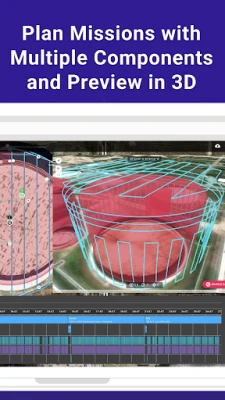
Before taking off, explore your flight path in 3D. This feature allows you to visualize your mission, estimate flight times, and preview the experience by flying a virtual drone. Such foresight can help you identify potential obstacles and optimize your route.
Seamless Mission Synchronization
All missions are synchronized across devices, ensuring that you can access your plans anytime, anywhere. Open a mission to start flying, and enjoy the flexibility to pause and resume as needed. Customize your flight dashboard to display the information most relevant to your operation.
Efficient Mission Management Dashboard
Utilize the management dashboard to organize your missions effectively. Enable integrations and track flights for one or multiple pilots, ensuring that your operations run smoothly and efficiently.
Explore Supported Drones and Terms of Use
For a complete list of supported drones, visit DroneLink Supported Drones. To understand the terms of use, please refer to DroneLink Terms of Use.
In conclusion, DroneLink empowers drone pilots with advanced mission planning capabilities, ensuring that you can achieve your objectives with precision and efficiency. Embrace the future of drone technology and elevate your aerial operations today!
Rate the App
User Reviews















Popular Apps










Editor's Choice









