

Latest Version
May 29, 2026
Prank Calling
Tools
Android
0
Free
com.fourg.fiveg.ltemode.speedtest.network
Report a Problem
More About 5G 4G Force LTE Mode
Unlocking the Power of 5G LTE: A Comprehensive Guide to Network Management
In today's fast-paced digital world, having a reliable and efficient internet connection is paramount. The 5G LTE MODE application serves as a powerful tool that not only manages your WiFi details but also conducts speed tests, monitors connected devices, and tracks data usage—all from a single, user-friendly interface. This article delves into the key features of the 5G LTE network and how to maximize its potential.
Key Features of the 5G LTE Network
Seamless Network Switching
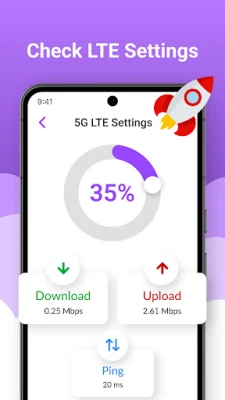
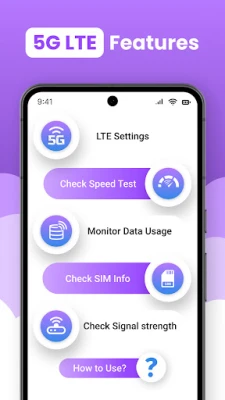
The 5G LTE switch feature allows users to effortlessly toggle between 5G, 4G, and 3G modes. This flexibility ensures optimal performance based on your current location and network conditions. By utilizing the Network Analyzer, you can quickly access advanced network settings to enhance your connectivity experience.
Comprehensive WiFi Tools
With the 5G switcher, you can view detailed WiFi information, including signal strength, nearby networks, and connected devices on your router or hotspot. This feature empowers users to make informed decisions about their network usage and connectivity options.
WiFi Usage Tracking
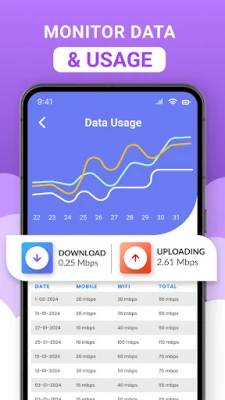
Understanding your data consumption is crucial. The 5G LTE MODE app allows you to easily track your WiFi data usage on a daily or monthly basis. By identifying which applications consume the most bandwidth, you can optimize your internet experience and manage your data more effectively.
Discover Nearby WiFi Networks
With the Force LTE Only feature, you can scan for and view all available WiFi networks in your vicinity. This includes detailed information about signal strength and security protocols, enabling you to choose the best connection available.
Monitor Connected Devices
The 5G LTE network app provides insights into which devices are currently connected to your WiFi. This feature is essential for detecting unknown users or unauthorized connections, ensuring your network remains secure.
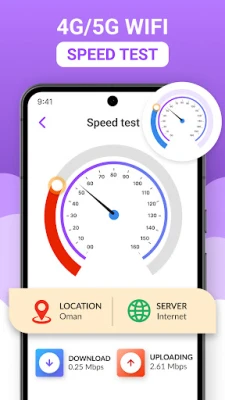
Internet Speed Testing
Instantly test your download and upload speeds with the WIFI speed test feature. Save your results to analyze your internet performance over time, allowing you to make necessary adjustments to improve your connectivity.
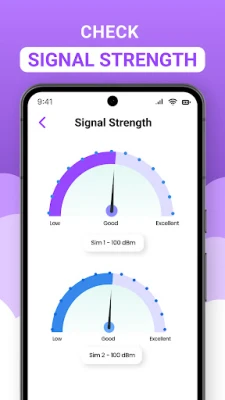
Assess Network Signal Strength
Measuring your mobile and WiFi signal strength is vital for maintaining a stable connection. The 5G LTE only feature helps you ensure a reliable connection, no matter where you are.
SIM Card Information
Gain complete insights into your SIM cards, including operator name, network type, and signal level. This information is crucial for troubleshooting connectivity issues and optimizing your network settings.
Data Usage Monitoring
Keep an eye on your mobile and WiFi data usage with the 5G LTE switch network feature. This tool allows you to see which applications are using the most data, helping you manage your consumption effectively.
How to Use the Network Analyzer
Getting started with the 5G 4G Force LTE MODE app is simple. Follow these steps to access and configure your network settings:
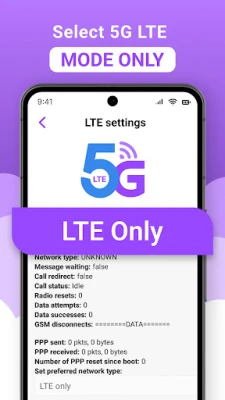
- Open the “5G 4G Force LTE MODE” settings in the app.
- Tap “Open Settings” to access network options.
- Scroll to “Set preferred network type.”
- Choose “LTE Only” for 4G or “LTE/UMTS Auto (PRL)” for automatic mode.
Disclaimer Regarding Force LTE Only
⚠️ Important Note: Some devices may restrict access to certain network options. The functionality of the Force LTE Only feature depends on your device model and Android version. Always ensure your device is compatible to take full advantage of these features.
Conclusion
The 5G LTE MODE application is an indispensable tool for anyone looking to optimize their internet experience. With its comprehensive features, users can manage their network settings, monitor data usage, and ensure a secure and efficient connection. Embrace the power of 5G LTE and take control of your digital life today!
Rate the App
User Reviews















Popular Apps










Editor's Choice









