


Latest Version
1.25
May 31, 2026
MS International
Tools
Android
0
Free
com.msint.iptools.info
Report a Problem
More About IP Tools: WiFi & Router Setup
All-in-One Network Toolbox for Fast & Easy Network Management
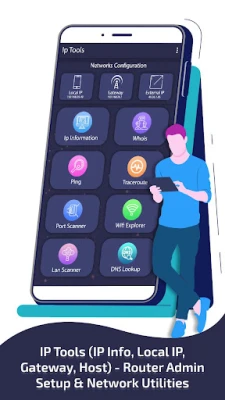
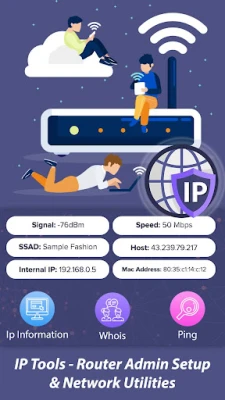
In today's digital age, effective network management is crucial for both personal and professional environments. The IP Tools – Router Admin Setup & Network Utilities app stands out as a comprehensive toolkit designed to simplify the complexities of network diagnostics, management, and optimization. Whether you are a seasoned IT professional, a network administrator, or a tech-savvy individual, this application equips you with all the essential tools to monitor and troubleshoot your network effortlessly.
Streamlined Network Diagnostics
With the IP Tools app, you can easily identify network issues, check IP addresses, analyze WiFi signals, and configure router settings—all from a single platform. This makes it an ideal solution for home users, network engineers, and IT support teams who require quick and reliable insights into their network performance.
Key Features of IP Tools
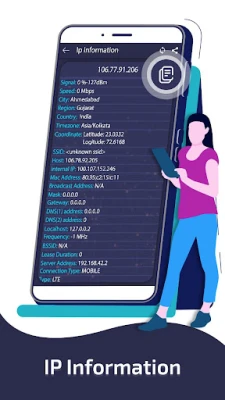
1. Comprehensive IP Information
Gain instant access to detailed information about your network, including:
- External and local IP addresses
- MAC address
- DNS servers
- Gateway and server location
- Geographical coordinates
- Broadcast address
2. Whois Lookup
Quickly discover the registered owner of any domain name, providing valuable insights for troubleshooting and verification.
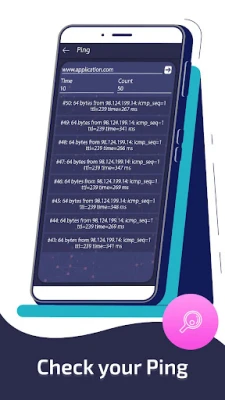
3. Ping Tool
Measure network latency by testing the connectivity and response time between your device and a server. This tool is essential for diagnosing connectivity issues.
4. Traceroute
Track the path packets take to reach their destination, allowing you to identify slow or broken links in your network.
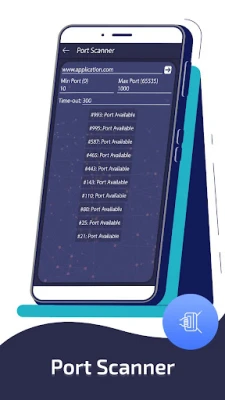
5. Port Scanner
Enhance your network security by scanning and detecting open ports on your devices, which is crucial for conducting security audits.
6. WiFi Scanner
View all nearby WiFi networks along with detailed information such as signal strength and channel, helping you optimize your wireless environment.
7. LAN Scanner
Identify all devices connected to your network, making it easy to check who is using your WiFi and manage connected devices effectively.
8. DNS Lookup
Resolve domain names to IP addresses and troubleshoot DNS issues with ease.
9. IP Calculator
Calculate essential network parameters, including subnet masks, broadcast addresses, and host ranges based on any given IP address.
10. IP-Host Converter
Convert domain names to IP addresses and vice versa, facilitating easier network mapping and management.
11. Router Admin Setup
Access and configure your router's admin panel using common IP addresses (like 192.168.1.1 or 192.168.0.1) to manage settings such as WiFi passwords, DHCP, and firewall configurations.
12. WiFi Signal Strength Meter
Monitor your current WiFi signal strength in real-time, allowing you to optimize coverage and improve connectivity.
Why Choose IP Tools – Router Admin Setup & Network Utilities?
- User-Friendly Interface: Designed for both beginners and experts, ensuring ease of use.
- Fast Diagnostics: Experience lightning-fast network diagnostics and real-time monitoring.
- Comprehensive Toolset: Cover every aspect of network setup, security, and troubleshooting.
- Enhanced Security: Keep your network secure by monitoring connected devices and open ports.
- WiFi Optimization: Analyze signal strength and available channels to enhance your WiFi network.
- Time-Saving Configuration: Simplify router management without complicated steps.
Who Can Benefit from IP Tools?
This versatile application is perfect for:
- Home users looking to monitor and secure their WiFi networks.
- IT professionals needing reliable network diagnostics on the go.
- Network administrators managing multiple devices and configurations.
- Anyone aiming to improve internet speed, connectivity, and security.
Take Control of Your Network Today!
Download IP Tools – Router Admin Setup & Network Utilities now and empower yourself to manage your network like a pro. With its extensive features and user-friendly design, you can ensure optimal performance and security for all your networking needs.
Rate the App
User Reviews















Popular Apps










Editor's Choice









