
Latest Version
1.5 (build 425)
February 01, 2026
Samsung Electronics Co., Ltd.
Tools
Android
0
Free
com.rsupport.rs.activity.rsupport.aas2
Report a Problem
More About Smart Tutor for SAMSUNG Mobile
Unlocking the Power of Smart Tutor: Your Ultimate Guide to Remote Device Support
In today's fast-paced digital world, having a reliable support system for your Android™ smartphone or tablet is essential. Smart Tutor offers a seamless, efficient, and secure way to consult with tech experts, ensuring your device operates at its best. This article will guide you through the features, benefits, and setup process of Smart Tutor, empowering you to optimize your device performance effortlessly.
What is Smart Tutor?
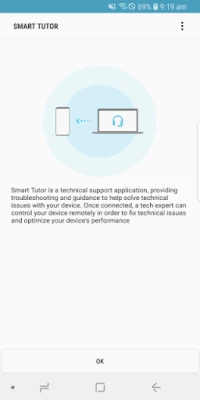
Smart Tutor is a remote diagnostic tool designed specifically for Android devices. It allows users to receive expert advice and troubleshooting assistance without the need for physical interaction. Whether you're facing issues with your device's settings or need guidance on new features, Smart Tutor is your go-to solution.
Key Diagnostic Features
Smart Tutor provides a range of diagnostic services to enhance your device's functionality. Here are some of the key areas where you can seek assistance:
- Menu and Feature Inquiries: Get answers to your questions about device menus and features.
- New Features Advice: Learn about the latest features available on your device.
- Display Settings and Errors: Troubleshoot display issues and optimize settings for better visibility.
- Software and App Updates: Inquire about software upgrades and app updates to keep your device current.
- Device Status Diagnosis: Receive a comprehensive assessment of your device's health and performance.
Getting Started with Smart Tutor
Setting up Smart Tutor is a straightforward process. Follow these simple steps to begin:
- Download the App: Visit the Google Play Store, search for "Smart Tutor," and install the application on your Android device.
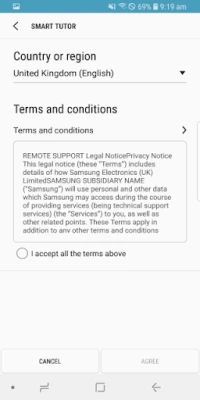
- Contact Samsung Support: Call the Samsung Contact Center. After accepting the "Terms and Conditions," you will receive the contact center's phone number, which may vary by country.
- Enter the Connection Code: Input the 6-digit connection code provided by the tech expert to establish a secure connection.
- Receive Expert Diagnosis: Once connected, a tech expert will remotely diagnose your mobile device.
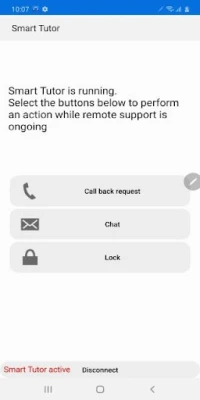
- Disconnect When Finished: To end the session, simply tap the "Disconnect" menu option.
Benefits of Using Smart Tutor
Smart Tutor not only simplifies the troubleshooting process but also offers several advantages:
- Safety and Reliability: Your privacy is paramount. Smart Tutor restricts tech experts from accessing sensitive applications, such as your Gallery, Messages, and Emails, ensuring your personal information remains secure.
- Convenience and Ease of Use: Enjoy quick and easy remote support from your Android device, whether you're connected via 3G, 4G, or Wi-Fi.
- Comprehensive Features: Smart Tutor includes functionalities like Screen Share, Chat, Screen Lock, and Application Lock, enhancing your support experience.
Requirements and Important Notes
Before using Smart Tutor, ensure that your device meets the following requirements:
- Smart Tutor is compatible with Android OS versions above Android 6.
- Devices classified as "Google Experience Devices," such as the Galaxy Nexus, are not supported.
- Using Smart Tutor over a 3G or 4G network may incur charges based on your data plan. It is advisable to check for Wi-Fi availability to avoid additional costs.
Conclusion
Smart Tutor is an invaluable tool for anyone looking to enhance their Android device experience. With its user-friendly interface, robust features, and commitment to privacy, it stands out as a premier choice for remote device support. By following the steps outlined in this guide, you can easily access expert assistance and ensure your device remains in optimal condition. Don't let technical issues hold you back—embrace the convenience of Smart Tutor today!
Rate the App
User Reviews















Popular Apps










Editor's Choice









