Latest Version
1.0.81
February 01, 2026
App Craze
Tools
Android
1
Free
ac.universal.tv.remote
Report a Problem
More About Universal TV Remote for All TV
Ultimate Guide to the Universal TV Remote App: Control Your TV Effortlessly
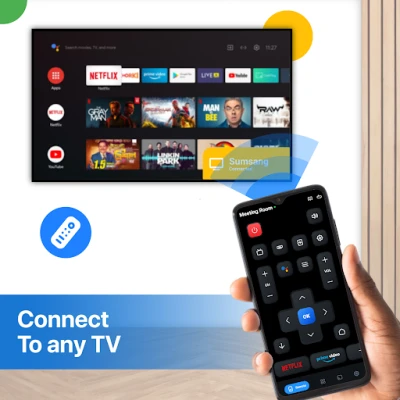
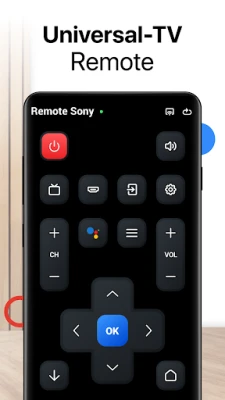
In today's digital age, managing your entertainment devices has never been easier. With the Universal TV Remote App, you can transform your smartphone into a powerful remote control for your Smart TV. As long as both your Smart TV and phone are connected to the same WiFi network, this app provides comprehensive control over your viewing experience. From powering your TV on and off to adjusting the volume and switching channels, it mimics the functionality of a traditional remote. Additionally, it features an IR (infrared) mode, allowing you to control older or non-WiFi TVs using your phone's built-in IR blaster.
Key Features of the Universal TV Remote App
- Auto-Detection of Smart TVs: The app automatically identifies Smart TVs connected to the same WiFi network, making setup a breeze.
- IR Remote Support: For those with non-smart TVs, the app includes IR remote functionality, enabling control without WiFi.
- Effortless Control: Adjust volume, change channels, and manage playback seamlessly.
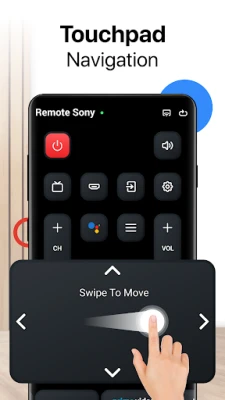
- Smart Touchpad and Swipe Controls: Navigate your TV interface with intuitive touchpad and swipe gestures.
- Quick Text Input and Voice Search: Find your favorite content faster with easy text input and voice search capabilities.
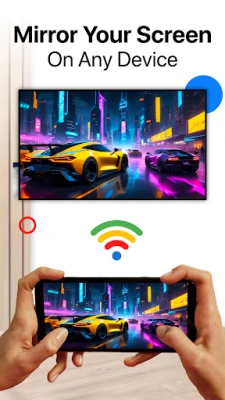
- Screen Mirroring: Mirror your phone's screen to your Smart TV with minimal latency for a smooth viewing experience.
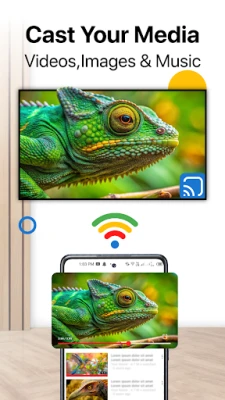
- Cast Photos and Videos: Share your favorite photos and videos from your phone directly to the TV.
- Power Control: Turn your Smart TV on or off directly from your smartphone or tablet.
How to Use the Universal TV Remote App
- Download and Install: Begin by downloading the Universal TV Remote for All TV app from your device's app store.
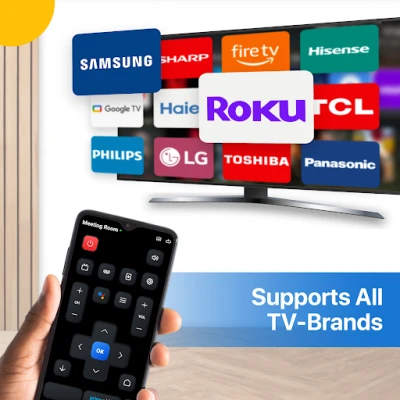
- Select Your TV Brand: Choose your TV brand from the list, which includes popular options like Samsung, LG, Roku, and Fire Stick.
- Connect via WiFi or IR: Establish a connection between the app and your TV using either WiFi or the IR feature.
- Start Controlling: Once connected, you can start using your smartphone as a remote control immediately.
Troubleshooting Tips for a Smooth Experience
If you encounter any issues while using the Universal TV Remote App, consider the following troubleshooting tips:
- Check Network Connection: Ensure that both your smartphone and TV are connected to the same WiFi network for optimal performance.
- Restart Devices: If the connection fails, try restarting both the app and your Smart TV.
- Update the App: Keep the app updated to the latest version to ensure the best compatibility and performance.
- Verify IR Blaster: If you are using the IR feature, confirm that your phone is equipped with a built-in IR blaster.
Disclaimer
The Universal TV Remote for All TV app is not affiliated with any specific TV brands mentioned. While extensive testing has been conducted on various TV models, compatibility with all TVs cannot be guaranteed.
Privacy Policy
For more information regarding user privacy, please refer to our Privacy Policy.
In conclusion, the Universal TV Remote App is a versatile tool that enhances your viewing experience by providing seamless control over your Smart TV and other compatible devices. With its user-friendly interface and robust features, it is an essential app for anyone looking to simplify their entertainment setup.
Rate the App
User Reviews















Popular Apps










Editor's Choice









