
Latest Version
1.44
February 04, 2026
InputStick
Tools
Android
0
Free
com.inputstick.apps.kp2aplugin
Report a Problem
More About KP2A InputStick Plugin
Unlocking the Power of InputStick: Your Ultimate Guide to Secure and Efficient Login
In today's digital age, managing passwords and logging into various accounts can be a daunting task. Fortunately, with the InputStick USB Receiver, you can streamline your login process while enhancing security. This article will explore the features of InputStick, how to set it up with the Keepass2android application, and the benefits of using the InputStickUtility app.
What You Need to Get Started
To harness the full potential of InputStick, you will need the following:
- InputStick USB Receiver
- Keepass2android application (available for free on the Google Play Store or Keepass2android Nonet)
- InputStickUtility application (also free)
Features of InputStick
The InputStick USB Receiver offers a variety of features designed to simplify your online experience:
Effortless Login
With InputStick, you can easily:
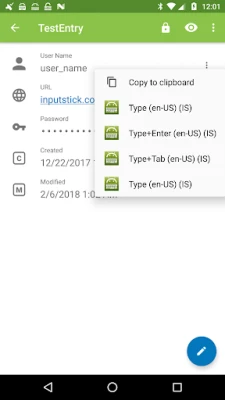
- Type Usernames and Passwords: Input your credentials directly into any login form.
- Enter Login Page URLs: Quickly navigate to your desired website by typing the URL directly into your web browser.
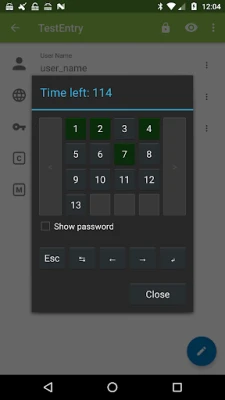
- Input Masked Passwords: Type single characters from your password, a feature often used by online banking services for added security.
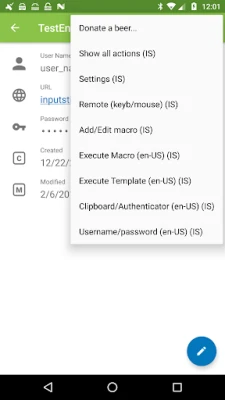
- Paste Clipboard Text: Effortlessly input any text you have copied to your clipboard.
- Input Authentication Codes: Type codes from Google Authenticator or similar apps via clipboard.
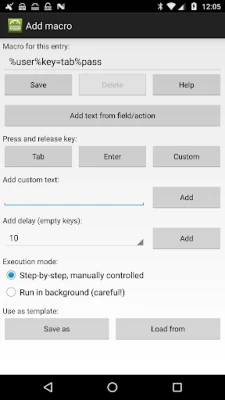
- Create Custom Macros: Automate your entire login procedure with personalized macros.
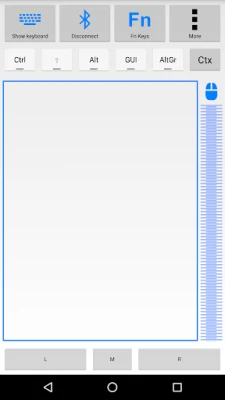
- Remote Control Your PC: Use InputStick to control your keyboard and mouse from a distance.
Compatibility and Ease of Use
One of the standout features of InputStick is its compatibility with any USB host that supports generic HID keyboards. This means you won’t need to install additional software or custom drivers, making it incredibly user-friendly.
Supported Keyboard Layouts
InputStick supports a wide range of keyboard layouts, including:
- Belgian (FR/NL)
- Canadian
- Croatian
- Czech
- Danish
- Dutch
- English (UK/US/International/Dvorak)
- Finnish
- French
- German
- Greek
- Hebrew
- Hungarian
- Italian
- Norwegian
- Polish
- Portuguese (BR/PT)
- Russian
- Slovak
- Spanish
- Swedish
- Swiss (FR/DE)
Setting Up InputStick with Keepass2android
To maximize the benefits of InputStick, follow these simple steps to set it up with the Keepass2android application:
- Download and Install: First, download the Keepass2android and InputStickUtility applications from the Google Play Store.
- Connect InputStick: Plug the InputStick USB Receiver into your device's USB port.
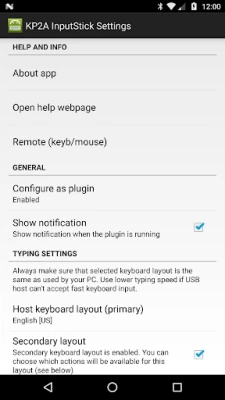
- Configure Keepass2android: Open the Keepass2android app and set it up to work with InputStick. This will allow you to access your passwords seamlessly.
- Create Macros: Use the InputStickUtility app to create custom macros that automate your login process.
Why Choose InputStick?
InputStick not only simplifies the login process but also enhances security. By using features like masked passwords and clipboard input, you can protect your sensitive information while enjoying a hassle-free experience. The ability to create custom macros further allows you to tailor the login process to your specific needs, making it an invaluable tool for anyone who values efficiency and security.
Conclusion
In conclusion, the InputStick USB Receiver, when paired with the Keepass2android and InputStickUtility applications, offers a powerful solution for managing your online logins. With its user-friendly setup, extensive compatibility, and robust features, InputStick is an essential tool for anyone looking to enhance their digital security and streamline their online experience. For more information, visit the official websites: InputStick and Keepass2android.
Rate the App
User Reviews















Popular Apps










Editor's Choice









