Latest Version
February 01, 2026
KRAFTWERK 9 LTD
Tools
Android
0
Free
com.kraftwerk9.sonyfy
Report a Problem
More About Remote for Sony Bravia TV
Ultimate Guide to Controlling Your Sony Bravia TV with the Sonyfy App
In today's digital age, managing your entertainment system has become more intuitive and user-friendly. If you own a Sony Bravia TV, the Sonyfy app is your go-to solution for seamless control. This guide will walk you through the steps to connect and utilize the app effectively, ensuring you enjoy your viewing experience to the fullest.
Connecting Your Sony Bravia TV to the Sonyfy App
To get started, ensure that your Sony Bravia TV is connected to the same Wi-Fi network as your mobile device. This connection is crucial for the app to detect your TV. Follow these simple steps:
- Open the Sonyfy app on your mobile device.
- From the list of detected devices, select your Sony Bravia TV.
- Enter the PIN displayed on your TV screen into the app.
Once connected, you will have full control over your TV right from your smartphone or tablet.
Why Choose the Sonyfy App for Your Sony Bravia TV?
The Sonyfy app revolutionizes the way you interact with your Sony Bravia TV. Here are some compelling reasons to use this app:
Convenient Remote Control Features
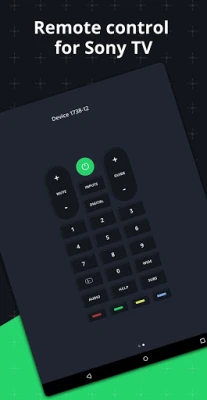
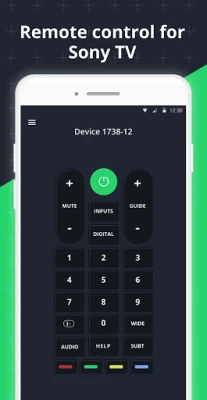
Gone are the days of frantically searching for your remote control. The Sonyfy app includes all the essential buttons you need to operate your TV, effectively replacing a physical remote. Whether you want to change the channel, adjust the volume, or power your TV on and off, everything is at your fingertips.
Intuitive Touchpad for Effortless Navigation
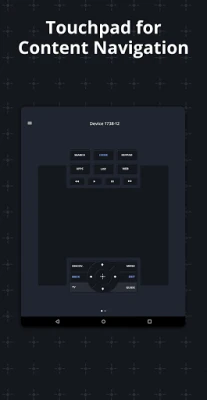
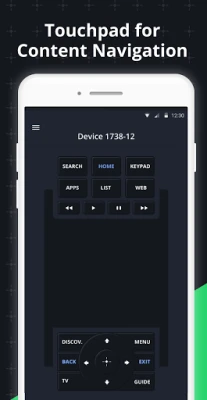
The app features a multifunctional touchpad that allows you to scroll through lists of new movies and music effortlessly. This user-friendly interface makes it easy to find and select your favorite content without any hassle.
Launch Your Favorite Apps Instantly
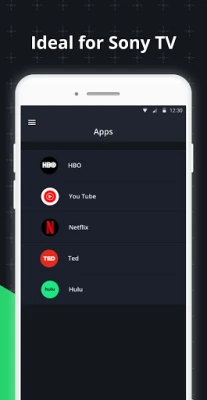
With the Sonyfy app, you can quickly launch popular applications installed on your Sony Bravia TV, such as Netflix, YouTube, and web browsers. This feature enhances your viewing experience by providing immediate access to your preferred entertainment options.
Key Features of the Sonyfy App
The Sonyfy app is packed with features designed to enhance your TV control experience:
- Automatic Detection: The app automatically detects your Sony Bravia TV on the Wi-Fi network, simplifying the connection process.
- Comprehensive Control: It includes all the necessary buttons for controlling your TV, mimicking the functionality of a traditional remote.
- Large Touchpad: The touchpad allows for convenient navigation through menus and content, making it easy to find what you want to watch.
- Direct App Launching: You can launch TV applications directly from the app, streamlining your entertainment experience.
- Wear OS Compatibility: The app is compatible with Wear OS, allowing you to control your TV from your smartwatch.
Conclusion
The Sonyfy app transforms your smartphone or tablet into a powerful remote control for your Sony Bravia Android TV. With its intuitive design and robust features, controlling your TV has never been easier. Say goodbye to lost remotes and hello to a more streamlined viewing experience.
Disclaimer: Kraftwerk 9, Inc is not an affiliated entity of Sony Corporation, and the Sonyfy application is not an official product of Sony.
Rate the App
User Reviews















Popular Apps










Editor's Choice









