

Latest Version
Update
December 20, 2025
December 20, 2025
Developer
onTaps
onTaps
Categories
Finance
Finance
Platforms
Android
Android
Downloads
0
0
License
Free
Free
Package Name
com.my.monthlybudget
com.my.monthlybudget
Report
Report a Problem
Report a Problem
More About MyMoney - Expense & Budget
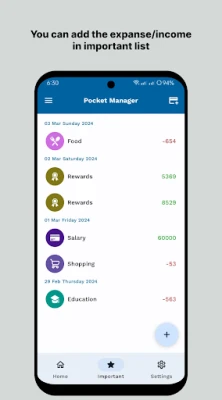
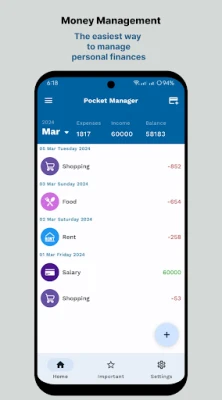
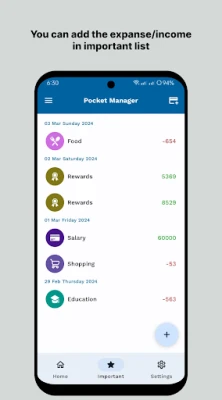
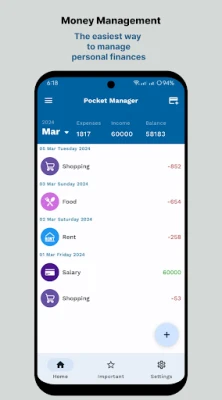
MyMoney is a personal finance management & budgeting app that helps you track your money use. This powerful spending tracker saves your money as you can see where your money goes. It has daily expense tracker, free budget planner, intuitive analysis and many powerful features-everything is offline, no internet needed. Use it for some days and you will see the differences.
Master Your Finances: A Comprehensive Guide to Managing Money and Tracking Expenses
Managing your finances effectively is crucial for achieving financial stability and reaching your savings goals. With the right tools and strategies, you can take control of your spending habits and make informed decisions about your money. One such tool that stands out is MyMoney, an intuitive budget planner designed to help you track expenses and manage your finances seamlessly.Why Tracking Expenses is Essential
Understanding where your money goes is the first step toward financial health. By tracking your expenses, you can identify spending patterns, pinpoint areas where you can cut back, and ultimately save more. MyMoney simplifies this process, allowing you to record your expenses effortlessly.Key Features of MyMoney
MyMoney is packed with features that cater to your financial management needs. Here’s a closer look at what makes it an indispensable tool for anyone looking to improve their budgeting skills.1. Comprehensive Expense Manager
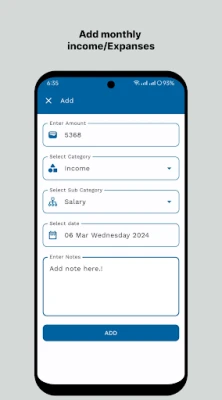
With MyMoney, you can categorize your income and expenses into various groups such as Cars, Food, Clothing, and more. This flexibility allows you to create as many categories as you need, making it easier to track specific spending areas. By organizing your finances, you gain a clearer picture of your financial landscape.2. Strategic Budget Planner
Setting a monthly budget is vital for boosting your savings. MyMoney enables you to establish budget limits for different categories, helping you stay within your financial targets. For instance, if you find yourself overspending on coffee, you can set a specific budget for that category, ensuring you don’t exceed your limits. This proactive approach helps you control your spending behavior effectively.3. In-Depth Financial Analysis
MyMoney provides insightful monthly income and expense analyses, allowing you to review your financial performance. By examining your expense records, you can better understand your spending habits and make necessary adjustments. This feature empowers you to make informed decisions about your finances.4. User-Friendly Interface
One of the standout features of MyMoney is its simple and easy-to-use interface. You don’t need to be a financial expert to navigate the app. After just a few days of use, you’ll notice significant improvements in your financial management skills. The intuitive design makes tracking expenses a breeze.5. Offline Functionality
MyMoney operates fully offline, meaning you don’t need an internet connection to use it. This feature is particularly beneficial for those who prefer to manage their finances on the go without relying on data or Wi-Fi. You can record your expenses anytime, anywhere.6. Multiple Account Management
Managing different financial accounts can be challenging, but MyMoney simplifies this process. You can create multiple accounts for your wallet, cards, savings, and more, without any limitations. This feature allows you to keep your finances organized and easily accessible.7. Premium Features for Enhanced Experience
For those looking for additional functionalities, MyMoney offers a premium version that includes extra features such as more icons and yearly view modes. These enhancements provide a more comprehensive overview of your financial situation, making it easier to plan for the future.Understanding Permissions and Privacy
When using MyMoney, it’s essential to understand the permissions required for optimal functionality:- Storage: This permission is necessary only when you create or restore a backup file, ensuring your data is safe.
- Network Communication (Internet Access): Required solely for sending crash reports, ensuring the app runs smoothly.
- Run at Startup: This permission helps manage reminders, keeping you on track with your financial goals.
Conclusion: Take Control of Your Finances with MyMoney
In today’s fast-paced world, managing your finances can feel overwhelming. However, with tools like MyMoney, you can simplify the process of tracking expenses and budgeting. By leveraging its powerful features, you can gain a better understanding of your spending habits, set realistic financial goals, and ultimately achieve financial freedom. Start using MyMoney today and take the first step toward mastering your finances!Rate the App
Add Comment & Review
User Reviews
Based on 0 reviews
No reviews added yet.
Comments will not be approved to be posted if they are SPAM, abusive, off-topic, use profanity, contain a personal attack, or promote hate of any kind.















More »

Popular Apps

Nova BrowserJef Studios

Throne WishlistThrone.com

Dark Web Browser : OrNETStronger Apps

LINE: Calls & MessagesLINE (LY Corporation)

XENO; Plan, AutoSave & InvestXENO Investment

Rogue SlimeQuest Seeker Games

Дядя Ваня VPNKONDAKOV

PrivacyWallPrivacyWall

Robinhood WalletRobinhood

Roman empire games - AoD RomeRoboBot Studio
More »
Editor's Choice

Grim Soul: Dark Survival RPGBrickworks Games Ltd

Craft of Survival - Gladiators101XP LIMITED

Last Shelter: SurvivalLong Tech Network Limited

Dawn of Zombies: Survival GameRoyal Ark

Merge Survival : WastelandStickyHands Inc.

AoD Vikings: Valhalla GameRoboBot Studio

Viking Clan: RagnarokKano Games

Vikings: War of ClansPlarium LLC

Asphalt 9: LegendsGameloft SE

Modern Tanks: War Tank GamesXDEVS LTD