



Latest Version
25.1.60
December 21, 2025
The State Bank and Trust Company
Finance
Android
0
Free
com.thestatebankandtrustcompany.mobile
Report a Problem
More About State Bank Mobile Banking
Unlock Your Banking Potential: State Bank Mobile Banking
In today's fast-paced world, managing your finances on the go is essential. With State Bank Mobile Banking, you can access your bank accounts anytime, anywhere, right from your mobile device. This innovative service offers a secure and convenient way for customers to stay connected to their finances, ensuring that your bank is always open when you need it.
Why Choose State Bank Mobile Banking?
State Bank Mobile Banking stands out for its user-friendly interface and robust security features. Here are some compelling reasons to consider this service:
- 24/7 Access: Whether you're at home, at work, or on the move, your bank is always accessible. Check your balance, transfer funds, and pay bills anytime.
- Enhanced Security: State Bank prioritizes your safety. With advanced encryption and authentication measures, your financial information remains protected.
- Convenience: No need to visit a physical branch. Perform all your banking tasks directly from your smartphone or tablet.
Features of State Bank Mobile Banking
State Bank Mobile Banking is packed with features designed to simplify your banking experience:
Account Management
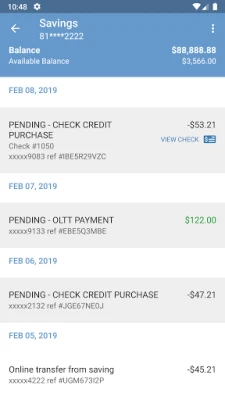
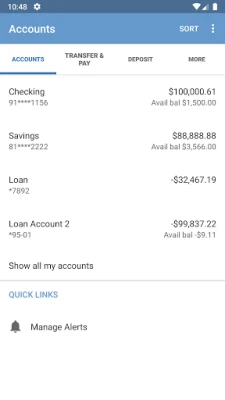
Easily manage your accounts with just a few taps. View your account balances, transaction history, and statements to keep track of your finances.
Fund Transfers
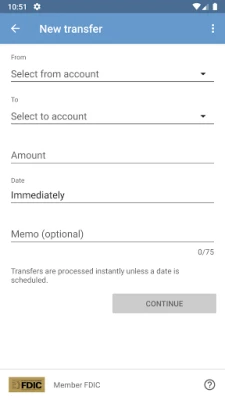
Transfer money between your accounts or send funds to other State Bank customers quickly and securely. This feature allows you to manage your finances without the hassle of visiting a branch.
Bill Payments
Pay your bills on time, every time. Set up one-time or recurring payments for utilities, credit cards, and more, ensuring you never miss a due date.
Mobile Check Deposit
Deposit checks from the comfort of your home. Simply take a picture of your check using your mobile device, and the funds will be available in your account shortly.
Getting Started with State Bank Mobile Banking
Ready to take control of your banking? Follow these simple steps to get started:
- Download the App: Visit the App Store or Google Play Store to download the State Bank Mobile Banking app.
- Register: Create your account by providing the necessary information, including your account number and personal details.
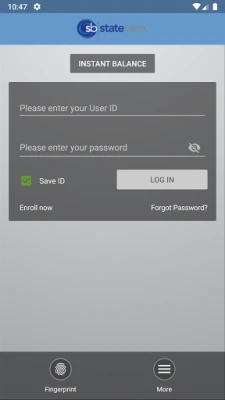
- Log In: Once registered, log in to the app using your credentials to access your banking features.
Tips for Using Mobile Banking Safely
While State Bank Mobile Banking is designed with security in mind, it's essential to follow best practices to protect your information:
- Use Strong Passwords: Create a unique password that combines letters, numbers, and symbols.
- Enable Two-Factor Authentication: Add an extra layer of security by enabling two-factor authentication for your account.
- Keep Your Device Secure: Use a password or biometric lock on your mobile device to prevent unauthorized access.
Conclusion
State Bank Mobile Banking revolutionizes the way you manage your finances. With its secure, convenient, and user-friendly platform, you can access your bank accounts anytime, anywhere. Embrace the future of banking and enjoy the freedom that comes with mobile banking. Download the app today and experience the convenience of having your bank at your fingertips!
Rate the App
User Reviews















Popular Apps










Editor's Choice









