

Latest Version
5.10.03
December 07, 2025
Quad City Bank & Trust
Finance
Android
0
Free
com.quadcitiesbankandtrust371004a.mobile
Report a Problem
More About Quad City Bank Personal
Unlock the Power of Mobile Banking: Your Ultimate Guide
In today's fast-paced world, managing your finances on the go has never been easier. Mobile banking offers a suite of features designed to simplify your banking experience, allowing you to stay connected to your finances anytime, anywhere. Below, we explore the essential features of mobile banking and how they can enhance your financial management.
Check Your Account Balances Instantly
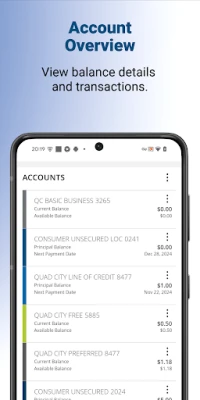
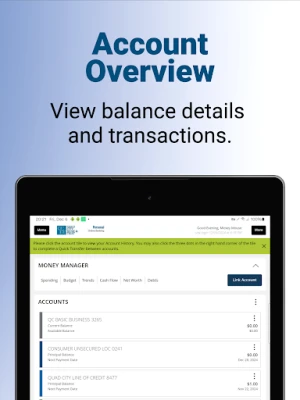
With mobile banking, you can effortlessly check your account balances at any time. This feature provides real-time updates, ensuring you always know how much money you have available. Whether you're at home or out shopping, having instant access to your balances helps you make informed spending decisions.
Review Your Transaction History
Keeping track of your spending is crucial for effective budgeting. Mobile banking allows you to review your transaction history with just a few taps. You can easily monitor your purchases, identify spending patterns, and ensure that all transactions are accurate. This transparency helps you maintain control over your finances.
View Your Statements Anytime
Gone are the days of waiting for paper statements to arrive in the mail. With mobile banking, you can view your bank statements anytime, anywhere. This feature not only saves you time but also helps you stay organized. You can access your statements for any period, making it easier to track your financial progress.
Seamlessly Transfer Funds Between Accounts
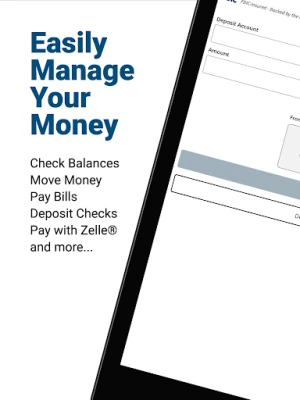
Need to move money between your accounts? Mobile banking makes it simple. You can transfer funds between your checking and savings accounts with just a few clicks. This feature is particularly useful for managing your finances, allowing you to allocate funds as needed without visiting a bank branch.
Pay Your Bills with Ease
Bill payments can be a hassle, but mobile banking streamlines the process. You can pay your bills directly from your mobile device, ensuring you never miss a payment. Set up recurring payments for added convenience, and enjoy peace of mind knowing your bills are taken care of on time.
Send Money to Friends and Family
Need to split a bill or send money to a friend? Mobile banking allows you to pay a person quickly and securely. This feature is perfect for social situations, making it easy to share expenses without the need for cash. Simply enter the recipient's information, and the money is transferred instantly.
Deposit Checks with Your Mobile Device
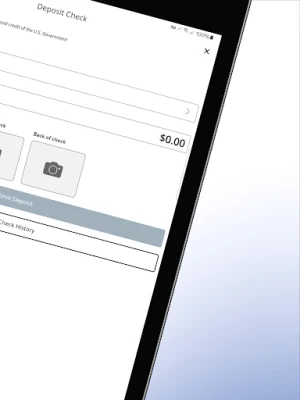
Mobile check deposit is a game-changer for those who receive checks regularly. Instead of visiting a bank branch, you can deposit checks using your smartphone's camera. Just take a picture of the front and back of the check, and submit it through the mobile banking app. This feature saves you time and makes banking more convenient.
Find Banking Centers and ATMs Near You
Need to find a nearby banking center or ATM? Mobile banking apps typically include a locator feature that helps you find the nearest locations. This is especially useful when traveling or in unfamiliar areas, ensuring you can access your funds whenever you need them.
Send Money with Zelle®
Many mobile banking apps integrate with Zelle®, allowing you to send and receive money quickly and securely. This service is perfect for those who want to transfer funds without the hassle of cash or checks. Simply enter the recipient's email or phone number, and the money is sent instantly.
Security You Can Trust
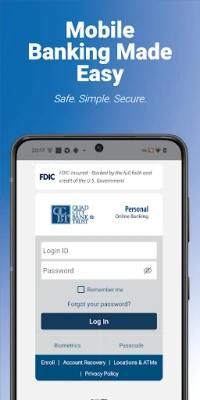
When it comes to mobile banking, security is a top priority. Quad City Bank & Trust employs multiple safeguard technologies to protect your information. With advanced encryption and secure login processes, you can bank with confidence, knowing your data is safe from unauthorized access.
Getting Started with Mobile Banking
To take advantage of these features, you need an Online Banking user ID and password to activate the mobile banking app. Remember, all terms applicable to Online Banking also apply to Mobile Banking. Ensure you have set up Transfers and Bill Pay in Online Banking to use these services on your mobile device.
To use mobile banking, you must have an internet-enabled device or text service. Check with your wireless service provider regarding any potential charges, as connectivity and usage rates may apply. For more details, contact your wireless service provider.
Contact Us for More Information
For further inquiries or assistance, visit QCBT.bank, email QCBTCustomerCare@qcbt.com, or call (563) 388-7228. Our team is here to help you make the most of your mobile banking experience.
Embrace the convenience of mobile banking today and take control of your financial future!
Rate the App
User Reviews















Popular Apps










Editor's Choice









