
Latest Version
19.30
April 05, 2026
Zyxel Networks Corp.
Tools
Android
0
Free
com.zyxel.nebula
Report a Problem
More About Nebula Mobile
Ultimate Guide to Setting Up Your Nebula Account and Network Management
In today's digital age, efficient network management is crucial for both businesses and individuals. The Nebula platform offers a comprehensive solution for managing your network seamlessly. This guide will walk you through the essential steps to set up your Nebula account, install hardware, and utilize the powerful features available for optimal network performance.
Creating Your Nebula Account
To get started with Nebula, the first step is to sign up for a Nebula account. This process is straightforward and can be completed in just a few minutes. Simply visit the Nebula website and follow the prompts to create your account. Once registered, you can access a suite of tools designed to enhance your network management experience.
Installation Walkthrough: Setting Up Your Organization and Site
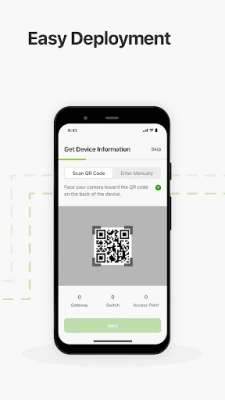
After creating your account, the next step is to navigate through the installation walkthrough wizard. This wizard guides you through the process of creating your organization and site, adding devices either by scanning a QR code or entering them manually. Additionally, you will set up your WiFi networks during this phase, ensuring that your devices are connected and ready for use.
Hardware Installation and LED Guide
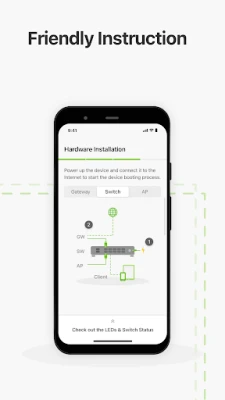
Proper hardware installation is vital for optimal performance. Follow the hardware installation and LED guide provided by Nebula to ensure that all devices are set up correctly. This guide will help you understand the LED indicators on your devices, allowing you to troubleshoot any issues that may arise during installation.
WiFi Management: Enable/Disable and Share
With your devices installed, you can easily enable or disable WiFi as needed. Sharing your WiFi network is also simple; you can send the credentials via messaging or generate a QR code for quick access. This feature is particularly useful for guest access or temporary connections.
Understanding Switch and Gateway Ports
To maximize your network's efficiency, it's essential to understand the switch and gateway ports. This information allows you to manage your network traffic effectively and ensure that all devices are communicating properly.
Site-Wide Monitoring and Client Management
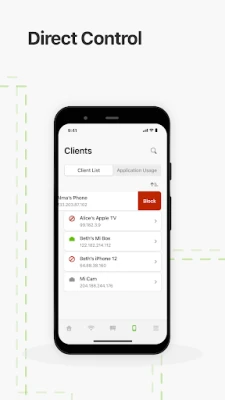
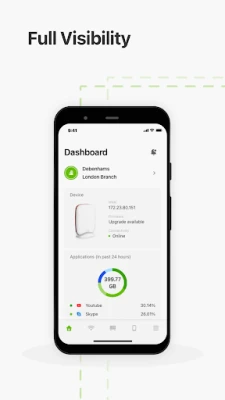
One of the standout features of Nebula is its ability to monitor clients site-wide. This functionality includes action support, enabling you to take immediate steps if issues arise. Additionally, you can analyze application usage across your site, providing insights into how your network resources are being utilized.
Centralized Device Status and Usage Graphs
Nebula centralizes the status of your devices into a 3-in-1 device status overview. This feature allows you to view site-wide and per-device usage graphs, giving you a clear picture of network performance. You can also monitor PoE consumption on a site-wide and per-device basis, ensuring that your power usage is optimized.
Device Location Tracking
Keeping track of your devices is crucial for effective management. With Nebula, you can check the map and photo of device locations, making it easier to locate and manage your hardware.
Live Troubleshooting Tools
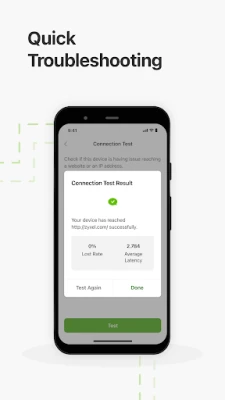
Nebula provides a suite of live troubleshooting tools to help you resolve issues quickly. Features include the ability to reboot devices, activate the Locator LED, power cycle switch ports, and perform cable diagnostics and connection tests. These tools are invaluable for maintaining network integrity.
Firmware Upgrades and License Management
Keeping your devices updated is essential for security and performance. Nebula allows you to schedule firmware upgrades easily. Additionally, you can view your license overview and inventory, ensuring that you are compliant and have the necessary resources for your network.
Push Notifications and Alert History
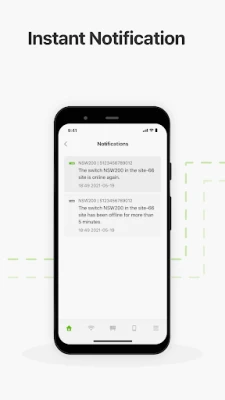
Stay informed about your network's status with push notifications for device status changes and license issues. The notification center provides up to 7 days of alert history, allowing you to track any changes or issues that may have occurred.
Accessing Technical Support
If you encounter any challenges or have questions, Nebula offers robust tech support and MSP contact information. You can reach out for assistance or suggestions through the community forum, ensuring that you have the support you need to manage your network effectively.
Utilizing the Nebula Mobile App
The Nebula Mobile App is designed to provide you with the necessary tools to monitor and set up your networks on the go. For comprehensive network administration, it is recommended to use the Nebula Control Center web portal. You can sign in using a social account (Google/Apple) and access the portal through Chrome or Edge browsers, as Firefox is not supported.
Important Note for Tablet Users
For tablet users, it is advisable to access the Nebula website at https://nebula.zyxel.com/ through a web browser for an optimal experience.
Conclusion
Setting up and managing your network with Nebula is a straightforward process that offers powerful tools for monitoring and troubleshooting. By following this guide, you can ensure that your network operates efficiently and effectively, providing you with the connectivity you need.
For further assistance or suggestions, feel free to reach out to the Nebula community at https://community.zyxel.com/en/categories/nebula. For terms of use, visit here.
Rate the App
User Reviews















Popular Apps










Editor's Choice









