
Latest Version
1.3.3
May 28, 2026
MakeevApps s.r.o.
Tools
Android
0
Free
com.makeevapps.findmylostdevice
Report a Problem
More About Find My Bluetooth Device
Ultimate Guide to Finding Your Lost Bluetooth Devices Effortlessly
In today's fast-paced world, losing your Bluetooth devices can be a frustrating experience. Whether it's your earbuds, smartwatch, or fitness tracker, the anxiety of misplacing these essential gadgets is all too common. Fortunately, with the right tools, you can quickly locate your lost devices and regain peace of mind. This article explores the features, functionality, and benefits of using a dedicated app to find your Bluetooth devices.
Key Features of the Device Finder App
The Device Finder App is designed to help you locate your lost Bluetooth devices with ease. Here are some standout features:
- Find My Bluetooth Device: Instantly locate your lost Bluetooth devices, including smartwatches, earbuds, AirPods, FitBit trackers, and more.
- Find My Earbuds & AirPods: Never worry about losing your earbuds or AirPods again; this app guides you directly to them.
- Find My Smartwatch: Quickly locate your smartwatch in just minutes, eliminating the need for endless searching.
- Find My FitBit: Easily retrieve your FitBit tracker and get back to your fitness routine without hassle.
How the Device Finder App Works
Using the Device Finder App is straightforward and efficient. Follow these simple steps to locate your lost devices:
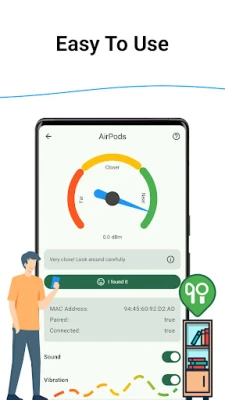
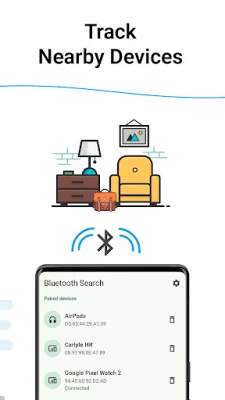
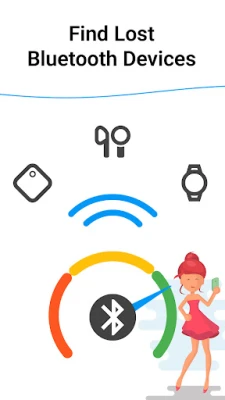
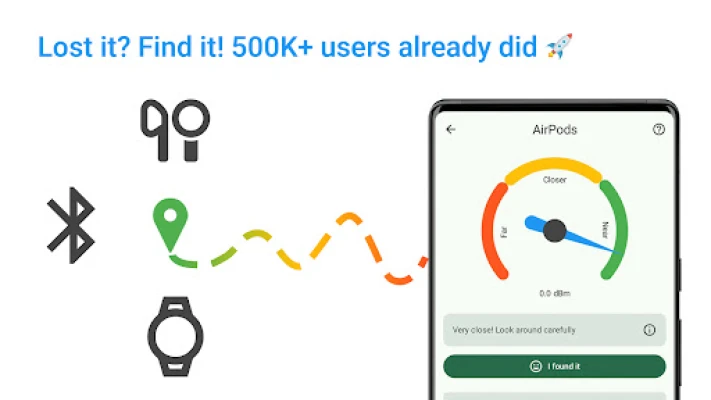
- Open the App: The app automatically scans for nearby Bluetooth devices, making it easy to start your search.
- Select Your Device: From the list of detected devices, choose the one you need to find.
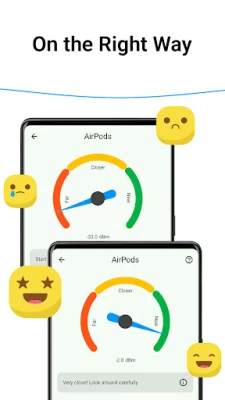
- Follow the Signal: Move around while monitoring the changing signal strength—the stronger the signal, the closer you are to your device.
- Find Your Device: Use the signal strength to pinpoint the exact location of your lost item.
Why Choose the Device Finder App?
There are numerous reasons to opt for the Device Finder App when it comes to locating your Bluetooth devices:
- Efficient Device Finder: Locate your lost Bluetooth devices in mere minutes, saving you time and frustration.
- User-Friendly Interface: The app features a simple design that allows you to find your device quickly and easily.
- Versatile Compatibility: The app works seamlessly with a wide range of devices, including smartwatches, earbuds, AirPods, and FitBit trackers.
- Peace of Mind: With this app, you can rest easy knowing that you will never lose anything important again.
Conclusion: Never Lose Your Bluetooth Devices Again
In a world where technology plays a crucial role in our daily lives, losing Bluetooth devices can be a significant inconvenience. The Device Finder App offers a reliable solution to this common problem, allowing you to quickly locate your lost gadgets and get back to your routine. With its user-friendly interface, efficient functionality, and compatibility with various devices, this app is an essential tool for anyone who relies on Bluetooth technology. Download the Device Finder App today and experience the peace of mind that comes with knowing you can always find your devices!
Rate the App
User Reviews














Popular Apps










Editor's Choice









