


Latest Version
May 28, 2026
Sigma Delta Apps
Tools
Android
0
Free
com.zip.unzip.fileextractor.files.compressor.unarchiver
Report a Problem
More About Zip File Extractor-Unzip Files
Ultimate Guide to Zip File Extractor: Unzip Files with Ease
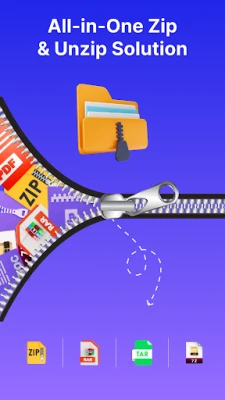
In today's digital age, managing files efficiently is crucial. The Zip File Extractor – Unzip Files app stands out as a user-friendly solution for extracting and compressing files on your Android device. This versatile tool functions as a zip extractor, rar extractor, 7z extractor, and tar extractor, making it an essential app for anyone who frequently handles compressed files.
What is Zip File Extractor?
The Zip File Extractor app is designed to simplify the process of unzipping files. It allows users to open various file formats, including ZIP, RAR, 7z, and tar, without the need for complicated procedures. With this app, you can quickly access your documents, images, and videos, making it a must-have for efficient file management.
Key Features of Zip File Extractor
1. Comprehensive File Compression and Extraction
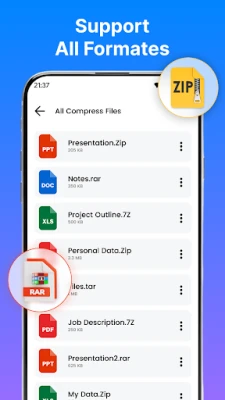
The app supports a wide range of file formats, enabling you to unzip, unrar, and un7z files effortlessly. Whether you are dealing with ZIP, 7z, RAR, or tar files, this app has you covered.
2. Quick and Efficient File Sharing
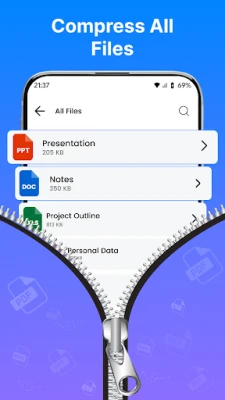
Compress multiple files into a single ZIP, 7z, or tar file for seamless sharing. This feature is particularly useful for sending large documents or collections of files without hassle.
3. High Compression Ratio
With advanced compression technology, the app efficiently reduces large files into smaller sizes while maintaining quality. This ensures that you can save storage space without compromising on the integrity of your files.
4. User-Friendly Interface
The app boasts a simple and intuitive design, making it accessible for users of all skill levels. Whether you are a tech-savvy individual or a beginner, navigating the app is a breeze.
5. Offline Functionality
One of the standout features of the Zip File Extractor is that it does not require an internet connection for compression or extraction. This means you can manage your files anytime, anywhere.
How to Use Zip File Extractor
Step 1: Download and Install
Begin by downloading the Zip File Extractor app from the Google Play Store. Once installed, open the app to get started.
Step 2: Extracting Files
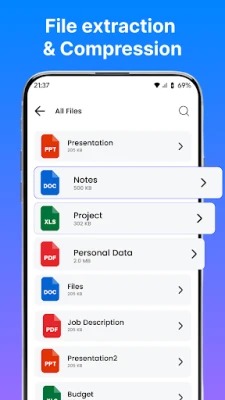
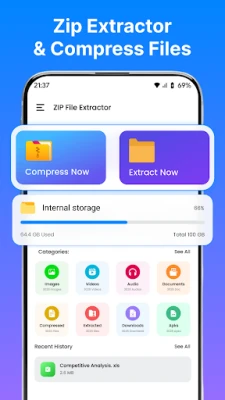
To extract files, simply navigate to the ZIP, RAR, or 7z file you wish to open. Tap on the file, and the app will provide you with options to view or extract the contents. Extracted files will be saved in a designated folder for easy access.
Step 3: Compressing Files
To compress files, select the documents, images, or videos you want to archive. Choose the compression format (ZIP, 7z, or tar) and initiate the process. The app will create a compressed file that you can easily share or store.
Why Choose Zip File Extractor?
With numerous file management apps available, you might wonder why the Zip File Extractor stands out. Here are some compelling reasons:
- Versatility: Supports a wide range of file formats, making it suitable for various needs.
- Efficiency: Quick extraction and compression save you time and effort.
- Security: The app supports password protection for compressed files, ensuring your sensitive information remains secure.
- Storage Management: Helps you free up valuable space on your device by archiving unnecessary files.
Perfect For Everyone
The Zip File Extractor is ideal for:
- Students: Manage and organize academic documents effortlessly.
- Professionals: Send compressed files quickly and efficiently.
- Casual Users: Easily download and manage RAR, 7z, and tar files.
- Anyone: Looking for a fast and reliable zip file opener.
Permissions Required
To function effectively, the Zip File Extractor requires certain permissions:
- android.permission.MANAGE_EXTERNAL_STORAGE: Allows the app to access and manage all files on your device's storage.
- android.permission.READ_EXTERNAL_STORAGE: Lets the app read files from your external storage (like photos, documents, etc.).
- android.permission.WRITE_EXTERNAL_STORAGE: Allows the app to save, modify, or delete files on your external storage.
Privacy Policy
Your privacy is important. For more information on how your data is handled, please refer to our Privacy Policy.
Conclusion
The Zip File Extractor – Unzip Files app is an essential tool for anyone looking to manage their files efficiently. With its user-friendly interface, robust features, and offline capabilities, it simplifies the process of file compression and extraction. Download the app today and experience the convenience of managing your files with ease!
Rate the App
User Reviews















Popular Apps










Editor's Choice









