
Latest Version
December 08, 2025
Google LLC
Tools
Android
0
Free
com.google.android.apps.accessibility.maui.actionblocks
Report a Problem
More About Action Blocks
Unlocking the Power of Google Assistant: A Comprehensive Guide to Action Blocks
In today's fast-paced world, technology plays a crucial role in enhancing our daily lives, especially for those who may face challenges in communication or mobility. One of the standout features of Google Assistant is Action Blocks, a powerful tool designed to simplify tasks and improve accessibility for users of all ages and abilities. This article delves into the myriad benefits of Action Blocks, how to set them up, and their potential impact on enhancing communication and daily routines.
What Are Action Blocks?
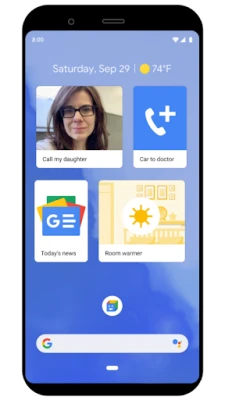
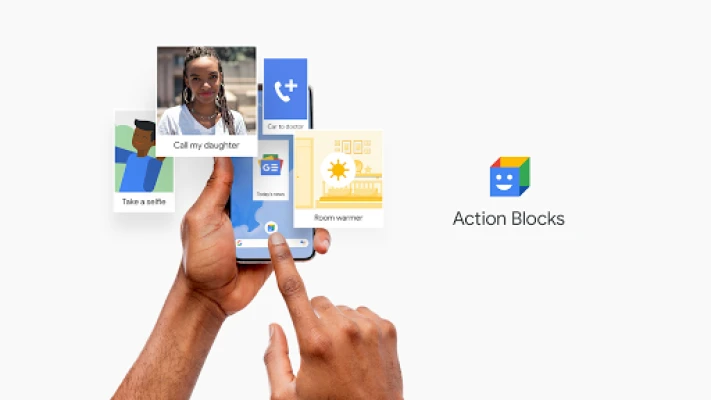
Action Blocks are customizable shortcuts powered by Google Assistant that allow users to perform various tasks with a single tap. Whether it's calling a friend, streaming your favorite show, or controlling smart home devices, Action Blocks streamline these actions, making technology more accessible. This feature is particularly beneficial for individuals with cognitive differences, speech disorders, or those who simply prefer a more straightforward way to interact with their devices.
Enhancing Communication for Individuals with Speech and Language Disorders
One of the most significant advantages of Action Blocks is their ability to facilitate communication. Users can configure Action Blocks to speak specific phrases, which can be invaluable for individuals with speech and language disorders. In urgent situations, having quick access to essential phrases can make a world of difference, allowing for effective communication when it matters most.
Designed for Diverse Needs
Action Blocks were developed with a focus on inclusivity, catering to a growing population of individuals with age-related conditions and cognitive differences. This feature is not only beneficial for seniors but also for people with learning differences or adults seeking a simplified method to access routine actions on their smartphones. By setting up Action Blocks for family members or friends, you can empower them to navigate their devices with ease.
Visual Communication with Picture Communication Symbols
Action Blocks now incorporates tens of thousands of Picture Communication Symbols (PCS®) from Tobii Dynavox, enhancing the visual experience for users of augmentative and alternative communication (AAC) devices. This integration provides a seamless way for individuals to communicate visually, making it easier for them to express their needs and preferences.
Who Can Benefit from Action Blocks?
Action Blocks are not limited to individuals with specific conditions; they can be advantageous for anyone seeking a more accessible way to perform routine actions on their devices. This includes:
- Individuals with dementia
- People with aphasia or speech disorders
- Those on the autism spectrum
- Individuals with spinal cord injuries or traumatic brain injuries
- People with Down syndrome, Parkinson's disease, or essential tremor
- Anyone with dexterity impairments
Moreover, users who rely on adaptive switches, Switch Access, or Voice Access can also find Action Blocks beneficial, as they provide an easier way to interact with their devices.
Connecting Switches for Enhanced Accessibility
Action Blocks includes an Accessibility Service that allows users to connect a switch, further enhancing the usability of the feature. This capability is particularly useful for individuals who may have difficulty using traditional touchscreens. However, it's important to note that Action Blocks can function effectively without enabling the Accessibility Service, making it versatile for various user needs.
Getting Started with Action Blocks
Setting up Action Blocks is a straightforward process. Here’s how you can get started:
- Open the Google Assistant on your device.
- Say "Action Blocks" or navigate to the Action Blocks app.
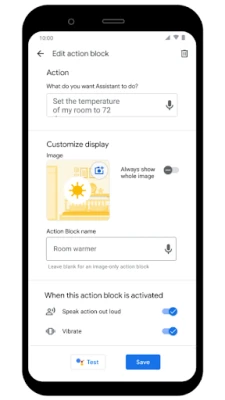
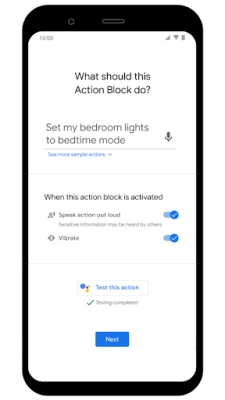
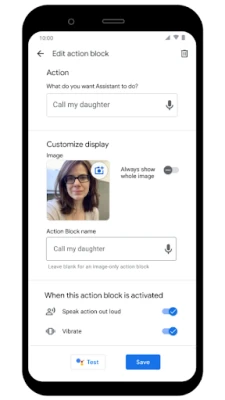
- Follow the prompts to create your first Action Block, selecting the desired action and customizing it with a picture or phrase.
- Repeat the process to create additional Action Blocks as needed.
Once set up, users can easily access these blocks from their home screen, making daily tasks more manageable and efficient.
Conclusion: Empowering Users with Action Blocks
Action Blocks represent a significant advancement in making technology more accessible and user-friendly. By simplifying routine actions and enhancing communication, this feature empowers individuals with diverse needs to navigate their devices confidently. Whether for yourself, a family member, or a friend, Action Blocks can transform the way you interact with technology, making everyday tasks easier and more enjoyable.
To learn more about Action Blocks and how to maximize their potential, visit the Google Help Center.
Rate the App
User Reviews















Popular Apps










Editor's Choice









