

Latest Version
4.8.3
January 11, 2026
Pavlo Rekun
Tools
Android
0
$2.99
com.itemstudio.castro.pro
Report a Problem
More About Castro Premium - system info
Unlocking the Power of Castro: Your Ultimate Device Information Hub
In today's digital age, having access to comprehensive device information is crucial for optimizing performance and ensuring smooth operation. Castro stands out as a powerful tool that processes and displays a vast array of data, making it an essential application for tech enthusiasts and everyday users alike. This article delves into the extensive features of Castro, highlighting its capabilities and how it can enhance your device management experience.
Comprehensive Information at Your Fingertips
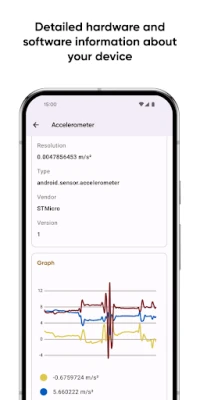
Castro excels in providing detailed insights into your device's performance. Here’s a closer look at the key information it offers:
- Processor Statistics: Get in-depth statistics on both CPU and GPU performance, allowing you to monitor processing power and efficiency.
- Battery Monitoring: Keep track of your battery's health and usage patterns to extend its lifespan.
- Memory Consumption: Analyze the consumption of various types of memory, ensuring optimal performance.
- Data Usage Tracking: Monitor your data usage over Wi-Fi and mobile networks to avoid unexpected charges.
- Real-Time Sensor Data: Access real-time data from your device's sensors, complete with informative graphs for easy interpretation.
- Camera Information: Discover detailed specifications about your device's cameras, enhancing your photography experience.
- Audio and Video Codecs: View a full list of available codecs, ensuring compatibility with various media formats.
- Temperature Monitoring: Keep an eye on your device's temperature to prevent overheating.
- Additional Features: Explore other functionalities, including Digital Rights Management (DRM) and Bluetooth capabilities.
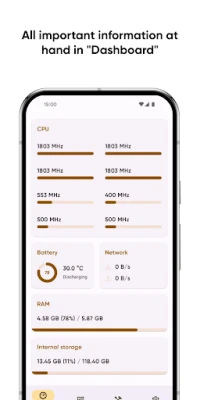
The Dashboard: Your Information Hub
If you prefer a more streamlined view of your device's performance, the Dashboard feature is perfect for you. This user-friendly interface consolidates the most critical information, including:
- CPU usage
- Battery status
- Network usage
- Memory load
The Dashboard allows you to quickly assess your device's health without sifting through extensive data, making it ideal for users who want essential insights at a glance.
Enhanced Control with Useful Tools
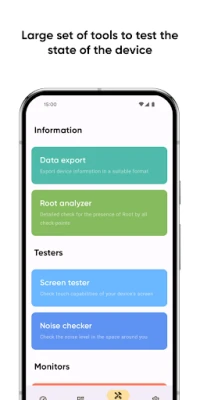
Castro offers a suite of tools designed to give you greater control over your device's performance:
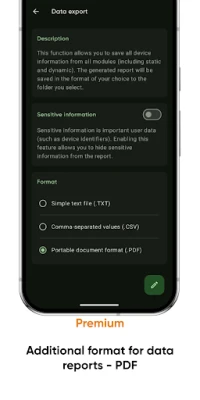
- Data Export: Easily share your device information with others using the data export feature.
- Screen Tester: Test your display's condition to ensure optimal viewing quality.
- Noise Checker: Assess the ambient noise levels around you, helping you make informed decisions about your environment.
Unlock Premium Features for an Enhanced Experience
For those looking to take their Castro experience to the next level, the Premium version unlocks a host of additional features:
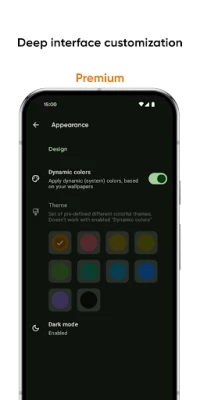
- Interface Customization: Personalize your app with various colors and themes to suit your style.
- Advanced Battery Monitoring: Gain deeper insights into your battery's properties and performance.
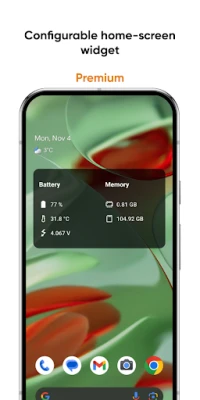
- Configurable Home-Screen Widget: Keep essential information about battery, memory, and more right on your home screen.
- Network Traffic Speed Monitor: Track your connection speed in real-time for better internet management.
- CPU Usage Monitor: Stay informed about your CPU's frequency usage to optimize performance.
- PDF Export: Export your information in PDF format for easy sharing and documentation.
Frequently Asked Questions and Localization Support
Have questions about Castro? Visit the FAQ page for answers to common inquiries. If you're interested in contributing to the localization of Castro, you can find more information on how to help here.
Conclusion
Castro is more than just an information tool; it’s a comprehensive solution for anyone looking to optimize their device's performance. With its extensive features, user-friendly Dashboard, and premium options, Castro empowers users to take control of their device management like never before. Whether you're a casual user or a tech aficionado, Castro is an invaluable addition to your digital toolkit.
Rate the App
User Reviews















Popular Apps










Editor's Choice









