


Latest Version
4.08
February 17, 2026
Ing. Victor Michel Gonzalez Galvan
Education
Android
0
Free
com.androiddevelopermx.blogspot.bones3d
Report a Problem
More About Osseous System in 3D (Anatomy)
Unlocking the Power of 3D Anatomical Models: A Comprehensive Guide
In the realm of education and medical training, 3D anatomical models have revolutionized the way we understand human anatomy. This article delves into the features and benefits of these models, providing a detailed overview of their functionalities and the essential hardware requirements for optimal performance.
Interactive Manipulation of 3D Models
One of the standout features of 3D anatomical models is the ability to manipulate the model effortlessly. Users can zoom in and out, rotate the model, and move the camera to explore different angles. This interactive experience enhances understanding and retention of complex anatomical structures.
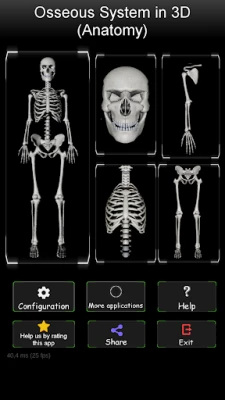
Efficient Navigation with a Four-Zone Bone System
The bone system is strategically divided into four distinct zones, facilitating easy navigation through the intricate details of human anatomy. This organization allows users to focus on specific areas without feeling overwhelmed, making the learning process more efficient.
Preconfigured Views for Targeted Learning
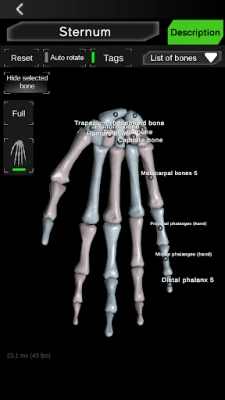
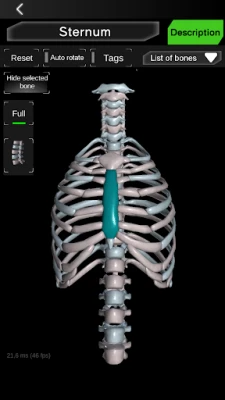
To streamline the learning experience, 3D anatomical models come equipped with preconfigured views. For instance, users can isolate the bones of the hands or focus solely on the spine. This feature is particularly beneficial for students and professionals who need to study specific anatomical regions in depth.
Customizable Visibility of Bones
Another practical feature is the ability to hide selected bones. This customization allows users to declutter their view, focusing only on the structures they wish to study. Such flexibility enhances the learning experience, making it easier to grasp complex concepts.
Comprehensive Bone List for Easy Reference
To aid in navigation, a written list of each bone is available, simplifying the process of locating specific structures. This feature is invaluable for students and educators alike, ensuring that users can quickly find the information they need without unnecessary frustration.
Visual Labels for Enhanced Understanding
Each bone can display a label, providing immediate identification and context. This visual aid is crucial for learners, as it reinforces memory retention and helps in associating names with anatomical structures.
Adjustable Text Information for Comfortable Reading
Users can maximize or minimize text information to suit their reading preferences. This feature prioritizes the model while ensuring that textual information is accessible and easy to digest, catering to various learning styles.
Color-Coded Bone Selection for Clarity
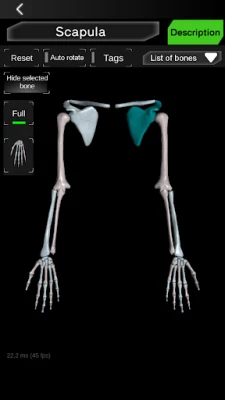
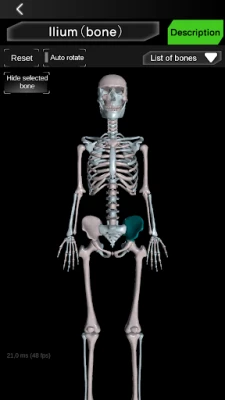
When a bone is selected, it changes color, providing a clear visual cue. This feature allows users to easily check the limits and shapes of the selected bone, enhancing their understanding of its anatomical context.
Valuable Anatomical Information at Your Fingertips
The 3D anatomical models offer practical and useful anatomical information that is invaluable for students at all educational levels—from primary education to college. This resource serves as a reference for general culture and specialized studies alike.
Detailed Information on Key Bones
Users can access comprehensive information on the location and descriptions of essential bones, including the skull, femur, jaw, scapula, humerus, sternum, pelvis, tibia, and vertebrae. This detailed knowledge is crucial for anyone studying human anatomy, whether for academic or professional purposes.
Recommended Hardware for Optimal Performance
To fully experience the capabilities of 3D anatomical models, certain hardware specifications are recommended:
- Processor: 1 GHz or more
- RAM: 1 GB or more
- Display: HD screen
Meeting these specifications ensures smooth operation and an enhanced user experience, allowing for seamless interaction with the model.
Conclusion
3D anatomical models are a game-changer in the field of education and medical training. With their interactive features, efficient navigation, and comprehensive information, they provide an unparalleled learning experience. By investing in the right hardware and utilizing these models, students and professionals can deepen their understanding of human anatomy, paving the way for success in their respective fields.
Rate the App
User Reviews















Popular Apps










Editor's Choice









