
Latest Version
4.1.7
December 14, 2025
농협
Finance
Android
1
Free
nh.smart.banking
Report a Problem
More About NH스마트뱅킹
Unlocking the Power of NH Smart Banking: Your Comprehensive Guide
In today's fast-paced world, managing your finances efficiently is crucial. NH Smart Banking offers a suite of services designed to enhance your banking experience. This article delves into the key features and benefits of NH Smart Banking, ensuring you make the most of this innovative platform.
Personalized Banking Experience
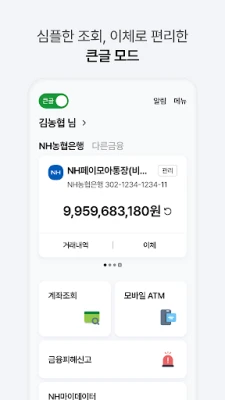
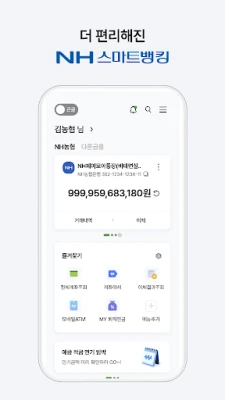
NH Smart Banking provides a personalized main screen where you can easily check your withdrawal account balance, make transfers, and conduct withdrawal transactions. The platform tailors information and financial product recommendations to suit your individual needs, ensuring a customized banking experience.
Large Text Mode for Enhanced Accessibility
For users who prefer larger text, NH Smart Banking offers a Large Text Mode. This feature allows you to view account information and perform transactions in larger font sizes, making it easier to navigate the app.
Convenient Banking Solutions
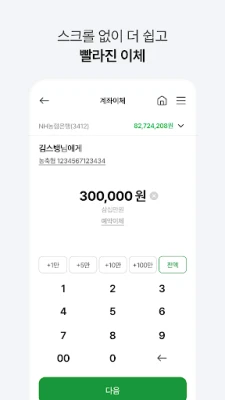
With NH Smart Banking, logging in is a breeze. By using a simple six-digit password, you can transfer up to 5 million won daily without additional security measures. The app also supports various services such as contactless money transfers, Dutch payments, widget banking, and motion banking, making your banking experience seamless and efficient.
Open Banking Capabilities
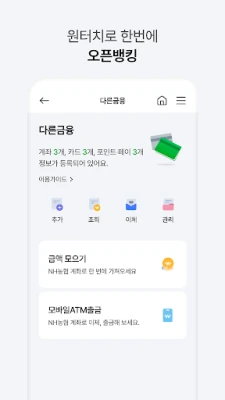
NH Smart Banking goes beyond just NH accounts. You can view and transfer funds from accounts at other banks, allowing for a more integrated banking experience. Additionally, you can recharge your NH account with balances from other banks, providing flexibility in managing your finances.
Asset Management Made Simple
Keep track of your financial health with NH Smart Banking's asset management features. You can view your asset status at a glance and access services for asset planning and retirement planning, helping you secure your financial future.
Access to Financial Products
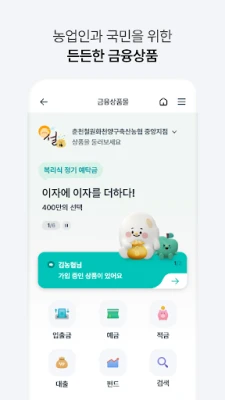
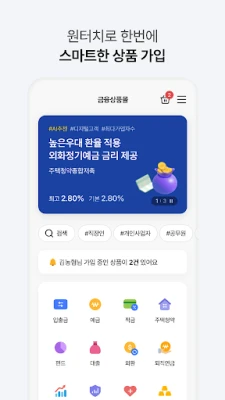
Open an account without visiting a branch through the NH Smart Banking app. The platform allows you to receive personalized product recommendations and enroll in financial products that meet your specific needs.
Card Management at Your Fingertips
Manage your card details effortlessly without needing to install a separate app. You can check approval histories, transaction statements, and your card information directly within the NH Smart Banking app.
Retirement Pension Services
NH Smart Banking offers dedicated services for retirement pensions, including MY Retirement Pension, individual IRP deposits, fund management instructions, and status inquiries, ensuring you have the tools to plan for your retirement effectively.
Exclusive Events and Benefits
Stay informed and entertained with various content offerings such as money letters, fortune readings, and cultural insights. NH Smart Banking keeps you engaged with exclusive events and benefits tailored to your interests.
Security and Authentication Features
Security is paramount in banking. NH Smart Banking allows you to log in easily with a six-digit password, eliminating the need for complex joint authentication certificates. By issuing a mobile OTP, you can conduct financial transactions securely without physical security devices.
Voice Search and 24/7 Support
Utilize voice commands to search for menus and content within the app effortlessly. If you have questions, the 24/7 consultation chat feature is always available to assist you, ensuring you never feel alone in your banking journey.
My Page: Your Personal Dashboard
Access your customer grade, benefit information, and more through the My Page feature. This personalized dashboard keeps you informed about your banking status and available perks.
Global Banking Services
NH Smart Banking supports banking services in nine languages, making it accessible for users around the globe. Enjoy features like personalized main screens, account inquiries, transfers, international remittances, and currency exchange, all in one app.
Required Access Permissions
To utilize NH Smart Banking effectively, certain access permissions are necessary:
Mandatory Access Permissions
- Storage: Access to store certificates and bank statements.
- Phone: Collecting mobile numbers for mobile OTP and customer service.
- Installed Apps: Checking app installation information to prevent electronic financial transaction incidents.
Optional Access Permissions
- Nearby Devices: Connecting to Bluetooth devices for voice assistance.
- Microphone: Used for video calls, consultation chats, and voice search.
- Notifications: Receiving alerts for transactions and events.
- Contacts: Sending SMS notifications after transfers and for contactless money transfers.
- Location: Finding nearby branches.
- Camera: For ID scanning, document submission, and QR code recognition.
- SMS: For mobile authentication and transfer notifications.
- Biometric Authentication: For secure logins and transfers.
NH Smart Banking does not collect sensitive information unless explicitly consented by the customer, ensuring your privacy and security.
Adjusting Access Permissions
To manage your access permissions, navigate to:
Settings > Applications > NH Smart Banking > Permissions
While optional permissions can be denied, some features may be limited without them.
NH Nonghyup is committed to continuously expanding services and improving functionalities to enhance your banking experience.
Rate the App
User Reviews














Popular Apps










Editor's Choice









