


Latest Version
April 23, 2026
Abay Bank S.C
Finance
Android
0
Free
com.ofss.abay
Report a Problem
More About Abay Internet Banking
Unlock Financial Freedom with Abay Mobile Banking: Your Ultimate Guide
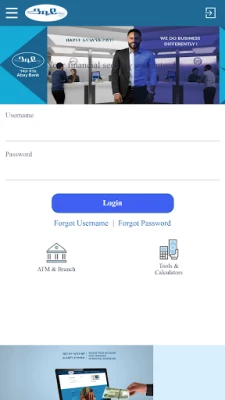
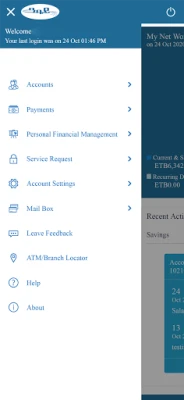
In today's fast-paced world, managing your finances on the go is essential. Abay Mobile Banking offers a seamless solution, allowing you to handle your accounts and perform various financial transactions anytime, anywhere. This innovative application empowers you to take control of your finances directly from your mobile device, ensuring secure access to your Abay Bank account whenever you need it.
Why Choose Abay Mobile Banking?
Abay Mobile Banking stands out for its user-friendly interface and robust features. Whether you are a busy professional or a student, this app simplifies your banking experience. With just a few taps, you can manage your finances efficiently, making it an indispensable tool for modern banking.
Comprehensive Financial Services
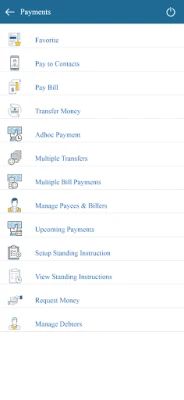
Abay Mobile Banking provides a wide range of financial services designed to meet your needs. Here are some of the key features:
1. Instant Fund Transfers
Need to send money quickly? With Abay Mobile Banking, you can transfer funds instantly between accounts or from one mobile number to another at designated agents. This feature ensures that your money reaches its destination without delay, making it perfect for urgent transactions.
2. Convenient Utility Payments
Paying bills has never been easier. Abay Mobile Banking allows you to settle payments for airline tickets, mobile recharge cards, and various other bills and loans directly from your phone. This convenience saves you time and effort, allowing you to focus on what matters most.
3. Effortless Money Sending
With the Money Send feature, you can transfer money to another account or mobile phone with ease. Whether you’re sending money to a friend or family member, Abay Mobile Banking makes the process quick and hassle-free.
Non-Financial Services for Enhanced Convenience
In addition to its financial offerings, Abay Mobile Banking also provides several non-financial services that enhance your banking experience:
1. Balance Inquiry
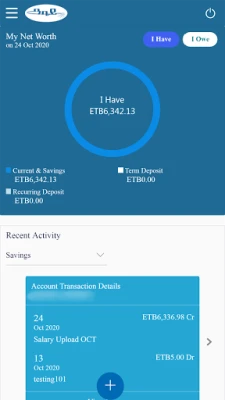
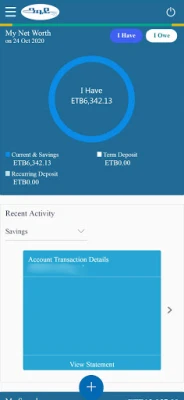
Stay informed about your finances by checking your account balance anytime. This feature allows you to monitor your funds and make informed decisions about your spending.
2. Checkbook Requests
If you need a new checkbook, simply request one through the app. You can specify the size you require, making it easy to manage your check payments.
3. Stop Check Requests
In case of lost or stolen checks, you can quickly request the bank to stop your check or checkbook, ensuring your funds remain secure.
4. Transaction Statements
Access a detailed list of your recent transactions with the statement feature. This transparency helps you keep track of your spending and manage your budget effectively.
Additional Public Services for All Users
Abay Mobile Banking also offers a variety of public services accessible to all users, even those who have not yet registered:
- ATM Locations: Find the nearest ATMs for easy cash withdrawals.
- Branch Locations: Locate Abay Bank branches for in-person assistance.
- Agent Locations: Discover agent locations for additional banking services.
- Forex Rates: Stay updated on current foreign exchange rates.
- Financial and Banking News: Access the latest news and updates in the banking sector.
Get Started with Abay Mobile Banking Today!
Embrace the future of banking by downloading the Abay Mobile Banking app. Experience the convenience of managing your finances from the palm of your hand. Go cashless and enjoy the freedom that comes with modern banking solutions. Don’t wait—start your journey towards financial empowerment today!
Rate the App
User Reviews















Popular Apps










Editor's Choice









