


Latest Version
February 02, 2026
Bromcom Computers Plc
Education
Android
0
Free
com.bromcom.mcas
Report a Problem
More About MyChildAtSchool - Parent App
Unlocking the Benefits of School Apps: A Guide for Parents
In today's digital age, schools are increasingly adopting technology to enhance communication and engagement with parents. One such tool is the school app, designed to streamline information sharing and foster a collaborative environment between educators and families. However, access to these apps often requires an invitation from your child's school. This article explores the significance of school apps, how to gain access, and the benefits they offer to parents and students alike.
Understanding School Apps
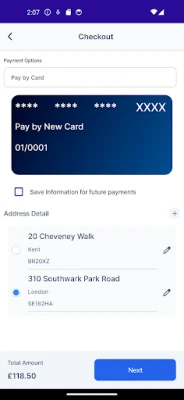
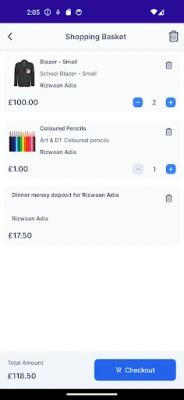
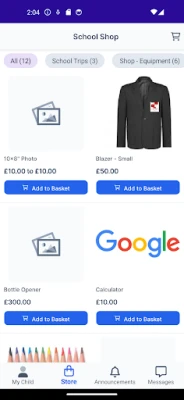
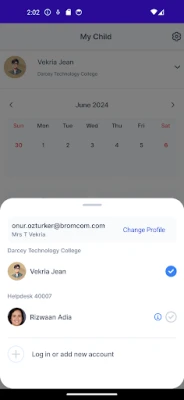
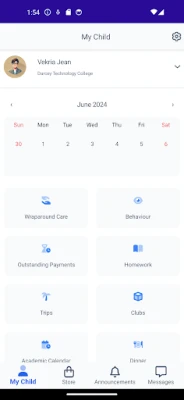
School apps serve as a centralized platform where parents can receive updates, track academic progress, and communicate with teachers. These applications are tailored to meet the specific needs of each school, ensuring that parents stay informed about their child's education. By utilizing a school app, parents can easily access important information, such as:
- Class schedules
- Homework assignments
- School events and announcements
- Grades and progress reports
How to Gain Access to Your Child's School App
To use the school app, parents must first receive an invitation from their child's school. This process typically involves the following steps:
- Check with the School: Reach out to your child's school administration to inquire about the app and its availability.
- Provide Necessary Information: Schools may require specific details, such as your child's name and grade, to verify your relationship and grant access.
- Follow the Instructions: Once invited, you will receive instructions on how to download the app and create your account.
The Benefits of Using School Apps
Once you gain access to the school app, you'll discover a wealth of benefits that can enhance your involvement in your child's education:
1. Improved Communication
School apps facilitate seamless communication between parents and teachers. You can easily send messages, ask questions, and receive timely responses, fostering a supportive educational environment.
2. Real-Time Updates
Stay informed with real-time notifications about school events, schedule changes, and important announcements. This ensures that you never miss out on crucial information regarding your child's education.
3. Enhanced Engagement
By accessing your child's grades and assignments, you can actively participate in their learning journey. This engagement not only helps you monitor their progress but also encourages your child to take ownership of their education.
4. Streamlined Access to Resources
Many school apps provide access to educational resources, including study materials, extracurricular activities, and support services. This centralized access makes it easier for parents to find the information they need to support their child's learning.
Conclusion: Embrace the Digital Age of Education
In conclusion, school apps represent a significant advancement in how parents can engage with their child's education. By obtaining an invitation from your child's school, you can unlock a range of benefits that enhance communication, provide real-time updates, and foster a collaborative learning environment. Embrace this digital tool to stay connected and actively participate in your child's academic journey.
Rate the App
User Reviews















Popular Apps










Editor's Choice









