
Latest Version
5.40.37
January 03, 2026
Long Reach FCU
Finance
Android
0
Free
com.cuconnections.longreach
Report a Problem
More About Long Reach FCU
Effortless Banking: Manage Your Finances with Long Reach FCU’s Mobile App
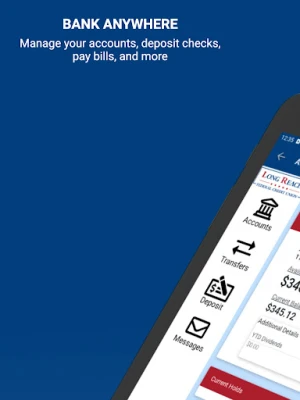
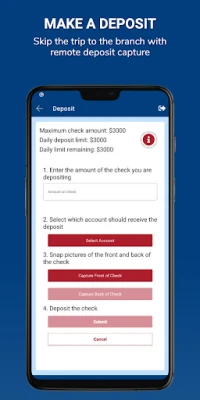
In today’s fast-paced world, managing your finances should be as seamless as possible. With the Long Reach Federal Credit Union (LRFCU) Mobile App, you can handle payments, transfers, and mobile deposits with just a few taps on your smartphone. Whether you need to check your account balances, view statements, or receive alerts, this app empowers you to stay connected to your finances anytime, anywhere.
Stay Connected to Your Finances
Your life is busy, and you shouldn’t have to make unnecessary trips to the credit union to manage your money. The LRFCU Mobile App allows you to keep track of your finances on the go. With its user-friendly interface, you can:
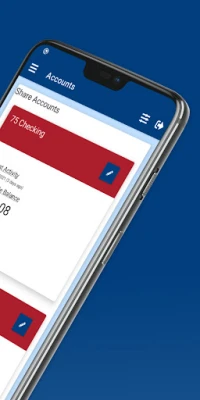
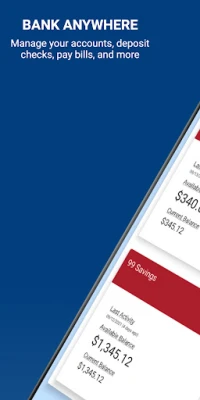
- Check Account Balances: Instantly view your account balances to stay informed about your financial status.
- View Statements: Access your account statements anytime, ensuring you have all the information you need at your fingertips.
- Transfer Money: Easily transfer funds between accounts or send money to friends and family with just a few taps.
- Receive Alerts: Set up notifications to stay updated on your account activity, helping you manage your finances more effectively.
Getting Started with the LRFCU Mobile App
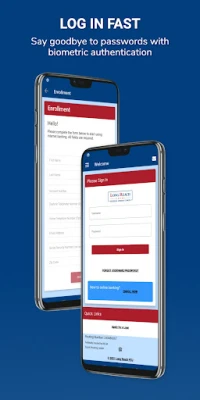
For current LRFCU Mobile App users, getting started is simple. Just download the app and sign in using your existing username and password. If you’re new to the app, follow these easy steps:
- Download the App: Visit your device’s app store and search for the Long Reach FCU Mobile App.
- Select ENROLL NOW: Open the app and choose the “Enroll Now” option to create your account.
- Follow the Prompts: Complete the registration process by following the on-screen instructions.
Need Assistance? We’re Here to Help!
If you encounter any issues while using the app or require assistance, don’t hesitate to reach out. Our dedicated support team is available to help you at 304-758-4308. We are committed to ensuring that your banking experience is smooth and hassle-free.
Security You Can Trust
Your security is our top priority. The LRFCU Mobile App is designed with advanced security features to protect your personal and financial information. Rest assured that your data is safe while you manage your finances on the go.
Conclusion: Banking Made Easy
With the Long Reach FCU Mobile App, you can breeze through payments, transfers, and mobile deposits effortlessly. Stay connected to your finances and manage your money with confidence, no matter where life takes you. Download the app today and experience the convenience of banking at your fingertips.
Remember, your financial journey is important to us, and we are here to support you every step of the way. Federally insured by NCUA.
Rate the App
User Reviews















Popular Apps










Editor's Choice









