
Latest Version
4.7.8
February 05, 2026
PT Bank Central Asia Tbk.
Finance
Android
0
Free
com.bca
Report a Problem
More About BCA mobile
Unlocking the Benefits of m-BCA: Your Ultimate Mobile Banking Solution
In today's fast-paced digital world, mobile banking has become an essential tool for managing finances efficiently. m-BCA, the mobile banking application from Bank Central Asia (BCA), offers a plethora of features designed to enhance your banking experience. This article delves into the numerous benefits of m-BCA, highlighting its user-friendly interface and innovative functionalities.
1. Seamless Transactions Without SIM Card Changes
One of the standout features of m-BCA is its compatibility with all GSM operators, including Telkomsel, XL Axiata, Indosat, Axis, and Three. This means you can conduct transactions without the hassle of changing SIM cards, ensuring uninterrupted access to your banking services.
2. Cost-Effective Transactions
m-BCA significantly reduces transaction costs by allowing users to connect via GPRS, EDGE, 3G, or Wi-Fi. This flexibility ensures that you can manage your finances without incurring unnecessary expenses, making it a smart choice for budget-conscious individuals.
3. Efficient Payment Data Storage
The m-BCA application features a convenient data storage option that allows users to save payment information. This means you can perform repeat transactions without the need to re-enter your details, saving you time and effort during your banking activities.
4. Streamlined Transfer Data Management
With m-BCA, your transfer activities are automatically saved, whether you're sending funds between BCA accounts or to other banks. This feature not only enhances reliability but also simplifies the process of managing your financial transactions, making it easier to keep track of your banking history.
5. User-Friendly Interface
m-BCA is designed with practicality in mind. For payment and transfer transactions, you do not need to input the recipient's company or banking code, making the process straightforward and hassle-free. This ease of use is particularly beneficial for those who may not be tech-savvy.
Latest Features for Android and iOS Users
For BCA mobile users on Android and iOS, m-BCA offers a range of advanced services that enhance your banking experience:
- Block BCA ATM or Credit Card: Easily block your BCA ATM or credit card through the m-Admin menu.
- Credit Card Activation: Activate your BCA credit card effortlessly via the m-Admin menu.
- PIN Management: Create or change your BCA credit card PIN through the m-Admin menu.
- Cardless Transactions: Withdraw or deposit cash without a card using the Setor Tarik menu.
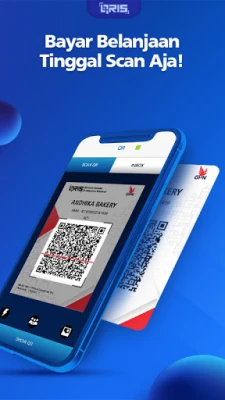
- QR Code Transactions: Send or receive money seamlessly using QR codes through the QR menu.
Currently, cardless transactions can be performed at designated ATMs, providing even more convenience for users. For a complete list of ATMs, visit BCA's official website.
Accessing KlikBCA
For those who prefer a desktop experience, KlikBCA offers an easy-to-access smartphone version. Simply visit KlikBCA for a seamless banking experience at your fingertips.
Open a New Bank Account with Ease
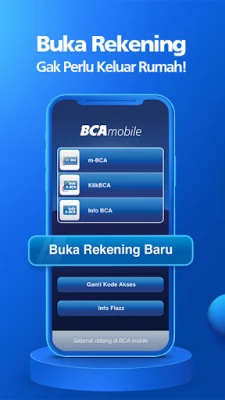
Opening a new bank account has never been easier. With the m-BCA application, you can initiate the process from anywhere using your mobile phone. All you need is your e-KTP, complete a simple form, and conduct a video call with a Customer Service Officer. Once your account is successfully created, you will receive a notification and can activate your mobile banking service by creating a transaction PIN. This streamlined process ensures you are ready to manage your finances in no time.
Check Your Flazz Card Balance Instantly
For users with an NFC-enabled Android smartphone, m-BCA allows you to check your Flazz card balance and view your last ten transactions effortlessly. This feature adds another layer of convenience to your banking experience.
Need Assistance? Contact Halo BCA
If you require further assistance, you can easily reach out to Halo BCA at 1500888 via your cellular phone. Their dedicated customer service team is ready to help you with any inquiries or issues you may encounter.
Conclusion: Enjoy the Benefits of BCA Mobile Banking
In conclusion, m-BCA is a powerful mobile banking solution that offers a wide range of features designed to simplify your financial management. From seamless transactions and cost-effective services to user-friendly interfaces and advanced functionalities, m-BCA is your go-to app for all your banking needs. Embrace the convenience of mobile banking and enjoy a hassle-free experience with BCA mobile today!
Rate the App
User Reviews















Popular Apps










Editor's Choice









