

Latest Version
January 16, 2026
AutoResponder.ai
Communication
Android
0
Free
tkstudio.autoresponderforsignal
Report a Problem
More About AutoResponder for Signal
Unlock the Power of Auto-Reply: Enhance Your Communication with Signal
In today's fast-paced digital world, effective communication is key. Whether you're managing a business or simply trying to stay connected with friends and family, having a reliable auto-reply tool can significantly enhance your messaging experience. This article explores the features and advantages of an innovative auto-reply solution designed specifically for Signal users.
Seamless Auto-Reply to Signal Messages
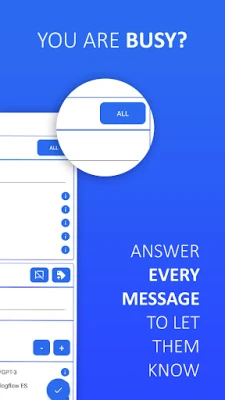
One of the standout features of this auto-reply tool is its ability to automatically respond to Signal messages. This means you can maintain communication without being tied to your device. Whether you're in a meeting, driving, or simply busy, your contacts will receive timely responses, ensuring that no message goes unanswered.
Customizable Responses for Every Situation
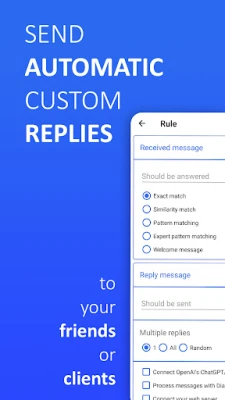
Every user has unique needs, and this tool recognizes that. With individually customizable settings, you can tailor your auto-replies to fit various scenarios. Whether you want a professional tone for business inquiries or a casual response for friends, the flexibility of this tool allows you to create the perfect message for any situation.
Comprehensive Automation Tools
This auto-reply solution comes packed with a variety of automation tools that streamline your messaging process. From scheduling replies to setting specific triggers for different contacts, the possibilities are endless. You can react to all messages when you're busy, ensuring that your communication remains consistent and professional.
Targeted Replies for Specific Messages
Not all messages require the same response. With this tool, you can send tailored replies to specific messages, allowing for a more personalized interaction. This feature is particularly useful for businesses that want to address customer inquiries with precision and care.
Welcome Messages for New Chats
First impressions matter, and a warm welcome can set the tone for future interactions. This auto-reply tool allows you to send welcome messages to new chats, making your contacts feel valued from the very first interaction. This feature is essential for businesses looking to establish a positive rapport with new clients.
Dynamic Live Answer Replacements
Enhance your auto-replies with dynamic live answer replacements. You can personalize responses with real-time information such as the recipient's name or the current time. This level of customization not only makes your replies more engaging but also fosters a sense of connection with your contacts.
Multiple Replies in One Rule
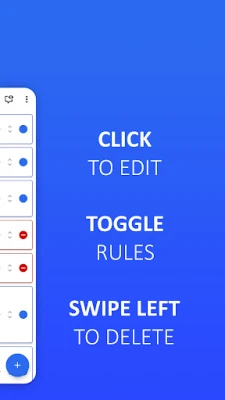
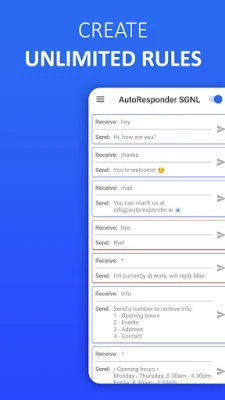
Efficiency is key in communication. This tool allows you to set multiple replies within a single rule, enabling you to cover various scenarios without creating numerous individual rules. This feature simplifies the management of your auto-replies, making it easier to keep track of your messaging strategy.
Compatibility with Contacts and Groups
Whether you're communicating with individual contacts or groups, this auto-reply tool works seamlessly with both. You can customize responses based on the type of conversation, ensuring that your messaging remains relevant and effective across different contexts.
Selective Ignoring of Contacts and Groups
Not every message requires a response. This tool allows you to ignore specific contacts and groups, giving you control over your communication. This feature is particularly useful for managing spam or unwanted messages, ensuring that your focus remains on important conversations.
Automatic Scheduler with Delay
Timing is everything in communication. The automatic scheduler feature allows you to set delays for your replies, ensuring that your messages are sent at the most appropriate times. This is especially beneficial for businesses that want to reach clients during peak hours or for personal use when you want to respond at a later time.
AI Integration for Enhanced Responses
Leverage the power of AI with integration options for ChatGPT/GPT-4 or Dialogflow.com. This advanced feature allows for intelligent responses that can adapt to the context of the conversation, providing a more human-like interaction. This is a game-changer for businesses looking to enhance customer service through automated messaging.
Tasker/MacroDroid Plugin for Advanced Automation
For those who love automation, this tool works as a plugin for Tasker or MacroDroid, allowing for even more advanced automation capabilities. You can create complex workflows that respond to various triggers, making your messaging experience even more efficient.
Wear OS Control for On-the-Go Management
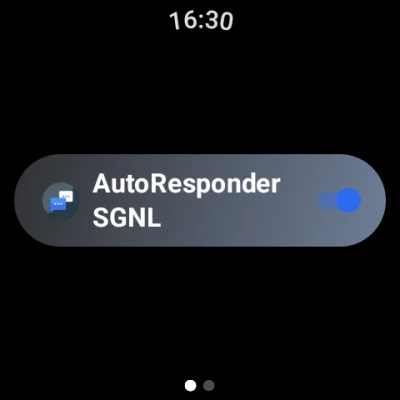
Stay connected even when you're on the move. With Wear OS control, you can manage your auto-responder directly from your smartwatch. This feature ensures that you never miss an important message, no matter where you are.
Backup Rules for Easy Recovery
Accidents happen, and losing your settings can be frustrating. This tool offers a backup feature for your rules, allowing for easy recovery in case of any mishaps. This peace of mind ensures that your auto-reply settings are always safe and secure.
Your Personal Agent for Business Success
Transform your communication strategy with this auto-reply tool, acting as your personal agent. Whether you're a small business owner or a busy professional, this tool can help you manage your interactions more effectively, allowing you to focus on what truly matters.
Endless Possibilities Await
With a plethora of features and continuous updates, this auto-reply tool is designed to evolve with your needs. Almost everything is possible with this bot, making it an invaluable asset for anyone looking to enhance their messaging experience.
Get Started Today!
Don't miss out on the opportunity to create the best experience for your contacts. Download the auto-reply tool for free and unlock the full potential of your Signal messaging. For more information, reach out at info@autoresponder.ai.
Note: This tool does not directly access Signal; it replies to notifications. A Pro version is required for some features. This app is not affiliated with Signal, which is a registered trademark of the Signal Technology Foundation. For legal information, visit autoresponder.ai/legal.
Rate the App
User Reviews















Popular Apps










Editor's Choice









