



Latest Version
8.3
June 22, 2026
Mobilytros
Tools
Android
0
Free
zip.unzip.fileextractor.zipx
Report a Problem
More About Zip-Unzip-File Extractor
Unlocking Efficiency: Key Features of the Zip-Unzip File Extractor and File Opener
In today's digital age, managing files efficiently is crucial for both personal and professional use. The Zip-Unzip File Extractor and File Opener stands out as a powerful tool designed to simplify the process of handling compressed files. Below, we explore the key features that make this application an essential addition to your toolkit.
Effortless Compression of Multiple Documents
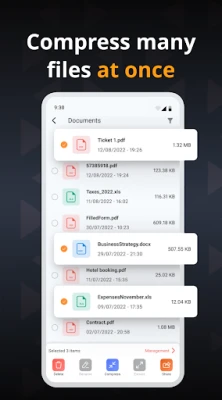
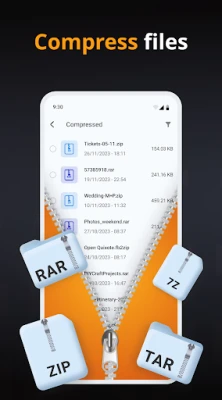
One of the standout features of the Zip-Unzip File Extractor is its ability to compress multiple documents with a single click. This functionality not only saves time but also enhances productivity, allowing users to manage large volumes of files seamlessly. Whether you’re preparing documents for email or archiving data, this feature ensures that your files are compressed efficiently without compromising quality.
Comprehensive Zip and Unzip Capabilities
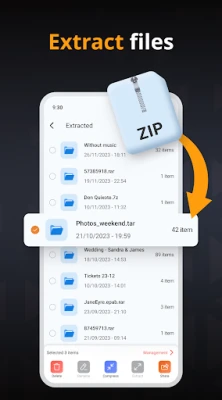
The application serves as a robust zip and unzip file reader, making it easy to access and manage your compressed files. With a user-friendly interface, you can quickly open zip files and extract their contents without any hassle. This feature is particularly beneficial for users who frequently deal with compressed files, as it streamlines the entire process.
Advanced File Extraction with RAR Support
In addition to standard zip files, the Zip-Unzip File Extractor supports RAR folder extraction. This versatility allows users to handle a wider range of compressed file formats, ensuring that you can access your data regardless of its original format. The ability to extract RAR files expands the application's utility, making it a comprehensive solution for file management.
Seamless 7Zip and RAR Extraction Support
For those who utilize 7Zip, the application offers 7Zip and RAR extraction support, further enhancing its functionality. This feature allows users to extract files from various compression formats effortlessly, ensuring that you can work with any file type without needing multiple applications. The integration of these formats makes the Zip-Unzip File Extractor a versatile tool for all your file extraction needs.
Fast and User-Friendly File Extraction
Speed is a critical factor when it comes to file management. The Zip-Unzip File Extractor is designed to be an easy and fast file extractor for zip files. Users can expect quick extraction times, allowing them to access their files without unnecessary delays. This efficiency is particularly valuable in professional settings where time is of the essence.
Comprehensive File Management Features
The application goes beyond simple extraction. Users can view, open, extract, and compress files all within the same interface. This comprehensive approach to file management means that you can handle all your file-related tasks in one place, reducing the need to switch between different applications. Additionally, the ability to manage files effectively enhances overall productivity.
Enhanced File Operations: Read, Compress, Delete, Share, and Rename
With the Zip-Unzip File Extractor, users can perform a variety of operations on their files. The application allows you to read, compress, delete, share, and rename your files effortlessly. This range of functionalities ensures that you have complete control over your file management process, making it easier to organize and share your documents as needed.
Continuous Improvement Through User Feedback
The developers of the Zip-Unzip File Extractor are committed to enhancing user experience. They encourage users to share their thoughts via feedback, which plays a crucial role in making the application better. This dedication to continuous improvement ensures that the app evolves to meet the changing needs of its users, providing an ever-improving tool for file management.
Conclusion: Your Go-To Tool for File Management
In conclusion, the Zip-Unzip File Extractor and File Opener is an indispensable tool for anyone looking to manage their files efficiently. With its array of features, including easy compression, comprehensive extraction support, and enhanced file management capabilities, it stands out as a top choice for users. Embrace the convenience and efficiency of this application and transform the way you handle your files today.
Rate the App
User Reviews















Popular Apps










Editor's Choice









