
Latest Version
June 09, 2026
WoWo Games
Tools
Android
0
Free
com.zipo.rar.ark
Report a Problem
More About Zip & RAR File Extractor ZIPO
Eliminate "Unsupported Format" Errors with ZIPO: Your Ultimate File Management Solution
In today's digital landscape, managing files efficiently is crucial. ZIPO stands out as a powerful tool that allows users to open, view, and manage nearly any file type effortlessly. Say goodbye to frustrating "Unsupported Format" errors and embrace seamless file handling.
Core Features of ZIPO
🚀 High-Performance Extraction and Compression
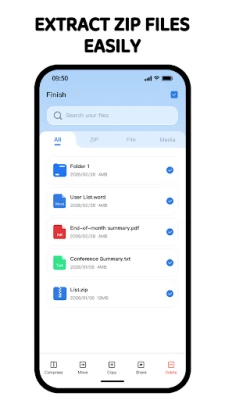
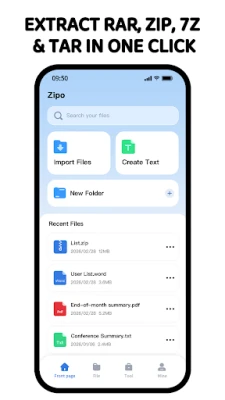
ZIPO offers universal format support, enabling you to extract all major file types with ease. Whether you’re dealing with ZIP, RAR, RAR5, 7Z, TAR, GZIP, BZIP2, LZH, JAR, ISO, or XZ files, ZIPO has you covered. Its advanced RAR5 support ensures full compatibility with the latest RAR5 archives, including those that are password-protected or consist of multiple parts.
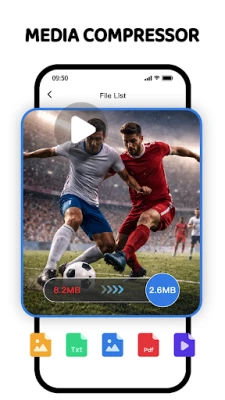
Additionally, ZIPO excels in fast compression, allowing you to create ZIP and 7Z archives that not only save storage space but also facilitate secure file sharing. This combination of extraction and compression capabilities makes ZIPO an indispensable tool for anyone who frequently handles various file formats.
Desktop-Class File Management
📂 Advanced Organization
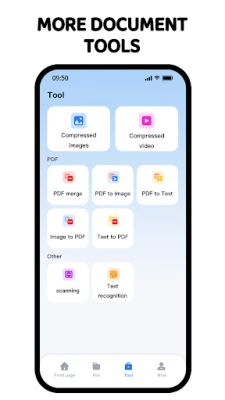
With ZIPO, organizing your files becomes a breeze. The intuitive, computer-like file manager allows you to create folders, move, copy, rename, or delete files effortlessly. This advanced organization feature ensures that you can keep your digital workspace tidy and efficient.
Wi-Fi Transfer
Gone are the days of cumbersome cables. ZIPO enables you to transfer files between your PC/Mac and Android device seamlessly via a local network. This Wi-Fi transfer feature enhances convenience, allowing you to manage your files without the hassle of physical connections.
Security and Privacy
Secure Encryption
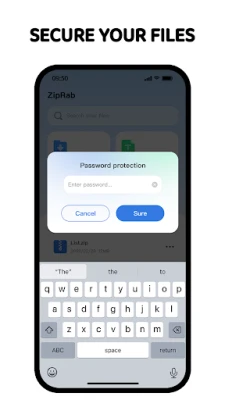
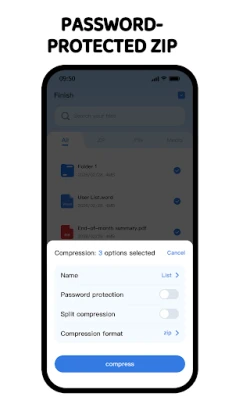
In an age where data security is paramount, ZIPO prioritizes your privacy. It offers industry-standard AES encryption for both ZIP and 7Z archives, ensuring that your sensitive files remain protected from unauthorized access. With ZIPO, you can share files confidently, knowing they are secure.
Privacy Guard
To further enhance security, ZIPO includes a Privacy Guard feature. This allows you to secure your local workspace using advanced methods such as Fingerprint recognition, Face Unlock, or a custom PIN/Passcode. Your files are not only organized but also safeguarded against potential threats.
Why Choose ZIPO?
Minimalist UI
ZIPO boasts a clean and efficient user interface optimized for Android devices. This minimalist design prioritizes speed and usability, making it easy for users to navigate through their files without unnecessary distractions. The focus on user experience ensures that you can manage your files quickly and effectively.
Stability
Engineered for performance, ZIPO is capable of handling large-scale archives and high-resolution files without crashing. This stability is crucial for users who rely on the application for their daily file management tasks, ensuring that you can work without interruptions.
Broad Compatibility
ZIPO is fully optimized for the latest Android OS versions and various screen sizes, making it a versatile choice for users across different devices. Whether you’re using a smartphone or tablet, ZIPO adapts to your needs, providing a consistent and reliable file management experience.
Conclusion
In summary, ZIPO is more than just a file management tool; it’s a comprehensive solution designed to eliminate "Unsupported Format" errors and enhance your overall file handling experience. With its high-performance extraction and compression capabilities, advanced organization features, robust security measures, and user-friendly interface, ZIPO is the ideal choice for anyone looking to streamline their file management process. Embrace the future of file management with ZIPO and enjoy a seamless, efficient, and secure experience.
Rate the App
User Reviews















Popular Apps










Editor's Choice









