

Latest Version
1.1.14
January 25, 2026
Tools for millions
Tools
Android
0
Free
zip.rar.extractor.unzip.files.gz.sevenzip.opener
Report a Problem
More About Zip, Rar Extractor
Ultimate ZIP and RAR File Extractor for Android: Your Go-To Solution for File Management
In today's digital age, managing files efficiently is crucial. The ZIP and RAR file extractor for Android is an essential tool that allows users to compress, view, and unzip files from popular archive formats such as WinRAR, 7Zip (7z), bz2, xz, and more. This user-friendly application not only saves space but also offers a plethora of additional features to enhance your file management experience.
Why Choose Our Free ZIP and RAR File Extractor for Android?
Our ZIP and RAR file extractor is designed with the user in mind, providing a range of benefits that make it the ideal choice for anyone needing to manage files on their Android device.
1. Efficient File Compression
The archiver application significantly reduces the size of your documents, making it easier to store and share them. By compressing files, you can save valuable storage space on your device.
2. Simplified File Sharing
Need to send an entire folder of files? Our gz archiver and RAR archiver for Android make it simple to package and send multiple files at once, streamlining your workflow.
3. Quality Preservation
For those working with photos and videos, our ZIP and RAR file extractor ensures that you can send files without any loss of quality. This feature is particularly beneficial for professionals in creative fields.
4. Enhanced Organization
For perfectionists, organizing documents becomes a breeze with our 7z and RAR file manager. The ZIP browser allows you to open archived photos and documents, making it easy to manage multiple files efficiently.
5. Robust Security Features
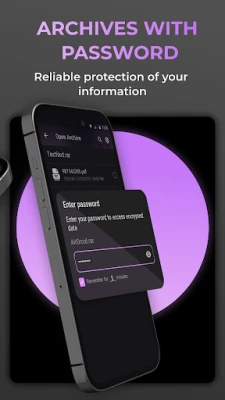
Protecting your sensitive information is paramount. Our ZIP, RAR, and ISO file extractor for Android allows you to assign passwords to important files, safeguarding them from unauthorized access.
6. Versatile File Compatibility
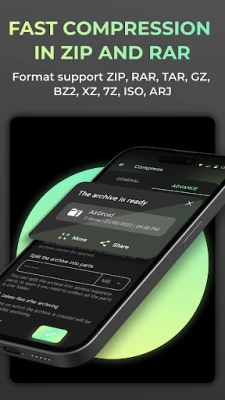
Forget about juggling multiple file compressors. Our RAR converter serves as a comprehensive solution, supporting various file extensions including .gz, .rar, .zip, .gzip, .tar, .iso, .arj, .bz2, .7z, and .xz.
Key Benefits of Using Our ZIP and RAR File Extractor
Downloading the ZIP (gzip) file opener for free allows you to experience its numerous advantages. The archiver viewer can handle multiple archives simultaneously, making it a powerful tool for any user.
Quality Retention for Media Files
Improper archiving can lead to significant quality loss, especially for media content. Our application addresses this issue, ensuring that files retain their original parameters after processing.
User-Friendly Navigation
The ZIP and RAR file reader features an intuitive interface, with files sorted into folders and the latest documents easily accessible at the top. This design allows for quick navigation and efficient file management.
Optimized Productivity
Our primary goal is to make the gzip reader and tar file extractor as convenient as possible. By downloading the tar and gz file extractor, you can optimize your workflow and boost productivity.
Who Can Benefit from the ZIP and RAR File Extractor?
This application is essential for anyone who regularly exchanges documents. The ZIP file reader simplifies work processes, saves time, and enhances overall productivity. Don't waste any more time searching for a reliable tool for file compression and extraction—download the RAR and ZIP extractor today!
Supported File Formats
Our archiver supports a wide range of formats, including:
- gz
- rar
- zip
- gzip
- tar
- iso
- arj
- bz2
- 7z
- xz
Additional Features of the ZIP File Opener
- Quickly decompress files of any format without limitations.
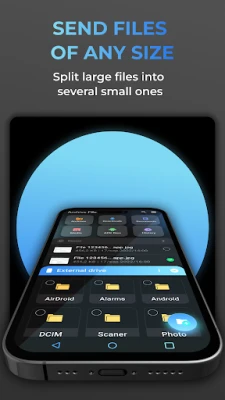
- Adjust the size of the finished archive to meet your needs.
- Archive files in the background for multitasking capabilities.
- Manage all files within the archive easily—view, modify, or select individual documents for extraction.
- Enjoy an efficient workflow with our intuitive ZIP file reader interface.
- Handle large data volumes without compromising performance.
- Extract ZIP and RAR files from multiple archives simultaneously.
- Unzip, unrar, and un7z files while checking the integrity of the documents.
- Transfer files directly from the ZIP file reader in various ways.
- Create secure passwords for limited access to archive files or unzip password-protected archives.
As you explore the features of our RAR and ZIP file extractor app, don't forget to rate your experience! Your feedback helps us improve and provide the best possible service.
Rate the App
User Reviews















Popular Apps










Editor's Choice









