

Latest Version
10.0
June 10, 2026
MS Apps Lab
Tools
Android
0
Free
com.easyapp.zip.reader.compressed.extractor
Report a Problem
More About Zip Extractor–Unzip UnRAR
Unlock the Power of File Management with UnZip_Zip Extractor and UnRAR
In today's digital age, managing files efficiently is crucial. Whether you're a student, a professional, or someone who simply wants to keep their digital life organized, having the right tools at your disposal can make all the difference. Enter UnZip_Zip Extractor and UnRAR, the ultimate solution for compressing and extracting files with ease. This article explores its standout features, functionality, and why it should be your go-to app for all your file management needs.
Secure Compression & Extraction
Protecting sensitive information is paramount. With UnZip_Zip Extractor and UnRAR, you can safeguard your files using built-in password encryption. Whether you're compressing or extracting files in formats like ZIP, RAR, or 7Z, your data remains private and secure. This feature ensures that only authorized users can access your important documents, providing peace of mind in an increasingly digital world.
Supports 20+ File Formats
Why juggle multiple applications when one can do it all? UnZip_Zip Extractor and UnRAR supports over 20 file formats, including ZIP, RAR, 7Z, TAR, ISO, and GZIP. This versatility means you can open and extract popular formats without the hassle of switching between different tools. Simplify your workflow and keep everything in one place with this all-in-one file management solution.
Fast & Lightweight Performance
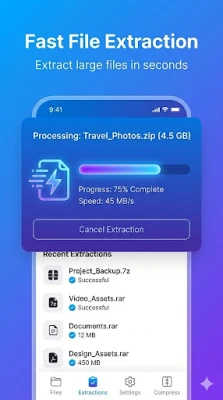
Time is of the essence, and UnZip_Zip Extractor and UnRAR delivers. Powered by an advanced decompression engine, this app can handle large files in mere seconds while consuming minimal battery and storage. Its lightweight design ensures that it won’t slow down your device, making it perfect for users who need speed and efficiency.
Batch Compression & Easy Sharing
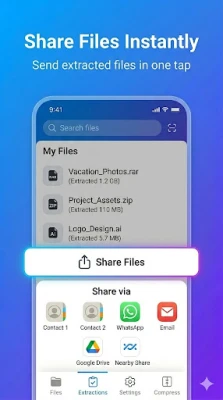
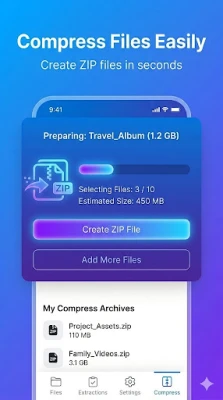
Need to compress multiple files? No problem! With UnZip_Zip Extractor and UnRAR, you can easily compress several files into a single ZIP archive. This feature is ideal for sharing via platforms like WhatsApp, Gmail, or cloud storage apps. Whether for work, school, or personal use, this app streamlines the process of file sharing, making it quick and hassle-free.
Smart Storage Saver
Are large files taking up too much space on your device? UnZip_Zip Extractor and UnRAR can reduce file sizes by up to 80%, especially for large documents, photos, and videos, all while maintaining original quality. This smart storage-saving feature allows you to free up valuable space without compromising on the clarity of your files, making it easier to manage your digital assets.
How Does It Work?
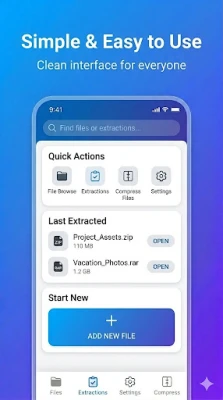
Using UnZip_Zip Extractor and UnRAR is straightforward and lightning-fast. Here’s how it works:
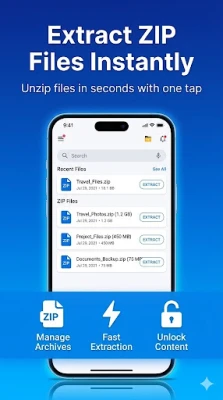
- Select the File: Choose any compressed file from your device, including formats like ZIP, RAR, 7Z, or TAR.
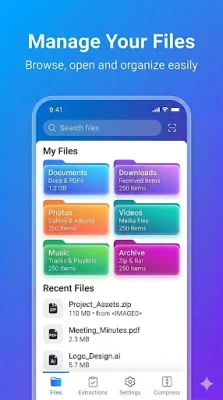
- Tap to Extract: Instantly extract your file with a single tap. The app automatically organizes extracted content into folders for easy access.
- Compress Files: Select multiple photos, documents (PDF, DOC, PPT, XLS), videos, or music and compress them into a single ZIP file.
- Offline Support: No internet? No problem. The app works fully offline for extracting or compressing files anytime, anywhere.
PDF Compressor and Shrinker
Need to compress PDF files? UnZip_Zip Extractor and UnRAR allows you to shrink PDF file sizes by up to 70% without losing clarity. This feature is perfect for email attachments, online uploads, or simply saving space on your device. Whether dealing with scanned documents or reports, you can keep your files light, clear, and easy to share while preserving quality.
Why Choose This App?
Experience the fastest file extraction with UnZip_Zip Extractor and UnRAR. Open ZIP, RAR, and 7Z files in seconds with this powerful tool designed for Android. Whether managing documents, unzipping folders, or compressing files, this app does it all offline, eliminating the need for an internet connection. Save space, stay organized, and unlock every format from ZIP to 7ZIP effortlessly. Trusted by millions for its speed, simplicity, and reliability, this app is more than just a zip opener; it’s your everyday file management solution.
Conclusion
UnZip_Zip Extractor and UnRAR is your ultimate app for opening ZIP, RAR, 7Z, and more. Instantly extract, compress, and manage files—even offline. With password protection and lightning-fast performance, it’s perfect for everyday use. Download now and simplify your file handling in seconds!
Call to Action
Don’t wait any longer! Download UnZip_Zip Extractor and UnRAR today—your all-in-one solution to extract ZIP, RAR, and 7Z files instantly! Compress documents, shrink PDFs, and manage storage offline—all in one powerful, lightweight app. Tap Install now and take full control of your file management! 💼📂⚡
Rate the App
User Reviews















Popular Apps










Editor's Choice









