

Latest Version
May 03, 2026
Golden Mango
Tools
Android
0
Free
com.golden.mango.superzip.studio
Report a Problem
More About Zip Extractor : UnZIP & UnRAR
Unlock the Power of Zip Extractor: Your Ultimate File Management Solution
In today's digital age, managing files efficiently is crucial. Whether you're a professional dealing with large datasets or a casual user sharing photos, a reliable file extractor can make all the difference. Enter Zip Extractor, a versatile tool designed to streamline your file management tasks. This article explores the myriad features and benefits of using Zip Extractor, ensuring you can handle your files with ease and efficiency.
Key Features of Zip Extractor
Zip Extractor is packed with features that cater to both casual users and professionals. Here’s what you can expect:
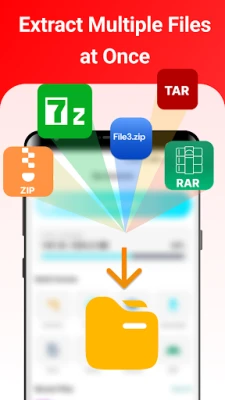
- Effortless Multi-File Extraction: Extract multiple files simultaneously, saving you time and effort.
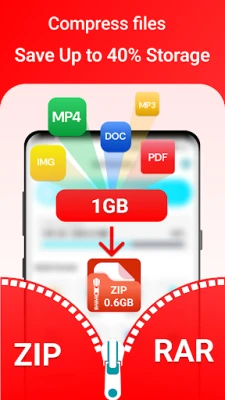
- Easy ZIP Archive Creation: Create ZIP archives and compress files with just a few clicks.
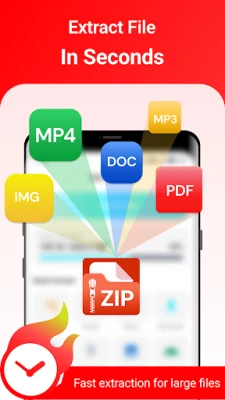
- Instant File Access: Open ZIP and RAR files quickly, ensuring you can access your data without delay.
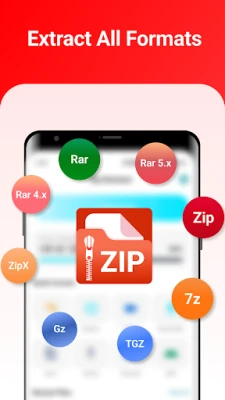
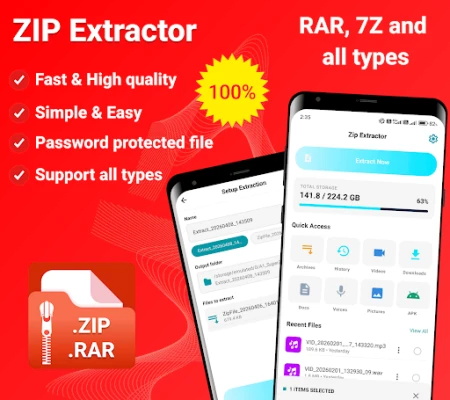
- Wide Format Support: Handle various formats, including ZIP, RAR, 7Z, and more, making it a versatile choice for all your file needs.
- Quick File Transfer: Transfer files effortlessly via Hotspot or WiFi, enhancing your productivity.
- Background Operations: Enjoy background compression and extraction, allowing you to use your device without interruptions.
- File Integrity Checks: Ensure your files are intact after decompression, providing peace of mind.
- Large File Management: Easily handle large ZIP and RAR files without any hassle.
- Customizable Compression: Tailor the archive format and compression size to suit your needs.
- Password Protection: Secure your ZIP files with passwords, enhancing your data security.
- Quick Sharing Options: Share compressed files effortlessly, making collaboration a breeze.
Smart Archiving Features
Zip Extractor is not just about extraction; it offers a suite of smart features designed to enhance your file management experience:
- 7z Opener: Quickly unzip files with the dedicated Zip Extractor feature.
- Rar Manager: Organize your files efficiently with the 7z File Extractor.
- Mobile Optimization: The Zip File Extractor for Android is designed for seamless mobile usage.
- Password Protection: Use the Rar Manager to secure your files with robust password protection.
- Fast Sharing: Share files via the Zip Manager, ensuring quick and easy distribution.
- High-Speed Compression: Experience rapid compression with the Rar Extractor, making file management efficient.
Why Compress Files?
Understanding the benefits of file compression can significantly enhance your digital experience. Here are some compelling reasons to consider:
- Faster Sharing: Compressing files into a single archive allows you to send multiple documents at once, making sharing fast and convenient.
- Maintain Original Quality: Compress photos, videos, and audio files without sacrificing quality, ensuring your media looks and sounds great.
- Save Storage Space: Reduce file sizes to organize your data efficiently, freeing up valuable memory on your device.
- Enhanced Data Security: Protect sensitive information with password-protected ZIP archives, keeping your data safe from unauthorized access.
Streamlined User Experience
Zip Extractor is designed with user experience in mind. Its clean, modern interface allows for easy navigation and quick access to essential features:
- Smart File Picker: Quickly locate and compress files with an intuitive file picker.
- Simultaneous Extraction: Extract multiple ZIP, RAR, and 7Z files at once, saving you time.
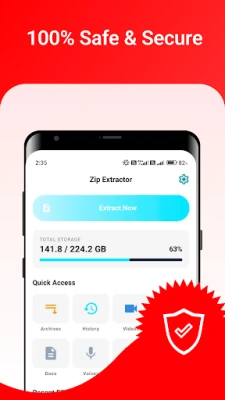
- File Management: Browse and manage various file types, including photos, videos, music, and documents, all in one place.
- Recent Files Display: Access recently used files directly from the home screen for added convenience.
- Instant Sharing: Share ZIP and RAR files via email or messaging apps with just a few taps.
- Cloud Sync: Sync with Google Drive to compress and extract files directly from the cloud.
Conclusion
Zip Extractor is more than just a file management tool; it’s a comprehensive solution for anyone looking to streamline their digital workflow. With its robust features, user-friendly interface, and emphasis on security, it stands out as a top choice for file compression and extraction. Whether you’re sharing documents, managing large files, or ensuring data security, Zip Extractor has you covered.
If you find value in using Zip Extractor, consider rating it 5 stars to support ongoing development. Your feedback is invaluable, so feel free to reach out via email or leave a review. Your support helps enhance Zip Extractor in future updates. Thank you for choosing Zip Extractor, and enjoy a seamless file management experience!
Rate the App
User Reviews















Popular Apps










Editor's Choice









