

Latest Version
2.9
August 30, 2025
onTaps
Tools
Android
0
Free
com.zip.unzip.zipextractor.raropener.zarchiver
Report a Problem
More About Zip Extractor - UnZIP, UnRAR
Ultimate Guide to Quick File Unzipper: The Best File Compression and Extraction Tool for Android
In today's digital age, managing files efficiently is crucial. Whether you're dealing with large documents, images, or software packages, having a reliable file compression and extraction tool is essential. Enter the Quick File Unzipper, an all-in-one solution designed to simplify the process of compressing and decompressing files on your Android device. This article explores the features, benefits, and functionalities of this powerful app.
What is Quick File Unzipper?
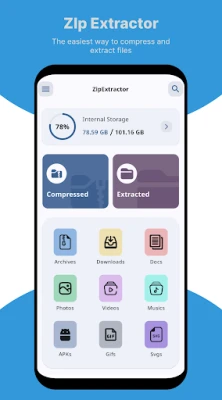
The Quick File Unzipper is a versatile application that allows users to easily compress and extract files in various formats. With support for popular archive types such as ZIP, RAR, 7Z, and more, this app is perfect for anyone looking to manage their files efficiently. Its user-friendly interface and advanced features make it a top choice for Android users.
Key Features of Quick File Unzipper
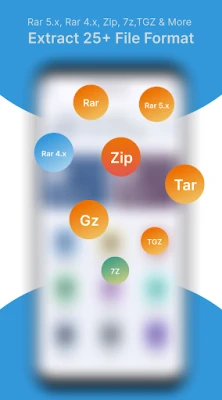
- Comprehensive Format Support: The app supports a wide range of archive formats, including 7z, zip, rar, rar5, bzip2, gzip, XZ, iso, tar, arj, cab, lzh, lha, lzma, xar, tgz, tbz, Z, deb, rpm, zipx, mtz, chm, dmg, cpio, cramfs, img, wim, ecm, lzip, zst (zstd), egg, and alz. This extensive compatibility ensures that you can handle any file type with ease.
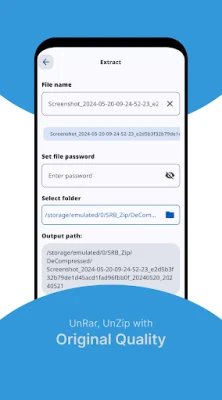
- Easy File Extraction: The Quick File Unzipper allows you to extract files without the need for a password, making it convenient for users who want quick access to their data.
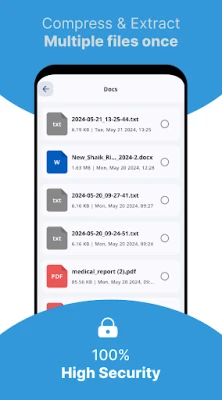
- File Management Capabilities: Beyond extraction, the app enables users to copy, delete, move, and rename files. You can also create new folders and manage your files efficiently.
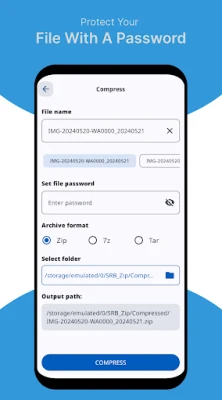
- Secure Compression: Users can set passwords for their compressed files, ensuring that sensitive data remains protected. The app also supports multipart files, making it easier to manage large datasets.
- Customizable Compression Settings: Choose from various compression methods, including LZMA2, LZMA, PPMD, and BZip2. You can also adjust the compression level to suit your needs, whether you prefer faster speeds or maximum compression.
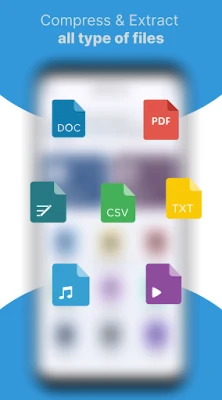
- Document Viewing: The app allows you to open and view various document types, including DOC, Excel, PPT, PDF, TXT, RTF, and image formats like JPG, GIF, and PNG.
Why Choose Quick File Unzipper?
The Quick File Unzipper stands out among other file management apps due to its combination of speed, efficiency, and user-friendly design. Here are some reasons why you should consider using this app:
- Fast Performance: The app is designed to unzip files quickly without consuming excessive memory, making it ideal for devices with limited resources.
- Intuitive Interface: The simple and clean interface allows users of all skill levels to navigate the app effortlessly, ensuring a smooth experience.
- Free to Use: The Quick File Unzipper is available for free, providing excellent value without compromising on features or performance.
- Regular Updates: The developers frequently update the app to enhance functionality and security, ensuring that users always have access to the latest features.
How to Use Quick File Unzipper
Using the Quick File Unzipper is straightforward. Follow these simple steps to get started:
- Download and Install: Visit the Google Play Store, search for Quick File Unzipper, and install the app on your Android device.
- Open the App: Launch the app from your home screen or app drawer.
- Select the File: Navigate to the location of the compressed file you wish to extract. Tap on the file to select it.
- Extract the File: Choose the 'Extract' option. If the file is password-protected, enter the password when prompted.
- Manage Your Files: Once extracted, you can view, move, or delete the files as needed.
Conclusion
The Quick File Unzipper is an essential tool for anyone looking to manage their files efficiently on Android. With its extensive format support, user-friendly interface, and powerful features, it simplifies the process of file compression and extraction. Whether you're a casual user or a professional, this app provides the functionality you need to handle your files with ease. Download Quick File Unzipper today and experience the convenience of efficient file management!
Rate the App
User Reviews















Popular Apps










Editor's Choice









