
Latest Version
March 10, 2026
Zenith Bank
Finance
Android
0
Free
com.zenithbank.zenithtoken
Report a Problem
More About ZenithBankToken
Understanding Token Activation Costs and Procedures
When it comes to securing your banking transactions, understanding the costs associated with token activation is crucial. This article will guide you through the activation charges, methods, and procedures for using the Zenith Token App effectively.
Token Activation Charges
To activate your token, a one-time fee of N1500 will be charged. This fee is essential for enabling secure access to your banking services through the token system.
By proceeding with the activation of your token on your device, you agree to the deduction of this activation charge from your linked account. It’s important to note that the bank reserves the right to adjust this activation fee periodically without prior notice to customers.
What is a One-Time Password (OTP)?
A One-Time Password (OTP) is a unique series of characters that provides an additional layer of security for your transactions. This password is valid for a single transaction or session, ensuring that your banking activities remain secure. The OTP serves as an alternative to the hardware token, offering flexibility in how you authenticate your identity.
Steps to Activate the Zenith Token App
Activating the Zenith Token App is a straightforward process. Follow the steps below based on whether you are registering as an individual or a corporate entity.
For Individual Registration
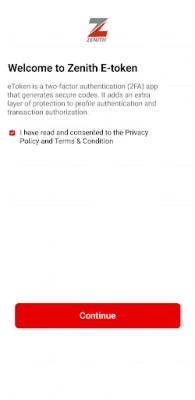
- Open the Zenith Token App.
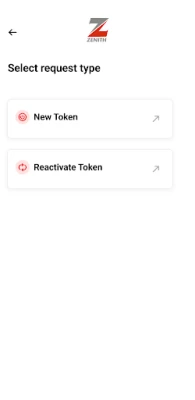
- Select New Token.
- Choose Register as an Individual.
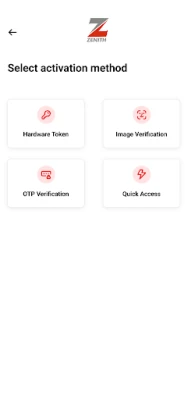
- Select your preferred Activation Method.
Activation Methods for Individuals
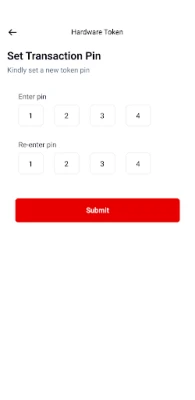
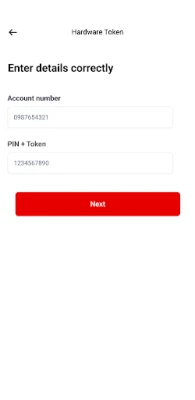
- Hardware Token: Enter your Account Number, the 4-digit Server PIN, and the Hardware Token Code.
- Quick Access: Visit your nearest bank branch to generate the activation code required for enabling access on the Zenith Token App.
- Image Verification: Provide your Account Number, Date of Birth, and complete a liveliness check.
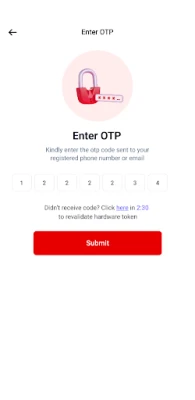
- OTP Verification: Input your Account Number, Date of Birth, and the OTP sent to your registered mobile number.
For Corporate Registration
- Launch the Zenith Token App.
- Choose New Token.
- Select Register as a Corporate.
- Pick your Activation Method.
Activation Methods for Corporates
- Quick Access: Visit your bank branch to generate the activation code necessary for enabling access on the Zenith Token App.
Conclusion
Understanding the costs and procedures associated with token activation is essential for ensuring secure banking transactions. By following the outlined steps, you can easily activate your Zenith Token App and enjoy enhanced security for your financial activities. Always stay informed about any changes in activation charges and methods to ensure a seamless banking experience.
Rate the App
User Reviews















Popular Apps










Editor's Choice









