

Latest Version
0.3.733
September 08, 2025
Zebra Technologies
Tools
Android
0
Free
com.zebra.zbsetup
Report a Problem
More About ZBSetup
Effortlessly Configure Your ZB200 Bluetooth Bridge with Our User-Friendly App
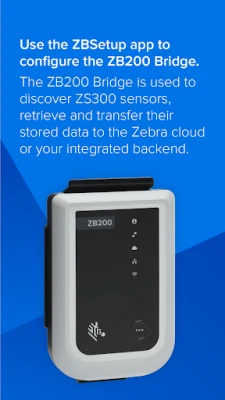
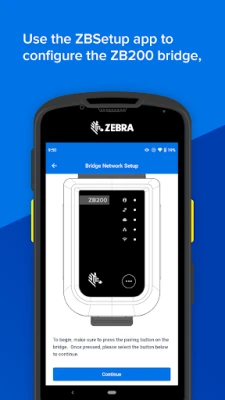
Setting up your ZB200 Bluetooth Bridge has never been easier. With our intuitive app, you can seamlessly configure the bridge's network settings, whether you prefer a wired or wireless connection. This guide will walk you through the essential steps to ensure your bridge operates optimally, including location and time server settings.
Getting Started with the ZB200 Bluetooth Bridge
The ZB200 Bluetooth Bridge is designed for simplicity and efficiency. Most users find that the default settings allow for immediate use without any additional configuration. However, for those who wish to customize their experience, the app provides a straightforward interface to make adjustments as needed.
Step-by-Step Configuration Process
1. Download the App
Begin by downloading the app from your device's app store. It is compatible with both iOS and Android platforms, ensuring that you can access it regardless of your device.
2. Connect to the ZB200 Bluetooth Bridge
Once the app is installed, open it and connect to your ZB200 Bluetooth Bridge. Ensure that Bluetooth is enabled on your device for a smooth connection process.
3. Configure Network Settings
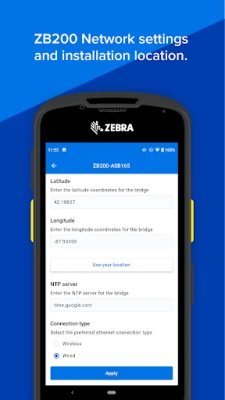
After establishing a connection, navigate to the network settings section within the app. Here, you can choose between wired and wireless configurations:
- Wired Connection: Simply plug in an Ethernet cable to the bridge and select the wired option in the app.
- Wireless Connection: For a wireless setup, select your Wi-Fi network from the list and enter the password to connect.
4. Set Location and Time Server
Accurate location and time settings are crucial for the optimal performance of your ZB200 Bluetooth Bridge. In the app, you can easily input your geographical location and select a time server. This ensures that your bridge remains synchronized and functions correctly within your network.
Utilizing Default Settings
In many instances, the ZB200 Bluetooth Bridge's default settings are sufficient for immediate use. Users can enjoy basic functionality without the need for extensive configuration. However, for those who require specific settings or enhancements, the app provides the flexibility to make necessary adjustments.
Troubleshooting Common Issues
While the setup process is generally smooth, you may encounter some common issues. Here are a few troubleshooting tips:
- Connection Problems: Ensure that Bluetooth is enabled on your device and that you are within range of the bridge.
- Network Issues: Double-check your Wi-Fi password and ensure that the bridge is within range of your router.
- App Malfunctions: If the app is unresponsive, try restarting it or reinstalling it from your app store.
Conclusion
Configuring your ZB200 Bluetooth Bridge is a straightforward process thanks to the user-friendly app. Whether you opt for a wired or wireless connection, the app guides you through each step, ensuring that your bridge is set up correctly. With the ability to adjust location and time server settings, you can customize your experience to meet your specific needs. Enjoy the seamless connectivity and enhanced functionality that the ZB200 Bluetooth Bridge offers!
Rate the App
User Reviews















Popular Apps










Editor's Choice









