

Latest Version
1.0.10
September 04, 2024
ZDevs
Tools
Android
0
$2.99
ru.zdevs.zarchiver.pro
Report a Problem
More About ZArchiver Donate
Unlocking the Power of ZArchiver Pro: Your Ultimate Guide to Archive Management
In today's digital age, efficient file management is crucial. Whether you're a casual user or a professional, having a reliable tool for managing archives can save you time and effort. Enter ZArchiver Pro, a powerful application designed for seamless archive management. This article explores the advantages of the Pro version, its features, and how it can enhance your file management experience.
Key Advantages of ZArchiver Pro
The Pro version of ZArchiver offers a range of features that elevate your archive management experience. Here are some of the standout advantages:
- Light and Dark Themes: Customize your interface with light and dark themes to suit your preferences and enhance visibility.
- Password Storage: Secure your sensitive files with built-in password storage, ensuring that your data remains protected.
- Image Preview in Archive: Quickly view images within your archives without the need to extract them first, saving you time.
- File Editing in Archive: Edit files directly within the archive, making it easy to update documents without the hassle of extraction.
What is ZArchiver?
ZArchiver is a robust application designed for comprehensive archive management, including backup applications. With its user-friendly interface, it simplifies the process of creating, decompressing, and managing various archive formats. Notably, ZArchiver does not require internet access, ensuring that your data remains private and secure.
Comprehensive Archive Management Features
ZArchiver allows you to perform a variety of tasks related to archive management:
Create and Decompress Multiple Archive Formats
With ZArchiver, you can create and decompress a wide range of archive types, including:
- 7z (7zip)
- zip
- bzip2 (bz2)
- gzip (gz)
- XZ
- lz4
- tar
- zst (zstd)
Additionally, it supports decompression for formats such as RAR, ISO, and many others, making it a versatile tool for all your archiving needs.
View Archive Contents Effortlessly
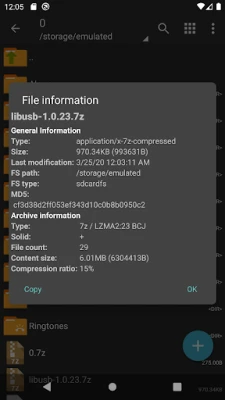
Quickly view the contents of various archive formats without extracting them. This feature allows you to assess the files within an archive before deciding to extract them, streamlining your workflow.
Password-Protected Archives
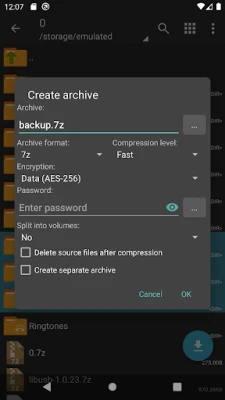
ZArchiver enables you to create and decompress password-protected archives, adding an extra layer of security for your sensitive files. Remember to use a strong password that is not related to your phone's password for optimal security.
Edit Archives with Ease
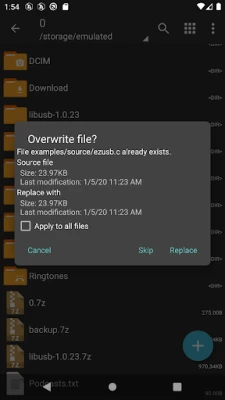
One of the standout features of ZArchiver is the ability to edit files directly within an archive. After making changes in an external application, simply return to ZArchiver, and you will be prompted to update the file in the archive. This feature eliminates the need for tedious extraction and re-compression.
Multi-Part Archives and APK Installation
ZArchiver supports the creation and decompression of multi-part archives, making it easy to manage large files. Additionally, you can install APK and OBB files directly from backups stored in archives, simplifying the process of app management.
Advanced Features for Enhanced Performance
Beyond basic functionalities, ZArchiver offers advanced features that enhance performance:
- Multithreading Support: Take advantage of multicore processors for faster processing and extraction speeds.
- UTF-8/UTF-16 Support: Use national symbols in filenames, ensuring compatibility with various languages and characters.
- Direct Opening for Small Files: For files under 10MB, ZArchiver allows direct opening without extracting to a temporary folder, saving time and storage space.
Getting Started with ZArchiver
Using ZArchiver is straightforward. Here’s a quick guide to help you get started:
How to Compress Files
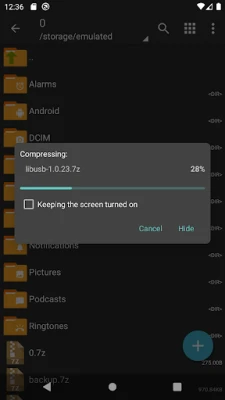
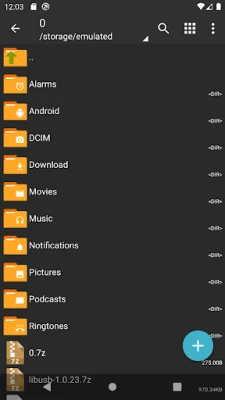
To compress files, select the files you wish to compress by tapping the icons next to their names. Then, click on the first selected file and choose "Compress" from the menu. Set your desired options and press the OK button to create your archive.
How to Extract Files
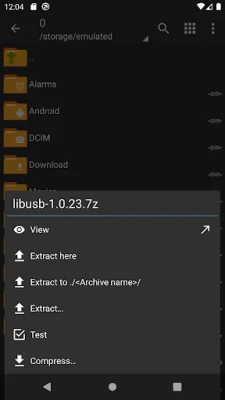
To extract files from an archive, simply click on the archive name and select your preferred extraction option, such as "Extract Here" or another suitable choice.
Mini FAQ
What is the password for encrypted archives?
Some archives may be encrypted and require a password to open. Ensure you use a strong password that is not related to your phone's password.
What should I do if the program is not working correctly?
If you encounter issues, send an email with a detailed description of the problem for assistance.
How can I provide feedback or suggestions?
We welcome your ideas and suggestions! Feel free to send them via email or leave a comment within the app.
Conclusion
ZArchiver Pro is an essential tool for anyone looking to manage archives efficiently. With its extensive features, user-friendly interface, and commitment to data security, it stands out as a top choice for archive management. Whether you need to create, decompress, or edit archives, ZArchiver Pro has you covered. Download it today and experience the difference in your file management workflow!
Rate the App
User Reviews















Popular Apps










Editor's Choice









