

Latest Version
1.0.10
September 01, 2024
ZDevs
Tools
Android
0
Free
ru.zdevs.zarchiver
Report a Problem
More About ZArchiver
Unlocking the Power of ZArchiver: Your Ultimate Guide to File Compression and Decompression
In today's digital age, managing files efficiently is crucial. Whether you're a casual user or a tech-savvy professional, having the right tools at your disposal can make all the difference. One such tool is ZArchiver, a powerful application designed for file compression and decompression. This article will explore the features, functionalities, and benefits of using ZArchiver, ensuring you can maximize your file management capabilities.
Comprehensive Archive Creation
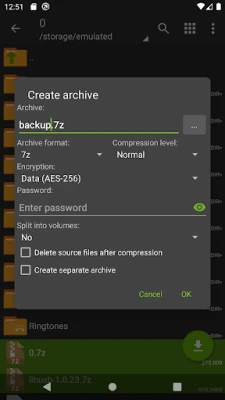
ZArchiver allows users to create a variety of archive types, making it a versatile tool for any file management task. The supported formats include:
- 7z (7zip)
- zip
- bzip2 (bz2)
- gzip (gz)
- XZ
- lz4
- tar
- zst (zstd)
With these options, you can choose the most suitable format for your needs, whether you're looking for high compression rates or compatibility with other systems.
Effortless Decompression of Multiple Formats
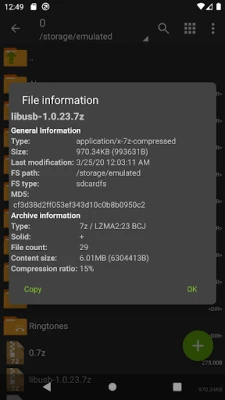
One of the standout features of ZArchiver is its ability to decompress a wide range of archive types. Users can easily extract files from:
- 7z (7zip)
- zip
- rar
- rar5
- bzip2
- gzip
- XZ
- iso
- tar
- arj
- cab
- lzh
- lha
- lzma
- xar
- tgz
- tbz
- Z
- deb
- rpm
- zipx
- mtz
- chm
- dmg
- cpio
- cramfs
- img (fat, ntfs, ubf)
- wim
- ecm
- lzip
- zst (zstd)
- egg
- alz
This extensive support ensures that you can handle virtually any compressed file you encounter, streamlining your workflow.
Advanced Features for Enhanced Usability
ZArchiver is not just about basic compression and decompression; it also offers advanced features that enhance usability:
- Password Protection: Create and decompress password-protected archives, ensuring your sensitive data remains secure.
- Edit Archives: Easily add or remove files from existing archives, including formats like zip, 7zip, tar, apk, and mtz.
- Multi-Part Archives: Create and decompress multi-part archives, specifically for 7z and rar formats.
- APK and OBB Installation: Install APK and OBB files directly from backups, simplifying app management.
- Partial Decompression: Extract only the files you need from larger archives, saving time and storage space.
- Direct Opening: For small files (<10MB), ZArchiver can open files directly without extracting them to a temporary folder, enhancing efficiency.
Optimized Performance with Multithreading Support
For users with multicore processors, ZArchiver offers multithreading support. This feature allows the application to utilize multiple cores, significantly speeding up the compression and decompression processes. Whether you're handling large files or multiple archives, ZArchiver ensures optimal performance.
Internationalization Support
Another notable aspect of ZArchiver is its support for UTF-8/UTF-16 filenames. This feature allows users to include national symbols in filenames, making it easier to manage files in different languages and character sets. This inclusivity is essential for users around the globe.
Frequently Asked Questions (FAQ)
What is the password for encrypted archives?
The contents of some archives may be encrypted, requiring a password to access. Ensure you use a unique password and not your phone's password for security.
What should I do if the program is not working correctly?
If you encounter issues with ZArchiver, send an email detailing the problem for assistance.
How do I compress files using ZArchiver?
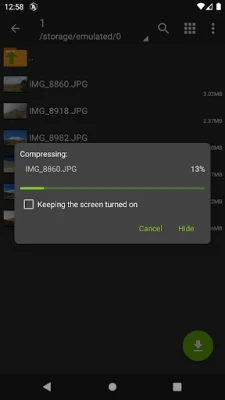
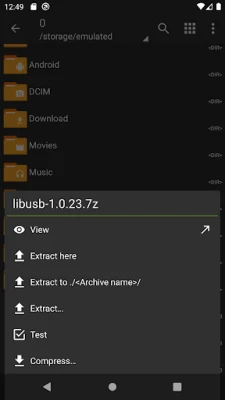
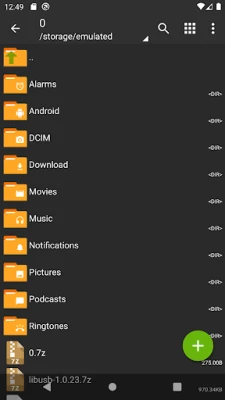
To compress files, select the files you wish to compress by clicking on the icons next to their names. Then, click on the first selected file, choose "Compress" from the menu, set your desired options, and press the OK button.
How can I extract files from an archive?
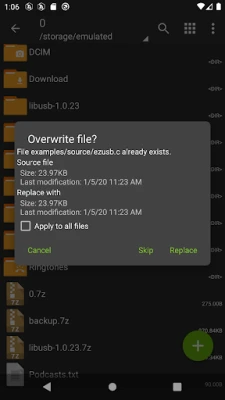
To extract files, click on the archive name and select the appropriate options, such as "Extract Here" or other extraction methods.
Conclusion: Elevate Your File Management with ZArchiver
ZArchiver stands out as a comprehensive solution for file compression and decompression. With its extensive support for various archive formats, advanced features, and optimized performance, it is an essential tool for anyone looking to manage files efficiently. Whether you need to create, extract, or edit archives, ZArchiver provides the functionality you need to streamline your workflow. Download ZArchiver today and unlock the full potential of your file management capabilities!
Rate the App
User Reviews















Popular Apps










Editor's Choice









