
Latest Version
4.38.40
September 12, 2024
Lonely Cat Games
Tools
Android
0
Free
com.lonelycatgames.Xplore
Report a Problem
More About X-plore File Manager
Unlock the Full Potential of Your Android Device with X-plore File Manager
In the digital age, managing files efficiently is crucial for both personal and professional use. X-plore File Manager stands out as a powerful tool that allows users to navigate their Android devices with ease. This article delves into the remarkable features of X-plore, highlighting its dual-pane tree view, cloud storage access, and much more.
Dual-Pane Tree View for Enhanced Navigation
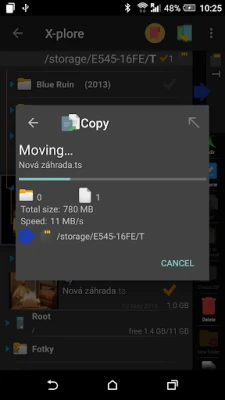
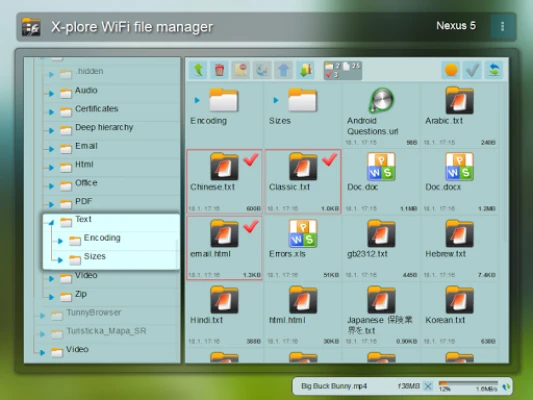
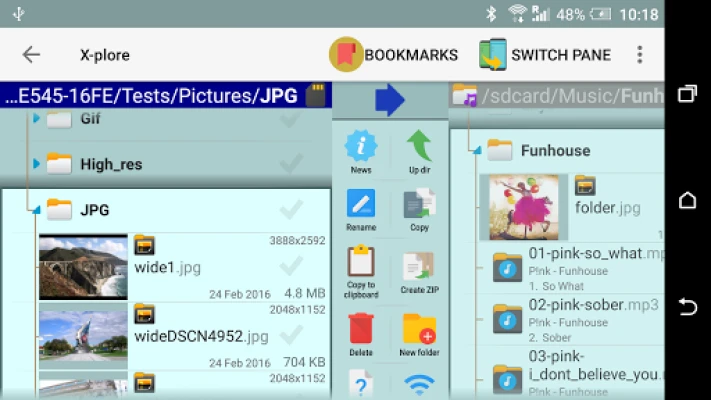
X-plore File Manager offers a unique dual-pane tree view that simplifies file management. Users can view two folders simultaneously, making it easy to copy, move, or delete files between them. The tree view provides a clear hierarchy of folders, allowing for quick navigation and efficient file operations.
Comprehensive File Access: Local and Cloud
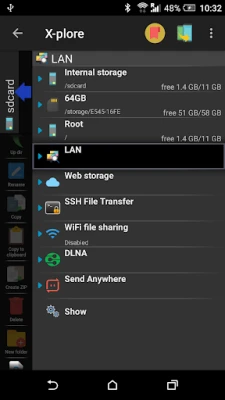
With X-plore, users can explore not only the internal storage of their devices but also external sources. The app supports various protocols, including:
- FTP and FTPS: Access secure FTP servers with ease.
- Cloud Storage: Connect to popular services like Google Drive, OneDrive, Dropbox, and Box.
- DLNA/UPnP Explorer: Stream media from compatible devices on your network.
This extensive access ensures that users can manage their files from multiple sources without hassle.
Disk Space Management with Disk Map
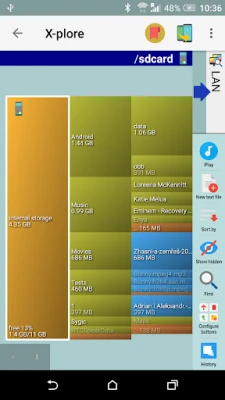
Understanding which files consume the most space on your device is essential for effective storage management. X-plore includes a Disk Map feature that visually represents disk usage, helping users identify large files and folders quickly. This tool is invaluable for maintaining optimal device performance.
Advanced File Management Features
X-plore File Manager is packed with features that enhance file management:
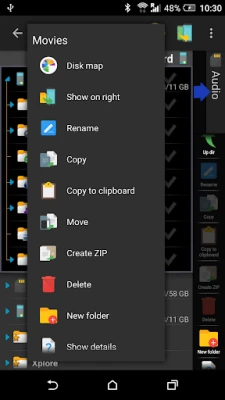
- Batch Rename: Rename multiple files simultaneously to save time.
- Hex Viewer: Inspect files in hexadecimal format for advanced users.
- Multi-Selection: Easily select multiple files for bulk operations.
- Vault for Encryption: Secure sensitive files with encryption, including fingerprint protection.
These features make X-plore a versatile tool for both casual users and power users alike.
Seamless File Sharing and Management
X-plore simplifies file sharing through various methods:
- WiFi File Sharing: Access files on your Android device from other devices over WiFi.
- PC Web Browser Access: Manage files on your Android device directly from a PC web browser.
- Bluetooth and Email Sharing: Share files effortlessly using Bluetooth or email.
These options ensure that users can share and manage their files conveniently, regardless of their location.
Built-in Media Players and Viewers
X-plore File Manager is not just about file management; it also includes built-in media players and viewers:
- Music Player: Play music tracks from any available location.
- Video Player: Watch videos with subtitle support.
- Image Viewer: View images with zoom and slide functionality.
- PDF Viewer: Open and read PDF files directly within the app.
These integrated features enhance the overall user experience, making X-plore a comprehensive solution for file management and media consumption.
SQLite Database Viewer
For users who work with databases, X-plore offers a SQLite database viewer. This feature allows users to view .db files as expandable lists of tables, making it easy to navigate through rows and columns of data. This functionality is particularly useful for developers and data analysts.
Conclusion: A Must-Have Tool for Android Users
X-plore File Manager is an essential application for anyone looking to optimize their file management on Android devices. With its dual-pane tree view, extensive cloud storage access, and a plethora of advanced features, it caters to both casual users and tech enthusiasts. Whether you need to manage files, share data, or explore your device's internals, X-plore provides the tools necessary for a seamless experience.
Download X-plore today and unlock the full potential of your Android device!
Rate the App
User Reviews















Popular Apps










Editor's Choice









