

Latest Version
1.0.20231018
October 01, 2024
WireGuard Development Team
Tools
Android
0
Free
com.wireguard.android
Report a Problem
More About WireGuard
The Ultimate Guide to Managing WireGuard VPN Tunnels with the Official App
In today's digital landscape, maintaining online privacy and security is paramount. One of the most effective ways to achieve this is through the use of Virtual Private Networks (VPNs). Among the various VPN protocols available, WireGuard stands out for its simplicity and efficiency. This article explores the official app designed for managing WireGuard VPN tunnels, providing you with insights on its features, benefits, and how to maximize its potential.
What is WireGuard?
WireGuard is a modern VPN protocol that offers a streamlined approach to secure communications. Unlike traditional VPN protocols, WireGuard is built with a focus on performance and ease of use. It employs state-of-the-art cryptography to ensure that your data remains private and secure while traversing the internet. The official app for WireGuard allows users to create and manage VPN tunnels effortlessly, making it an essential tool for anyone concerned about online security.
Key Features of the Official WireGuard App
The official WireGuard app is packed with features that enhance user experience and security. Here are some of the standout functionalities:
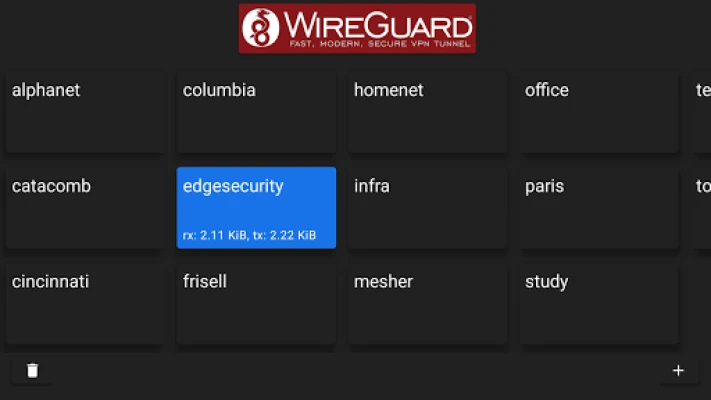
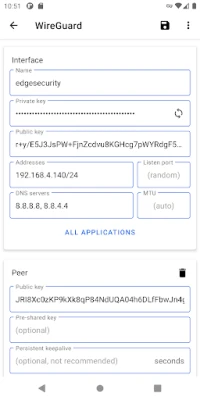
- Easy Configuration: The app simplifies the process of setting up VPN tunnels. Users can easily input their configuration details or import them from existing setups.
- Cross-Platform Compatibility: Available on multiple platforms, including Windows, macOS, Linux, Android, and iOS, the app ensures that you can manage your VPN tunnels from any device.
- High Performance: WireGuard is known for its speed. The app leverages this efficiency, providing fast and reliable connections without compromising security.
- Robust Security: With cutting-edge cryptographic protocols, the app ensures that your data is encrypted and secure from prying eyes.
- User-Friendly Interface: The intuitive design of the app makes it accessible for both beginners and advanced users, allowing for seamless navigation and management of VPN connections.
How to Set Up the WireGuard App
Setting up the WireGuard app is a straightforward process. Follow these steps to get started:
- Download the App: Visit the official WireGuard website or your device's app store to download the application.
- Install the App: Follow the installation prompts to set up the app on your device.
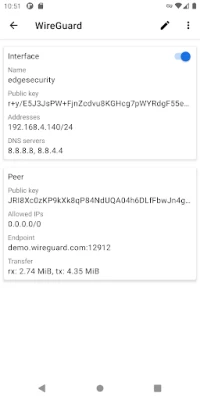
- Create a New Tunnel: Open the app and select the option to create a new tunnel. You can either manually enter your configuration details or import them from a file.
- Connect to the VPN: Once your tunnel is configured, simply click the connect button to establish a secure connection.
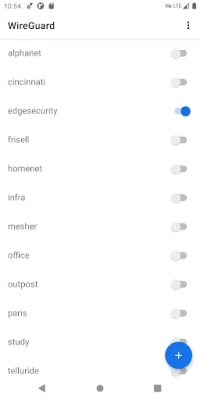
- Manage Your Connections: The app allows you to easily switch between different tunnels, making it simple to manage multiple VPN connections.
Benefits of Using the WireGuard App
Utilizing the official WireGuard app comes with numerous advantages:
- Enhanced Privacy: By encrypting your internet traffic, the app helps protect your personal information from hackers and surveillance.
- Bypass Geo-Restrictions: The app allows you to access content that may be restricted in your region, giving you the freedom to browse the internet without limitations.
- Improved Speed: WireGuard's lightweight design ensures that you experience minimal latency, making it ideal for streaming and gaming.
- Open Source: Being open-source software, WireGuard allows for transparency and community-driven improvements, ensuring that the protocol remains secure and up-to-date.
Common Use Cases for WireGuard VPN Tunnels
The versatility of the WireGuard app makes it suitable for various scenarios:
- Remote Work: Securely access your company's network from anywhere, ensuring that sensitive data remains protected.
- Public Wi-Fi Security: Protect your data when using public Wi-Fi networks, which are often vulnerable to cyber threats.
- Streaming Services: Access geo-restricted content on platforms like Netflix, Hulu, and BBC iPlayer by connecting to servers in different locations.
- Online Gaming: Reduce lag and improve connection stability while gaming online by using a VPN tunnel.
Conclusion
The official app for managing WireGuard VPN tunnels is an indispensable tool for anyone looking to enhance their online security and privacy. With its user-friendly interface, robust features, and high performance, it stands out as one of the best options available. Whether you're a casual internet user or a professional needing secure remote access, the WireGuard app provides the functionality and reliability you need. Start using the WireGuard app today and take control of your online privacy.
Rate the App
User Reviews















Popular Apps










Editor's Choice









