Latest Version
July 04, 2026
Outofcontext
Tools
Android
0
Free
com.out.androidtvremote
Report a Problem
More About Wifi Remote for Android TV
Transform Your Viewing Experience with the Ultimate Android TV Remote App
In today's digital age, controlling your television has never been easier. With the rise of smart TVs, the need for a versatile and user-friendly remote app is paramount. This article explores the key features of an innovative Android TV remote app that enhances your viewing experience, making it more interactive and enjoyable.
Voice Search: Effortless Navigation
Imagine being able to find your favorite movies, apps, and content just by speaking. The Voice Search feature allows you to search effortlessly on your TV, supported by Android TV voice assistant devices. This hands-free functionality not only saves time but also enhances your overall viewing experience, making it easier to discover new content without the hassle of typing.
Smooth Touchpad Navigation
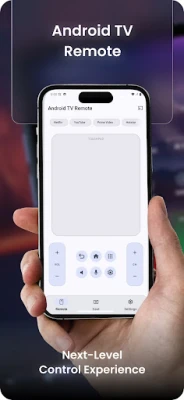
Gone are the days of clunky remote controls. With Touchpad Navigation, you can swipe and navigate your TV interface just like you would on a trackpad. Enjoy smooth scrolling and full cursor control, allowing for a seamless interaction with your favorite apps and settings. This intuitive design makes it easier than ever to browse through content, enhancing your overall user experience.
Fast Keyboard Input
Typing on a remote can be tedious, especially when entering passwords or searching for specific content. The Keyboard Input feature allows you to use your phone’s keyboard for quick and efficient typing on your TV. Whether you’re logging into apps or searching for text, this functionality streamlines the process, making it significantly easier than traditional arrow-key typing.
Complete Control at Your Fingertips
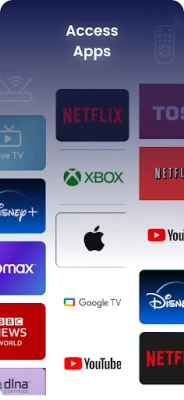
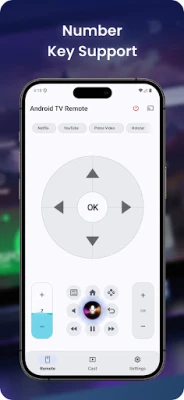
This remote app provides Complete Control over your TV experience. It includes all standard remote buttons such as Home, Back, Menu, volume, and play/pause. Additionally, you can launch your favorite streaming apps directly from the app’s shortcuts, ensuring that you have everything you need right at your fingertips.
Universal Compatibility: A Remote for All
One of the standout features of this remote app is its Universal Compatibility. It works seamlessly over Wi-Fi with Android TV OS and Google TV devices, including popular options like Chromecast with Google TV, NVIDIA Shield, and Mi Box. This app supports a wide range of TV brands, including Sony, TCL, Xiaomi, and Hisense, without the need for any IR hardware. Enjoy the freedom of controlling your TV without limitations.
Media Casting: Share Your Memories
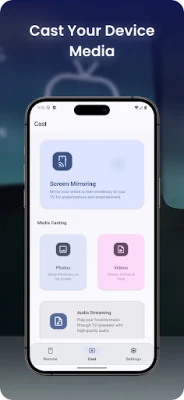
With the Media Casting feature, you can easily stream photos, videos, or music from your phone to your TV screen. This functionality is perfect for sharing memories with friends and family, allowing you to relive special moments together. Utilizing Android TV’s Miracast/Cast feature, this app makes sharing content a breeze.
Easy Setup & Privacy Assurance
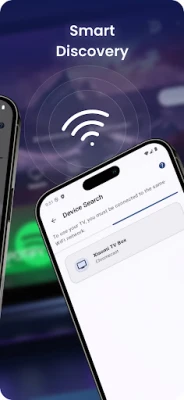
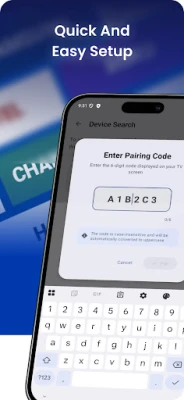
Setting up the remote app is a straightforward process. Simply connect both your phone and TV to the same Wi-Fi network and select your TV. There’s no need for Bluetooth pairing or cumbersome cables. Moreover, your privacy is respected; the app does not collect or share personal data. All control occurs locally on your network, and data is encrypted during transit for added security.
Why Choose This Remote App?
This remote app stands out due to its clean, intuitive design and reliable connection. It serves as an excellent backup when your hardware remote is lost or out of battery. Unlike traditional IR-only remotes, this app works with any compatible Android TV device over Wi-Fi, providing you with a versatile solution for controlling your TV.
Elevate Your TV Experience Today
Transform your phone into the ultimate Android TV remote and enjoy a smarter, more interactive viewing experience. With its array of features designed for convenience and ease of use, this app is a must-have for any smart TV user. Experience the future of television control today!
Disclaimer: This application is not an official app by Google.
Rate the App
User Reviews















Popular Apps










Editor's Choice









