
Latest Version
1.0.4
June 06, 2026
B01T Apps
Tools
Android
0
Free
com.b01t.wifialerts
Report a Problem
More About WiFi Refresh & Signal Alert
Unlocking the Power of Your WiFi: Essential Features for Optimal Network Performance
In today's digital age, a reliable and fast internet connection is crucial for both personal and professional activities. Whether you're streaming your favorite shows, working from home, or gaming online, understanding and optimizing your WiFi network can significantly enhance your experience. This article delves into the essential features of a top-tier WiFi management app that can help you maximize your network's potential.
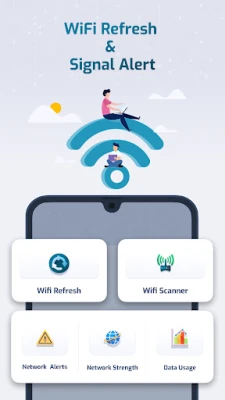
1. WiFi Refresh: Boost Your Network Speed
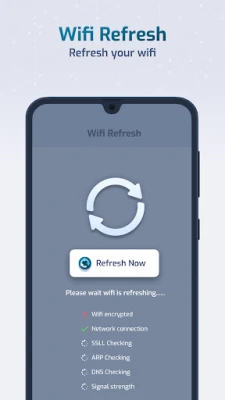
The WiFi Refresh feature is designed to revitalize your network connection, ensuring you enjoy faster speeds. This tool not only refreshes your WiFi but also provides critical insights into your network's status. Users can check whether their WiFi is encrypted, assess the quality of their connection, and perform DNS checks. Key information such as:
- DNS1 and DNS2
- Netmask
- DHCP server
- Gateway
- Signal strength
- Link speed
- Frequency
- RSSI
- IP Address
- MAC Address
With these details at your fingertips, you can make informed decisions to enhance your network performance.
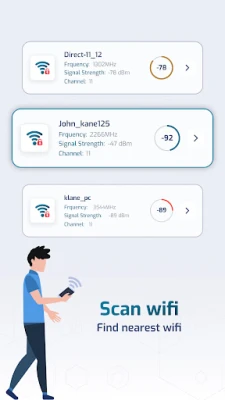
2. WiFi Scanner: Discover Your Network Landscape
The WiFi Scanner feature is an invaluable tool for understanding how users are interacting with your WiFi connection. This functionality includes:
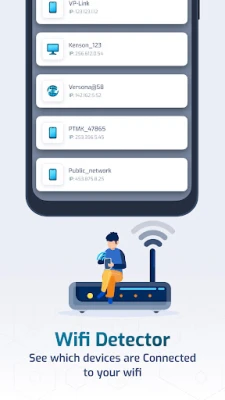
- WiFi Detector: Gain insights into how many users are connected to your network and their usage patterns.
- WiFi Scan: Scan for nearby available WiFi connections and gather essential information such as frequency, signal strength, channel number, signal health, and security status.
By utilizing the WiFi Scanner, you can optimize your network settings and ensure a seamless internet experience for all users.
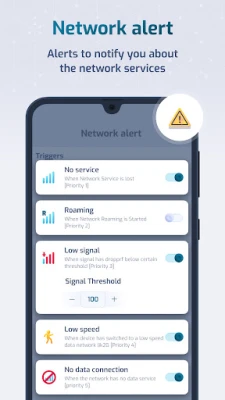
3. Network Alerts: Stay Informed
With the Network Alerts feature, you can receive real-time notifications about your network status. Whether you're facing:
- No service
- Roaming
- Low signal
- No data connections
You can customize alert settings to receive notifications at specific times, ensuring you are always aware of your network's performance.
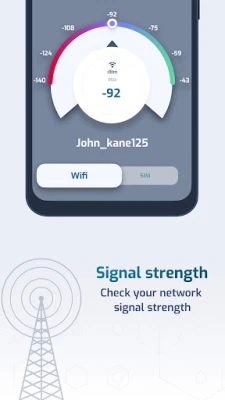
4. Signal Strength: Monitor Your Connection
The Signal Strength feature provides comprehensive information about your current WiFi connection or mobile data usage. Users can access:
- Network Info: Details such as connected network name, channel number, frequency, signal strength, access point, link speed, 5GHz band, IP address, MAC address, gateway, DNS1, DNS2, and DHCP server.
- SIM Info: Information about your SIM card, including the SIM name, network info for LTE or 5G, and signal strength.
This feature empowers users to make necessary adjustments to improve their connectivity.
5. Data Usage: Keep Track of Your Consumption
Monitoring your data usage is essential for managing your internet plan effectively. The Data Usage feature allows users to track app data consumption and generate reports for:
- Daily usage
- Weekly usage
- Last 30 days
- Custom time frames
By keeping an eye on your data usage, you can avoid unexpected charges and optimize your internet plan.
Permissions: Understanding Access Requirements
To ensure the app functions optimally, certain permissions are required:
- Read Phone State: This permission allows the app to display SIM card information and check the network type of your data connection.
- Location: Required to show connected WiFi information, signal strength, and scan for available WiFi devices.
- Query All Packages: This permission enables the app to retrieve a list of applications on your device, allowing it to display WiFi and mobile data usage for each app.
Understanding these permissions helps users appreciate the app's functionality and ensures a seamless experience.
Conclusion: Optimize Your WiFi Experience
In conclusion, leveraging the features of a robust WiFi management app can significantly enhance your internet experience. From refreshing your network to monitoring data usage, these tools provide essential insights and control over your connectivity. By utilizing these features, you can ensure a faster, more reliable, and efficient internet connection, allowing you to enjoy all that the digital world has to offer.
Rate the App
User Reviews















Popular Apps










Editor's Choice









