

Latest Version
30.2.0
July 25, 2026
Magdalm
Tools
Android
0
Free
com.magdalm.wifinetworkscanner
Report a Problem
More About Who's on my wifi
Ultimate Guide to Customizing Your Network Devices
In today's digital age, managing your network devices effectively is crucial for maintaining a secure and efficient home or office environment. This guide will explore various features that allow you to customize your devices, access essential configurations, and monitor your network's performance. Let's dive into the key functionalities that can enhance your networking experience.
Personalize Your Device Names and Icons
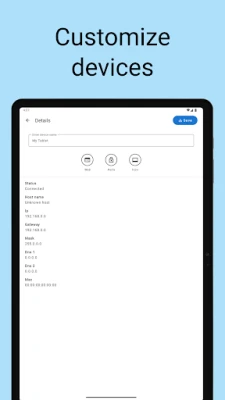
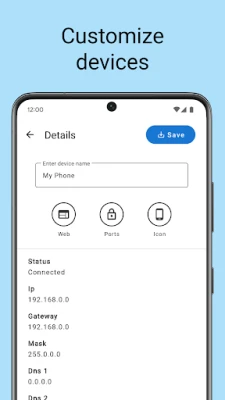
One of the first steps in managing your network is to customize the names and icons of your devices. This personalization not only helps you identify devices quickly but also adds a touch of individuality to your network. By assigning unique names and icons, you can easily distinguish between devices such as printers, computers, and smart home gadgets.
Accessing the Router Configuration Page
To make the most of your network, you need to access the router configuration web page. This interface allows you to adjust settings, manage connected devices, and enhance security protocols. Typically, you can access this page by entering your router's IP address into a web browser. Familiarizing yourself with this interface is essential for optimizing your network performance.
Monitor Device and Network History
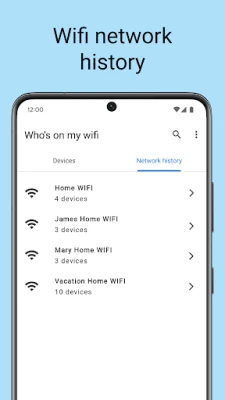
Keeping track of your network's performance is vital. With the ability to view the history of devices and networks analyzed, you can identify patterns, troubleshoot issues, and enhance your network's efficiency. This feature provides insights into which devices are frequently connected, helping you manage bandwidth and improve overall performance.
Exporting Data in Multiple Formats
Data management is simplified with the option to export information in CSV, XML, and JSON formats. This flexibility allows you to analyze your network data using various tools or share it with others. Whether you need to create reports or back up your settings, having multiple export options ensures you can handle your data effectively.
Importing Backups with Ease
Backing up your network settings is crucial for maintaining stability. The ability to import backups in JSON format allows you to restore your configurations quickly in case of any issues. This feature ensures that you can recover your settings without hassle, providing peace of mind as you manage your network.
Check Open Ports on Devices
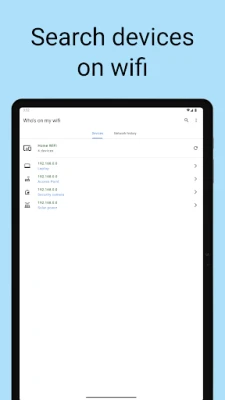
Security is a top priority for any network. Utilizing a tool to check open ports on found devices helps you identify potential vulnerabilities. By scanning for open ports, you can ensure that your devices are secure and that unauthorized access is prevented. Regularly checking open ports is a proactive measure to safeguard your network.
Track Connected and Disconnected Devices
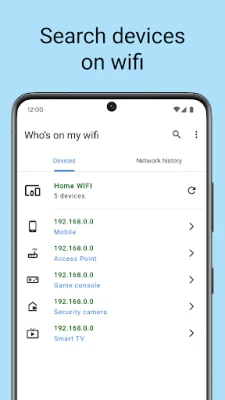
Understanding which devices are connected to your network is essential for effective management. The feature that shows devices connected and disconnected from your Wi-Fi network allows you to monitor activity in real-time. This visibility helps you identify unauthorized devices and manage bandwidth usage more effectively.
Display Comprehensive Device Information
For effective network management, it's important to have access to detailed device information. The system displays device information such as hostname, IP address, gateway, netmask, and DNS. This data is crucial for troubleshooting and ensuring that each device is configured correctly. By having this information at your fingertips, you can resolve issues quickly and maintain a smooth network experience.
Day and Night Mode for User Comfort
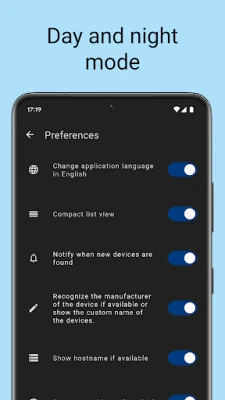
To enhance user experience, many network management tools now offer a day and night mode. This feature adjusts the interface's brightness based on the time of day, reducing eye strain and making it easier to navigate your settings. Whether you're managing your network during the day or late at night, this functionality ensures comfort and usability.
Convenient Home Screen Widget
For quick access to your network's status, a widget on the home screen can be incredibly useful. This widget provides real-time updates on connected devices, network performance, and alerts for any issues. By having this information readily available, you can manage your network more efficiently without needing to navigate through multiple menus.
Conclusion
Customizing and managing your network devices is essential for maintaining a secure and efficient environment. By utilizing features such as personalized device names, access to router configurations, and comprehensive monitoring tools, you can enhance your networking experience significantly. Embrace these functionalities to ensure your network operates smoothly and securely.
Rate the App
User Reviews















Popular Apps










Editor's Choice









