

Latest Version
1.1.7
December 13, 2025
Network Scanner - WiFi Scanner & Network Monitor
Tools
Android
0
$0.49
com.whousemywifi.networkscanner.wifiscanner.pro
Report a Problem
More About Who is on my WiFi Pro
Discover Who is Stealing Your WiFi: The Ultimate WiFi Scanner Guide
In today's digital age, maintaining a secure and efficient WiFi network is crucial. If you've ever wondered, “Who is using my WiFi?”, you're not alone. Many users face the frustration of slow internet speeds due to unauthorized access. Fortunately, a WiFi Scanner can help you identify and manage devices connected to your network.
Understanding WiFi Scanners
A WiFi Scanner is a powerful tool designed to analyze your wireless network. It provides insights into the devices connected to your router, allowing you to pinpoint any unauthorized users. By utilizing this app, you can enhance your network's security and optimize its performance.
How Does a WiFi Network Scanner Work?
The WiFi Network Scanner app operates by sending signals to your router, which then responds with information about connected devices. This process allows you to see a comprehensive list of all devices currently using your network. Here’s how it works:
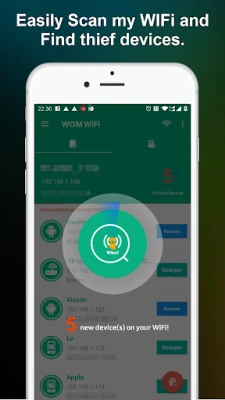
- Scanning: The app scans your WiFi network to detect all connected devices.
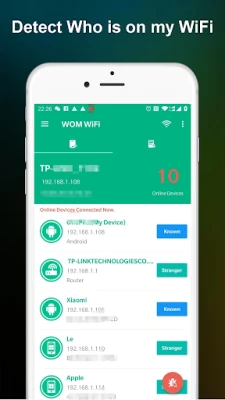
- Identification: It identifies each device by its IP address and MAC address.
- Analysis: The app analyzes the data to determine which devices are authorized and which may be unauthorized.
Why You Need a WiFi Scanner
Using a WiFi Scanner is essential for several reasons:
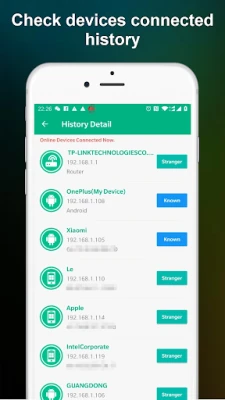
- Identify Unauthorized Users: Discover who is stealing your WiFi and potentially slowing down your internet speed.
- Enhance Security: By knowing who is connected to your network, you can take steps to secure it against unauthorized access.
- Optimize Network Performance: Remove unwanted devices to improve your internet speed and overall network performance.
Steps to Use a WiFi Scanner
Using a WiFi Scanner is straightforward. Follow these steps to get started:
- Download the App: Choose a reliable WiFi Scanner app from your device's app store.
- Connect to Your Network: Ensure your device is connected to the WiFi network you want to scan.
- Run the Scan: Open the app and initiate a scan of your network.
- Review the Results: Analyze the list of connected devices and identify any that you do not recognize.
- Take Action: If you find unauthorized devices, consider changing your WiFi password and enhancing your network security settings.
Common Features of WiFi Scanners
Most WiFi Scanner apps come equipped with a variety of features to enhance your user experience:
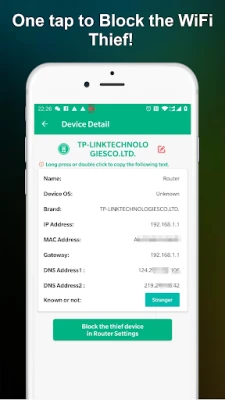
- Device Identification: View detailed information about each connected device, including device type and manufacturer.
- Network Speed Test: Measure your internet speed to ensure optimal performance.
- Alerts for Unauthorized Access: Receive notifications when a new device connects to your network.
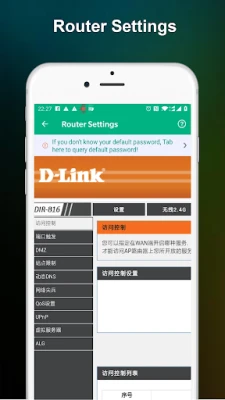
- Network Management Tools: Some apps offer tools to manage and control connected devices directly from the app.
Best Practices for Securing Your WiFi Network
In addition to using a WiFi Scanner, consider implementing these best practices to secure your network:
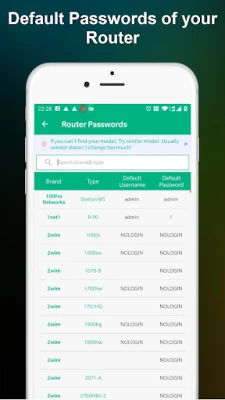
- Change Default Credentials: Always change the default username and password for your router to something unique.
- Enable WPA3 Encryption: Use the latest encryption standards to protect your network from unauthorized access.
- Regularly Update Firmware: Keep your router's firmware up to date to protect against vulnerabilities.
- Disable WPS: Turn off WiFi Protected Setup (WPS) to prevent unauthorized access through this feature.
Conclusion
In conclusion, a WiFi Scanner is an invaluable tool for anyone looking to secure their wireless network and improve internet performance. By identifying who is using your WiFi, you can take proactive steps to protect your network from unauthorized access. Regularly scanning your network and following best security practices will ensure a safe and efficient online experience.
Don't let unauthorized users slow down your internet speed. Take control of your WiFi network today with a reliable WiFi Scanner!
Rate the App
User Reviews















Popular Apps










Editor's Choice









