
Latest Version
6.3
March 30, 2026
Style-7
Tools
Android
0
Free
style_7.swissanalogclock_7
Report a Problem
More About White Analog Clock-7
Transform Your Space with Stunning Analog Clock Live Wallpaper
In today's fast-paced world, keeping track of time is essential. With the Analog Clock Live Wallpaper, you can not only stay punctual but also enhance the aesthetic of your device. This innovative application offers a variety of features that make it a must-have for anyone who appreciates both functionality and style.
Features of the Analog Clock App Widget
The Analog Clock App Widget is designed to provide you with a seamless experience. It allows you to customize your clock to fit your personal style while ensuring that you have quick access to the time. Here are some of the standout features:
- Topmost Analog Clock: This feature ensures that your clock remains visible above all other device windows, making it easy to check the time at a glance.
- Fullscreen Analog Clock: Enjoy a full-screen experience that transforms your device into a stunning timepiece.
- Analog Clock Screensaver: When your device is idle, let the analog clock serve as a beautiful screensaver, adding elegance to your space.
Stay Informed with Current Time and Date
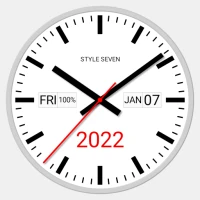
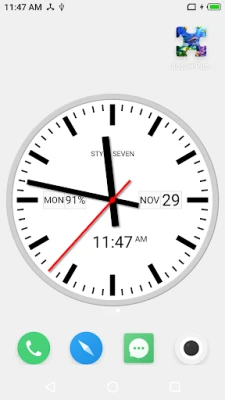
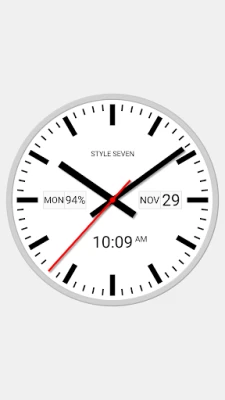
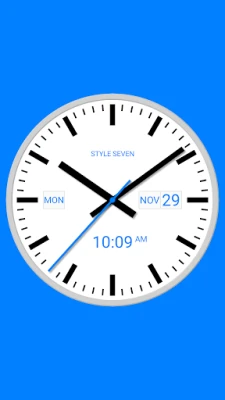
The Regular Analog Clock feature allows you to view not just the current time, but also the date, day of the week, month, and even battery charge. This comprehensive display ensures you are always informed without needing to navigate through multiple apps.
Voice Notifications for Time Updates
With a simple double tap, the clock can announce the current time, providing a hands-free way to stay updated. You can also set it to notify you periodically, such as every hour, ensuring you never lose track of time.
Customizable Dial Information
Personalization is key with the Analog Clock Live Wallpaper. You can control what information appears on the dial:
- Show or reposition the date, month, day of the week, and battery charge.
- Display a digital clock alongside the analog features for added convenience.
Choose Your Background
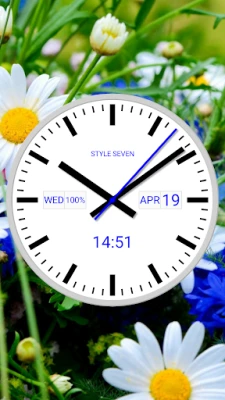
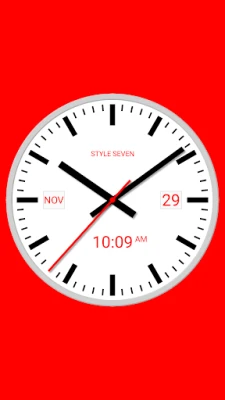
Make your clock truly yours by selecting any solid color or image from your device as the background. This feature allows you to create a unique look that complements your style.
Night Mode for a Calmer Experience
Utilize the Night Clock mode, which features a calming black background with dark-gray hands. This mode not only provides a serene viewing experience but also conserves battery life, making it perfect for nighttime use.
Screen Burn-in Protection
To protect your screen from burn-in, the clock randomly changes its position every minute. This feature ensures that your display remains in pristine condition while you enjoy the beauty of your analog clock.
Always-On Display Functionality
The Always on Screen feature keeps your clock visible even when your device's screen is turned off. Please note that this function must be manually activated in Fullscreen mode. It emulates an "Always on Display" experience with additional options for brightness control and auto-lock settings upon exit.
Customizable Clock Size and Position
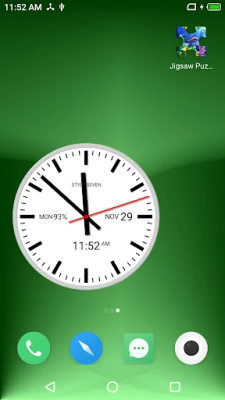
With the Analog Clock Live Wallpaper, you can easily adjust the size and position of the clock on your Home screen. The app widget can be moved and resized, allowing for a personalized layout that suits your preferences.
Quick Access and User-Friendly Features
For Android 12 and higher, the second hand is displayed, adding to the clock's functionality. You can install multiple widgets and simply tap on them to open the application. The drag-and-drop method allows you to change the clock's position effortlessly without diving into settings. A long touch will also open the app for quick access.
Desktop Icon for Easy Launch
Add an additional icon to your desktop for quick access to the app in full-screen mode. This feature ensures that your screen remains on, allowing you to enjoy the clock without interruptions. A simple swipe will close the window when you're done.
Technical Considerations
While the Analog Clock App Widget offers a plethora of features, there are some technical restrictions to be aware of:
- Battery charge is not displayed in the widget.
- Shadows are not shown.
- Voice notifications for the current time do not function in the widget.
- For Android 11 and below, the second hand is not displayed.
Conclusion
The Analog Clock Live Wallpaper is more than just a timekeeping tool; it’s a customizable, stylish addition to your device that enhances both functionality and aesthetics. With its array of features, including voice notifications, customizable backgrounds, and various display options, this app is perfect for anyone looking to elevate their timekeeping experience. Download it today and transform your device into a stunning analog masterpiece!
Rate the App
User Reviews















Popular Apps










Editor's Choice









