

Latest Version
November 30, 2025
Picmax
Communication
Android
0
Free
com.picmax.wemojiapp
Report a Problem
More About Wemoji - Sticker Maker
Create Custom WhatsApp Stickers Effortlessly: A Step-by-Step Guide
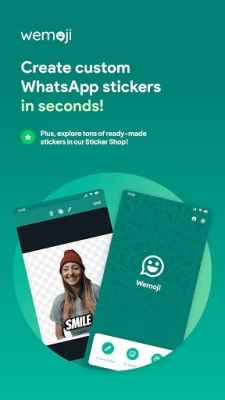
Transform your messaging experience with personalized WhatsApp stickers! Whether you want to design your own unique stickers or explore a variety of ready-made options, this guide will walk you through the process in just a few simple steps.
Unleash Your Creativity with Our Powerful Sticker Editor
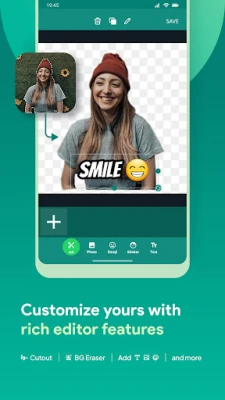
Our advanced sticker editor allows you to craft stunning stickers with ease. With features like free cropping, multiple image support, and the ability to add text and emojis, you can create stickers that truly reflect your personality. Plus, our AI tools make the editing process even smoother.
Steps to Create Your Own Stickers
Follow these straightforward steps to design your custom stickers:
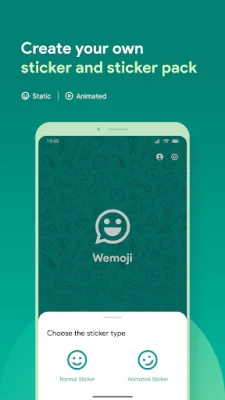
- Open the Sticker Editor: Launch the app and navigate to the sticker editor.
- Add Photos: Use the free-hand crop tool or let the AI auto crop feature do the work for you.
- Customize Your Sticker: Enhance your creation with text, emojis, and fun decorative elements.
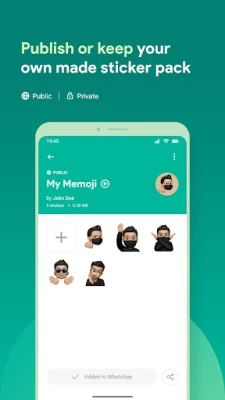
- Save Your Sticker Pack: Once you’re satisfied, save your creation to your personal sticker pack.
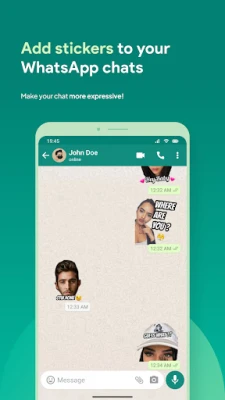
- Publish and Share: Enjoy your custom stickers on WhatsApp and share them with friends!
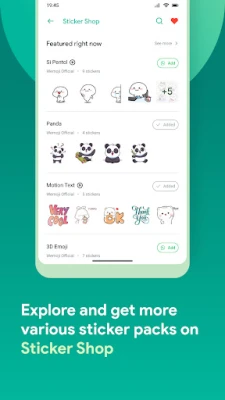
Instant Access to Ready-Made Stickers
If you’re short on time or inspiration, browse our extensive Sticker Shop. Here, you’ll find a wide array of expressive and trendy sticker packs, all available for free. Each pack is carefully curated to ensure quality and relevance, making it easy to find the perfect stickers for any occasion.
Key Features of Our Sticker Editor
Our sticker editor is packed with features designed to enhance your sticker-making experience:
- AI Auto Crop Face: This feature automatically detects and crops faces, making it ideal for creating fun selfie stickers.
- AI Background Remover: Effortlessly erase complex backgrounds with a single tap, thanks to our smart AI technology.
- Free-Hand Crop Tool: For those who prefer precision, our manual cropping tool allows you to cut out any object with ease, supported by a magnifier for accuracy.
- Multiple Photo Support: Combine several images into one sticker, giving you endless creative possibilities.
- Reusable Cropped Photos: Save your cropped elements for future use, allowing you to create even more stickers without starting from scratch.
- Add Text, Emojis & Stickers: Style your stickers with a variety of fonts, emojis, and decorative stickers, all conveniently located in one place.
Disclaimer
Please note that this app is independently developed and is not affiliated with WhatsApp Inc. Enjoy creating and sharing your custom stickers while enhancing your messaging experience!
With these tools and features at your disposal, you can easily create custom WhatsApp stickers that stand out. Start designing today and let your creativity shine!
Rate the App
User Reviews















Popular Apps










Editor's Choice









