
Latest Version
2.0.3
February 04, 2026
Dertefter Labs
Tools
Android
0
Free
com.dertefter.wearfiles
Report a Problem
More About WearFiles
Unlocking the Full Potential of Your Wear OS Device: A Comprehensive Guide
Wear OS devices offer a range of functionalities, but certain limitations can hinder your experience. One such limitation is the inability of apps to grant file permissions automatically. This article will guide you through the process of manually granting these permissions via ADB (Android Debug Bridge) and explore the features of a powerful app designed to enhance your Wear OS experience.
Understanding ADB and Its Importance
ADB, or Android Debug Bridge, is a versatile command-line tool that allows you to communicate with your Android device. It plays a crucial role in managing the state of your device and can be particularly useful for developers and advanced users. By using ADB, you can grant file permissions that your Wear OS apps need to function optimally.
How to Grant File Permissions Manually
To enable your Wear OS app to access files, you must follow a few simple steps to grant the necessary permissions manually. Here’s how:
- Set Up ADB: First, ensure that you have ADB installed on your computer. You can download it as part of the Android SDK Platform Tools.
- Enable Developer Options: On your Wear OS device, go to Settings > About, and tap on the Build Number seven times to unlock Developer Options.
- Enable ADB Debugging: In Developer Options, enable ADB Debugging to allow your device to communicate with your computer.
- Connect Your Device: Use a USB cable to connect your Wear OS device to your computer.
- Open Command Prompt: Launch the command prompt or terminal on your computer and type the command
adb devicesto ensure your device is recognized. - Grant Permissions: Use the command
adb shell pm grantto grant the necessary file permissions to your app.
For detailed instructions, refer to the app documentation or visit the official GitHub page: WearFiles GitHub.
Exploring App Features for Enhanced Functionality
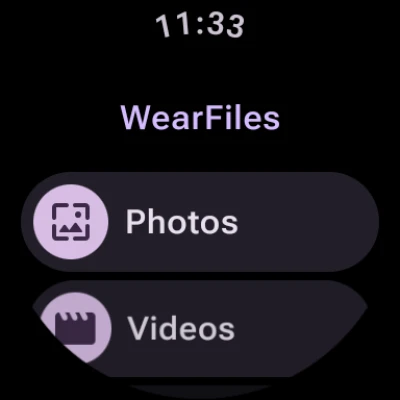
Once you have granted the necessary permissions, you can take full advantage of the app's features designed specifically for Wear OS. Here’s what you can expect:
1. Simple Image Viewing
The app allows you to view images effortlessly. With a user-friendly interface, you can quickly navigate through your image files, making it easy to find and display your favorite pictures right on your wrist.
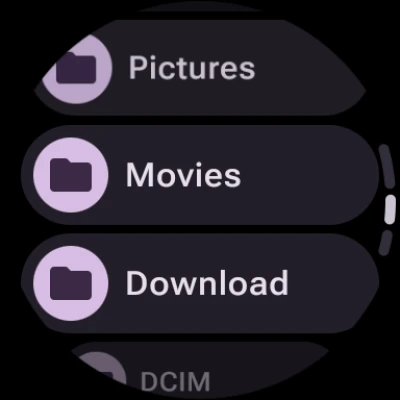
2. File Management Made Easy
With the ability to view and open files, managing your documents has never been simpler. The app supports various file types, ensuring you can access what you need without hassle.
3. Efficient File Deletion
Need to free up space? The app includes a straightforward file deletion feature. You can quickly remove unwanted files directly from your Wear OS device, keeping your storage organized and efficient.
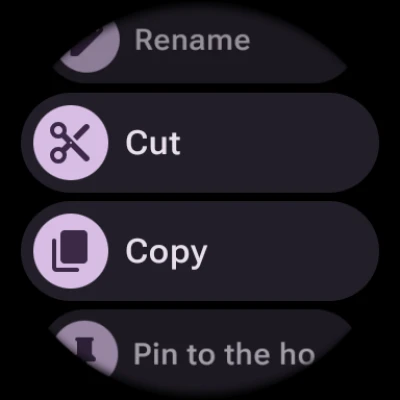
4. Cut, Copy, and Paste Functionality
Enhance your productivity with the cut, copy, and paste features. This functionality allows you to manage your files seamlessly, making it easy to rearrange or duplicate content as needed.
5. Pinning Files and Folders
For quick access, you can pin important files and folders to your home screen. This feature ensures that your most-used documents are just a tap away, streamlining your workflow.
Conclusion: Maximize Your Wear OS Experience
By understanding how to grant file permissions manually and utilizing the powerful features of the app, you can significantly enhance your Wear OS experience. Whether you’re viewing images, managing files, or organizing your documents, these tools empower you to make the most of your device. Don’t let limitations hold you back—unlock the full potential of your Wear OS today!
Rate the App
User Reviews















Popular Apps










Editor's Choice









