Latest Version
3.1.15.05
April 01, 2026
iToolab
Tools
Android
0
Free
com.luckydog.chatsgo
Report a Problem
More About WatsGo - Phone Transfer
Unlock Seamless Data Migration with WatsGo: The Ultimate Mobile Transfer App
In today's fast-paced digital world, switching from one smartphone to another can be a daunting task, especially when it comes to transferring important data. Fortunately, WatsGo emerges as a powerful solution for users looking to migrate their data effortlessly. This article delves into the key features of WatsGo, highlighting why it stands out as the premier mobile transfer app for moving data from Android to iPhone.
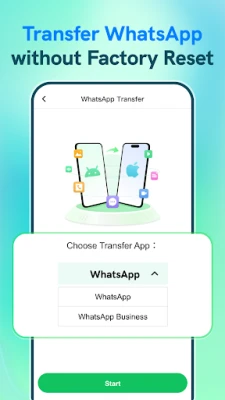
1. Effortless WhatsApp Data Transfer
WatsGo allows users to transfer their entire WhatsApp and WhatsApp Business chat history seamlessly. This includes all your cherished images, videos, voice messages, documents, and stickers. If you’re searching for a reliable method to copy your data from Android to iPhone, WatsGo offers the most efficient way to migrate your WhatsApp data without any hassle.
2. Comprehensive Phone Data Migration
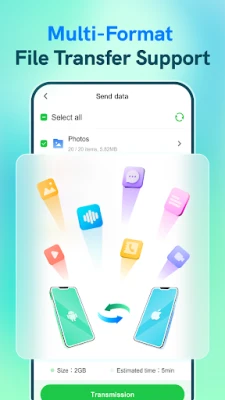
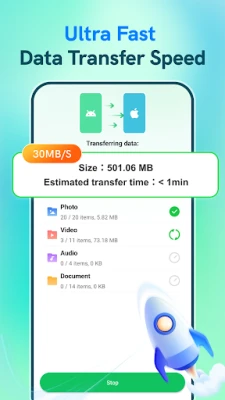
With WatsGo, transferring essential data such as photos, videos, audio files, and documents from your Android device to your new iPhone is a breeze. The app provides a smart cloning experience that ensures all your important files are moved quickly and efficiently.
3. Versatile Transfer Methods
WatsGo offers multiple methods for data transfer, catering to your preferences:
- OTG Cable: Utilize an OTG cable for a stable and high-speed transfer experience.
- QR Code Scanning: For a wireless option, simply scan a QR code to transfer photos, videos, audio, and documents without needing a computer.
This flexibility allows you to move data directly from Android to iPhone with ease.
4. High-Speed Performance
Experience lightning-fast data transfer speeds averaging 35MB/s. WatsGo ensures you won’t waste precious time waiting for your files to migrate, making the process efficient and user-friendly.
5. No Internet Connection Required
One of the standout features of WatsGo is its ability to perform data transfers without an internet connection. By utilizing a local hotspot or OTG cable, you can transfer your data without incurring mobile data charges or relying on network availability.
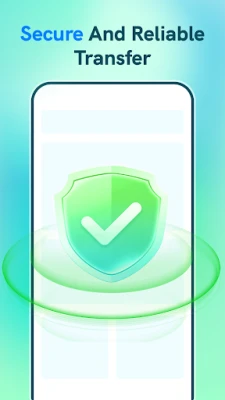
6. Secure and Private Data Transfer
WatsGo prioritizes your privacy. Since the app does not use the internet for data transfer, your information remains completely secure and inaccessible to third parties. Enjoy peace of mind knowing that your data is safe throughout the migration process.
7. Hassle-Free Transfer Without Resetting
WatsGo allows you to transfer data without the need to reset your iPhone. The app safely copies your data while preserving your existing content, making the transition to your new device smooth and stress-free.
8. Broad Compatibility with Android Devices
Whether you own a Samsung Galaxy S26 series, Huawei, OPPO, vivo, Xiaomi, Redmi, Pixel, or Motorola, WatsGo supports nearly all major Android brands. This wide compatibility ensures that no matter which device you’re switching from, the migration to iPhone will be effortless.
Why Choose WatsGo for Your Data Transfer Needs?
- Transfer data from Android to iPhone in just minutes.
- Act as a professional mobile transfer tool for WhatsApp, photos, videos, and more.
- Provide a faster and safer alternative to the Move to iOS app, especially for WhatsApp chat transfers.
If you’re wondering, “How can I transfer my data securely?” look no further than WatsGo. This powerful phone data sharing app simplifies the process of copying data from one phone to another or migrating your WhatsApp history—safely, quickly, and without worry. Download WatsGo today for a seamless transition to your new device.
Important Note
To facilitate data transfer from Android, WatsGo requires “All Files Access” permission to read and migrate your data. Rest assured, your information is encrypted during the transfer process and is never stored by the app.
Contact Us
If you have any questions or need assistance, feel free to reach out to us at contact@itoolab.com.
With WatsGo, switching devices has never been easier. Experience the future of mobile data transfer today!
Rate the App
User Reviews















Popular Apps










Editor's Choice









