

Latest Version
2.0.7
April 16, 2026
Safarifone Inc
Finance
Android
0
Free
com.safarifone.merchant.waafi
Report a Problem
More About Waafi Business
Unlocking the Benefits of Merchant Accounts with Hormuud, Telesom, and Golis
In today's digital age, having a reliable merchant account is essential for businesses looking to thrive. If you are a customer of Hormuud, Telesom, or Golis, you can easily access our app to manage your transactions efficiently. This article will guide you through the process of setting up a merchant account and highlight the advantages of using these services.
Why Choose a Merchant Account?
A merchant account allows businesses to accept payments through various methods, including credit and debit cards, mobile payments, and online transactions. This flexibility not only enhances customer satisfaction but also streamlines your financial operations. Here are some key benefits:
- Increased Sales: Accepting multiple payment methods can significantly boost your sales by catering to a wider audience.
- Improved Cash Flow: Merchant accounts facilitate quicker transactions, ensuring that funds are available in your account sooner.
- Enhanced Security: These accounts come with advanced security features to protect sensitive customer information.
How to Set Up Your Merchant Account
If you currently do not have a merchant account with Hormuud, Telesom, or Golis, setting one up is a straightforward process. Follow these steps to get started:
- Visit a Local Office: Locate the nearest office of Hormuud, Telesom, or Golis. Their friendly staff will assist you in the account setup process.
- Provide Necessary Documentation: Be prepared to present identification and any required business documentation to facilitate the account creation.
- Complete the Application: Fill out the application form provided by the staff. Ensure that all information is accurate to avoid delays.
- Receive Your Account Details: Once your application is approved, you will receive your merchant account details, allowing you to start using the app.
Utilizing the App for Seamless Transactions
Once your merchant account is set up, you can download the app associated with your service provider. This app is designed to make managing your transactions simple and efficient. Here’s how to make the most of it:
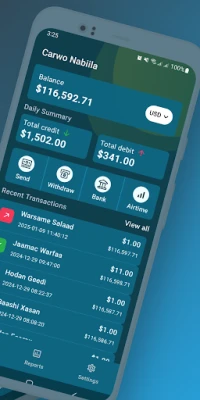
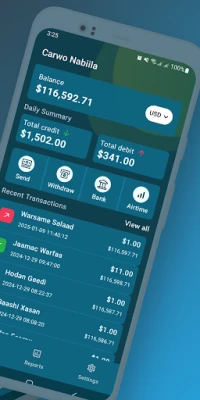
- Track Transactions: Monitor your sales and transactions in real-time, giving you insights into your business performance.
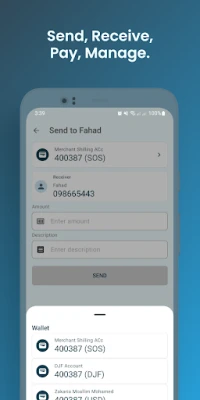
- Manage Payments: Accept payments from customers quickly and securely, enhancing their shopping experience.
- Access Customer Support: If you encounter any issues, the app provides easy access to customer support for prompt assistance.
Conclusion
Having a merchant account with Hormuud, Telesom, or Golis opens up a world of possibilities for your business. By following the simple steps to set up your account and utilizing the app effectively, you can enhance your payment processing capabilities and improve customer satisfaction. Don’t miss out on the opportunity to streamline your business operations—visit your nearest office today and get started!
Rate the App
User Reviews















Popular Apps










Editor's Choice









