
Latest Version
3.6.1
August 23, 2024
Better Proxy
Tools
Android
0
Free
com.facefaster.android.box
Report a Problem
More About VPN 365 - Secure VPN Proxy
Unlock Your Internet Freedom: The Ultimate Guide to VPN Usage
In today's digital age, accessing your favorite content, websites, apps, and videos from anywhere in the world is essential. A Virtual Private Network (VPN) not only provides this freedom but also encrypts your internet activities, safeguarding you from potential hackers and cyber threats. This article delves into the myriad benefits of using a VPN, how to utilize VPN 365 effectively, and the standout features that make it a top choice for users.
Why Use a VPN?
Using a VPN can significantly enhance your online experience. Here are some compelling reasons to consider:
1. Access Restricted Websites
Many websites and online services restrict access based on geographical location. A VPN allows you to bypass these restrictions, enabling you to view content that may be unavailable in your region.
2. Enhanced Online Security
When you connect to a VPN, your IP address is hidden, making it difficult for anyone to track your online activities. This added layer of security is crucial, especially when using public Wi-Fi networks, which are often vulnerable to cyberattacks.
3. Ideal for Travelers and Students Abroad
If you're on a business trip or studying in a foreign country, a VPN is an invaluable tool. It allows you to access your home country's content and services, ensuring you stay connected no matter where you are.
4. Bypass School Firewalls
Students can benefit from using a VPN to bypass restrictive firewalls on school networks. This enables access to educational resources and websites that may otherwise be blocked.
How to Use VPN 365
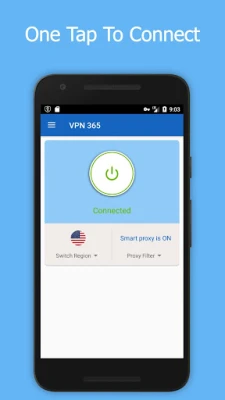
Getting started with VPN 365 is simple and user-friendly. Follow these steps to connect:
- Open the VPN 365 app on your device.
- Tap the "Connect" button.
- If prompted, accept any permission requests.
- Wait for the connection to establish, and then enjoy unrestricted internet access.
Key Features of VPN 365
VPN 365 stands out in the crowded VPN market due to its impressive features:
★ Privacy Protection
- Secures your privacy when connected to public Wi-Fi hotspots.
- Hides your IP address, ensuring your location remains anonymous.
★ Simple, FREE, and Unlimited
- Minimalist design for easy navigation.
- No registration required—just download and connect.
- One-touch connection to the VPN proxy server.
- No credit card or payment needed; we promise it’s forever free.
★ Superior Connectivity and High-Speed Proxy Server
Our independent research and development have led to a new network proxy protocol that is both efficient and secure. This technology effectively avoids interference from school firewalls, ensuring a smooth browsing experience.
★ Support and Feedback
We encourage you to try VPN 365 today! If you enjoy our service, please consider giving us a 5-star rating (★ ★ ★ ★ ★) and sharing it with your friends to help us grow.
If you have any feedback or suggestions, feel free to reach out via email at vpnboxhelp@gmail.com.
Important Note
For policy reasons, please be aware that this service cannot be used in China. We apologize for any inconvenience this may cause.
Conclusion
In conclusion, using a VPN like VPN 365 not only enhances your online security but also provides the freedom to access content from anywhere in the world. With its user-friendly interface, robust features, and commitment to privacy, VPN 365 is an excellent choice for anyone looking to improve their internet experience. Don’t wait—unlock your internet freedom today!
Rate the App
User Reviews















Popular Apps










Editor's Choice









