

Latest Version
September 27, 2024
Google LLC
Tools
Android
0
Free
com.google.android.apps.accessibility.voiceaccess
Report a Problem
More About Voice Access
Unlocking the Power of Voice Access: A Comprehensive Guide
In today's fast-paced digital world, accessibility is paramount. Voice Access is a revolutionary tool designed to empower users with motor impairments, allowing them to navigate their devices effortlessly using voice commands. This article delves into the myriad features of Voice Access, providing you with a detailed understanding of how to maximize its potential.
Essential Voice Commands for Seamless Navigation
Voice Access offers a variety of voice commands that facilitate basic navigation, making it easier for users to interact with their devices. Here are some key commands:
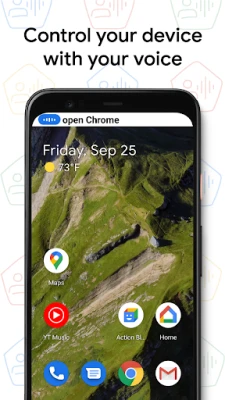
- Basic Navigation: Commands like "go back," "go home," and "open Gmail" enable users to move through their device's interface with ease.
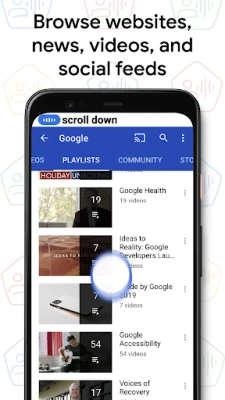
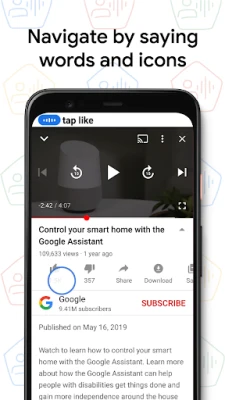
- Screen Control: Users can control the current screen by saying commands such as "tap next" or "scroll down," allowing for a smooth browsing experience.
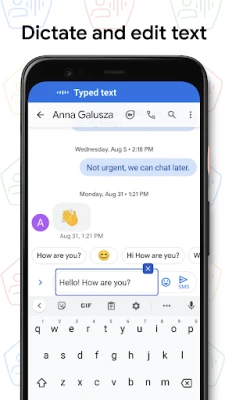
- Text Editing and Dictation: Voice Access simplifies text manipulation with commands like "type hello" or "replace coffee with tea," making it a powerful tool for composing messages and documents.
Whenever you need assistance, simply say "Help" to access a concise list of available commands, ensuring you can navigate the app without frustration.
Getting Started with Voice Access
Voice Access includes a user-friendly tutorial that introduces the most common voice commands. This tutorial covers:
- Starting Voice Access
- Tapping and scrolling
- Basic text editing
- Accessing help features
By familiarizing yourself with these commands, you can enhance your overall experience and make the most of this powerful tool.
Activating Voice Access with Google Assistant
One of the most convenient ways to start Voice Access is through Google Assistant. Simply say, "Hey Google, Voice Access," to activate the feature. To use this functionality, ensure that "Hey Google" detection is enabled on your device. Alternatively, you can initiate Voice Access by tapping the Voice Access notification or the blue Voice Access button, allowing you to start speaking commands immediately.
Managing Voice Access: Pause and Disable Features
Voice Access is designed to be flexible, allowing users to pause or disable it as needed:
- Pause Temporarily: If you need a break, simply say "stop listening" to pause Voice Access temporarily.
- Disable Completely: To turn off Voice Access entirely, navigate to Settings > Accessibility > Voice Access and toggle the switch off.
This level of control ensures that users can tailor their experience according to their needs.
Additional Support and Resources
For further assistance, users can refer to the Voice Access help section, which provides comprehensive support and troubleshooting tips. This resource is invaluable for anyone looking to deepen their understanding of the app and its capabilities.
How Voice Access Enhances Accessibility
Voice Access utilizes the AccessibilityService API to assist users with motor impairments. By collecting information about the controls on the screen, it allows users to activate them through spoken instructions. This innovative approach not only enhances usability but also promotes independence for individuals who may struggle with traditional input methods.
Conclusion: Embrace the Future of Accessibility
Voice Access is more than just a tool; it is a gateway to a more inclusive digital experience. By leveraging voice commands for navigation, screen control, and text editing, users can interact with their devices in a way that suits their unique needs. Whether you are just starting or looking to refine your skills, Voice Access offers the resources and support necessary to thrive in a digital landscape. Embrace this technology and unlock the full potential of your device today!
Rate the App
User Reviews















Popular Apps










Editor's Choice









