

Latest Version
3.6.2
February 27, 2026
Manuel Wrage
Tools
Android
1
$2.49
com.ivianuu.oneplusgestures
Report a Problem
More About Vivid Navigation Gestures
Unlock Your Device's Potential with Vivid Navigation Gestures
In today's fast-paced digital world, the way we interact with our devices is evolving. Why invest in a new device or wait for the latest Android version when you can enhance your current device's functionality with innovative solutions? One such solution is Vivid Navigation Gestures, an app that transforms your device experience by allowing you to control it through intuitive gestures instead of traditional button presses.
Experience Fluid Effects
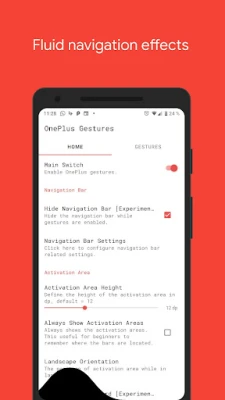
One of the standout features of Vivid Navigation Gestures is its stunning visual effects. As you perform gestures, the app provides beautiful animations that not only enhance the user experience but also make navigation feel seamless and engaging. These fluid effects elevate the overall aesthetic of your device, making every interaction a delight.
Multiple Gesture Triggers for Customization
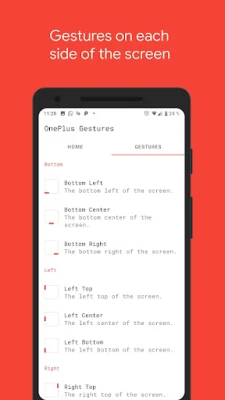
Customization is key when it comes to personalizing your device. Vivid Navigation Gestures offers a variety of gesture triggers, allowing you to choose the most comfortable and efficient way to navigate your device. The available gesture triggers include:
- Bottom Left
- Bottom Center
- Bottom Right
- Left Top
- Left Center
- Left Bottom
- Right Top
- Right Center
- Right Bottom
Diverse Gestures for Enhanced Control
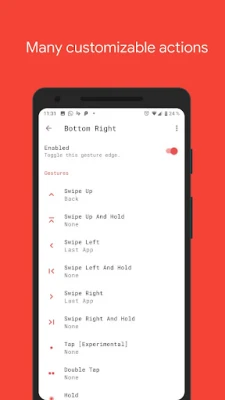
The app supports a wide range of gestures, enabling you to perform various actions with ease. Here are the available gestures:
- Swipe up
- Swipe up and hold
- Swipe left
- Swipe left and hold
- Swipe right
- Swipe right and hold
- Swipe down
- Swipe down and hold
- Hold
- Double Tap
- Tap
Actions at Your Fingertips
With Vivid Navigation Gestures, you can perform a multitude of actions effortlessly. The app allows you to:
- Launch Google Assistant
- Go Back
- Return to Home
- Access Menu
- Kill Apps
- View Last App
- Open Notifications
- Access Power Dialog
- View Recent Apps
- Open Quick Settings
- Toggle Split Screen
- Enable Auto Rotation
- Show/Hide Navigation Bar
- Launch Apps and Shortcuts
- Take Screenshots
- Control Music Playback
- Search
- Access Keycodes
- Input Method Picker
- Show Volume Controls
Additionally, users can request specific actions through the app's subreddit, fostering a community-driven approach to feature enhancement.
Accessibility Services for Seamless Integration
Vivid Navigation Gestures utilizes accessibility services to execute actions like back, home, or quick settings programmatically. Importantly, the app respects user privacy and does not collect any data through these services, ensuring a secure experience.
Hide the Navigation Bar for a Clean Interface
One of the most appealing features of Vivid Navigation Gestures is the ability to hide your stock navigation bar, providing a cleaner and more immersive interface. To enable this feature, you will need either ADB or root access. Here’s how to set it up:
Android ADB PC Instructions
- Enable Developer Mode in your Android settings.
- Turn on USB Debugging.
- Set up ADB on your PC.
- Run the following command to grant the necessary permissions:
adb shell pm grant com.ivianuu.oneplusgestures android.permission.WRITE_SECURE_SETTINGS
To restore the navigation keys, simply disable the app or run this command:
adb shell wm overscan 0,0,0,0
How to Install ADB
For those unfamiliar with ADB installation, here are some helpful resources:
Embrace the Future of Navigation
So, what are you waiting for? Unlock the full potential of your device with Vivid Navigation Gestures, regardless of the device you own or the Android version you are running. Experience a new way to interact with your smartphone and elevate your daily tasks to a whole new level.
For more information and community support, visit the subreddit.
Rate the App
User Reviews















Popular Apps










Editor's Choice









